
Make File Browser remember the state of its left side panels
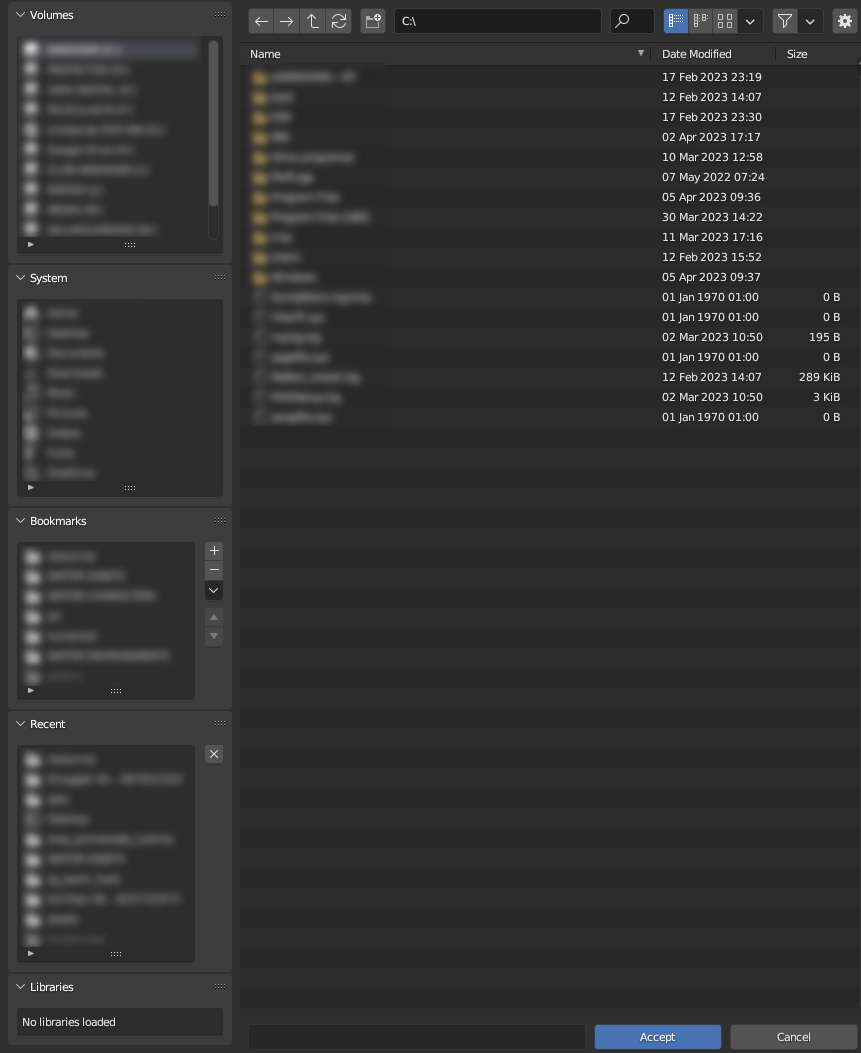
Currently, every time we access the File Browser for any task (Save As, Import, etc.) it completely forgets any rearrangement of its left side Source List region's panels and their states, and reverts to the default one:
Order: Volumes, System, Bookmarks, Recent, Libraries.
State: all panels expanded.
This, in computers with access to many storage drives and whose OSes add too many quick access items to their System, means having to oversize the File Browser to be able to click on any Bookmark or Recent item without scrolling. In my case, they amount to 19 entries' lines before I get to see the Bookmarks. To see my Recent items I need to use the full height of a FullHD monitor!
We need the File Browser to remember the state of this region (panel order and expanded/collapsed state) while in a Blender session or, even better, between sessions.
If the latter isn't possible, have us be able to set our own default state in the Startup File.
This is an example of the File Browser's window size I'm needing for being able to see all my Recent items. It's just ridiculous.
(While at this: the default ordering is wrong from an usability standpoint: Volumes and System are bound to be the least used during a session vs. Bookmarks and Recent)
2 Comments
We currently can disable panels for recent and system in preferences, adding volumes bookmarks would be a good idea.
I don't see any value in the functionality to sort the panels just for one time... it annoys me very much that the sorting is not saved generally. So I'd really appreciate if this idea would be realised