
Drag and drop import functionality for standard file formats
Current import procedure in Blender (.obj for example): File → Import → select file format .obj → navigate to .obj file in blender file browser → settings → select import → object is imported.
Proposed procedure: locate obj file→ drag and drop into blender window → object is imported with default settings.
I think it's important to keep the current importing procedure of course. I think it's good to have the option of selection presets and features before importing. The drag and drop method would greatly enhance an artist's ability to work quickly and spend less time hunting for proper files within Blender's file browser!
18 Comments
+1. Should work with any file format that is supported via activation of corresponding add-on.
yes drag and drop system must be ameliorated, dragging multiple images, multiples obj or fbx
How on earth Blender updates all those tiny bits of other parts like custom shape manipulating for controls in rigging and whatnot but does not implement any drag and drop functionality? How that can't be a priority? How?
I don't understand why drag & drop has not been added yet. Such a primitive function and it is not here.
Yes please with savable import option .so drag an drope doesnt change Layout every time.
Yeah, that's a feature I've been DYING for Blender to have! :D Where do I go to ask the Blender team to implement drag-&-drop?
Easy Import Blender Add-onseems to be a fairly good addon which allows you to pretty much 'copy and paste' from the file browser. Its not as good as drag and drop, but its pretty close+1 +1 +1
there's a couple similar posts to this one- I agree with them all, but better to add your vote to one of the existing ones than create a new one
* @testure * Great point. Could you link a popular one? I'll add it there
I guess this can be marked as done now
Hello, there is a Pull request for drag and dropping OBJ files to import them projects.blender.org/blender/blender/pulls/106871 Do you this is enough for this Idea?
The other day I spent like 4 hours just importing obj files. Over 80% of them I had to import multiple times with different settings before I got something I could really use. Drag and drop would have just failed in most of those cases since there's no opportunity to adjust the import settings.
I assume the main difficulty for a developer would be to detect the format, since an extension in the name doesn't suffice (Linux doesn't need extensions, plus one may accidentally add the wrong extension to a name). Some formats would need to be decoded in order to detect what they are. For open formats it may be easy, but for others like fbx which are closed and keep changing every now and then, it may be a lot more work.
I think it should at least be added for the open formats though.
this. also, .abc support
please
+1
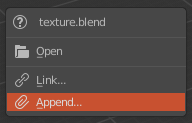
I agree, and it would be really cool to have import options (e. g. smooth groups, lines, lines, split, split, forward, up, image search options for obj) could be included in the F6 panel (which is no longer assigned to this key on blender 2.8 because it is in the bottom left of 3d viewport (and it can be cool, but if you like me don't have a closed pannel always, and have to open it with mouse when you really need it, or would like to be able to use it in other editor like node editor or else...))
But having options in addition, (which will reimport the asset in case of modification) would be nice, and would allow for example to choose at the time of the import of an image if it would be imported in background, or in as image as plane. (and to display the options of importing images as plane)