
RGB Mask Passes for Postproduction
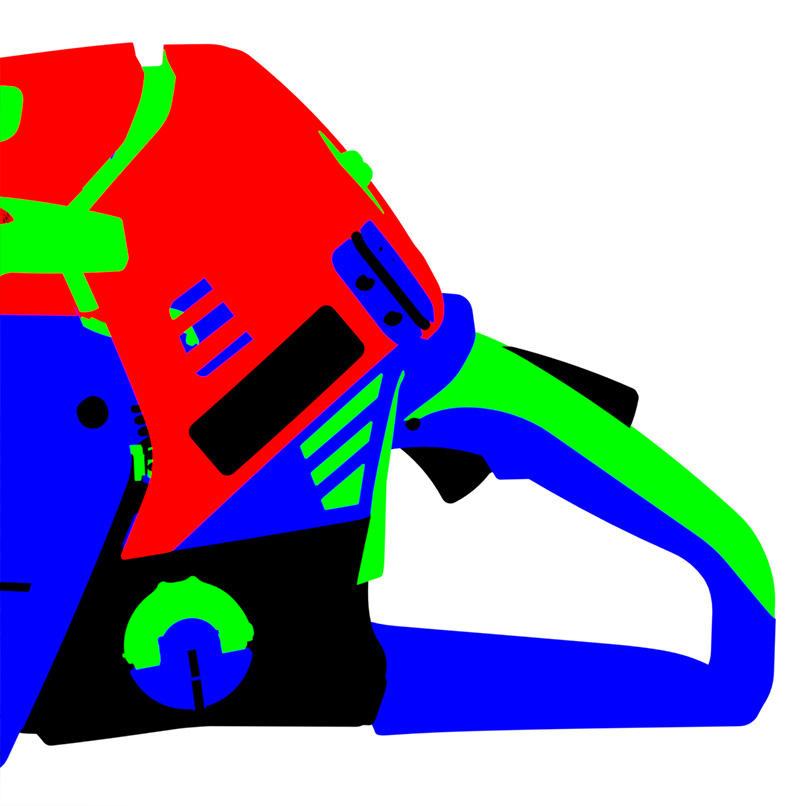
It would be nice to have full antialiased material-ID masks for postproduction. We use the method from this guy since years now and the masks are just perfect! It even works for out of focus objects.
The basic idea is to have a "switch"-node group to override your material nodes with a emitter material if you want render masking passes. We made some scripts to automate the process of switching to "mask mode" so we can render and save all the wanted passes in one run.

8 Comments
Unless I'm misreading, this is basically Cryptomatte . It's been proposed here before and it's being worked on.
@Jason van Gumster: I dont see that Cryptomatte gives me RGB Masks (also called "multimattes)? I'm not sure if the Cryptomatte masks would be good in our workflow (blender + photoshop).
@ronald.engelhardt: youd need a photoshop plugin for cryptomatte im sure either it exists already or someone is making it.
@Luciano Muñoz: Since Cryptomatte stores the data in multichannel exr, yes you would need a plugin to open this in PS. Our Postproduction environment is 99% Adobe on OSX. Adobe Bridge doesnt support exr well. For our retouchers the "old" RGBA mattes would be way better to use.
oh for god , i want need this feature inmediatly U.u
Yes! Infact we need all the passes anti aliased. Z depth pass also has jagged edges.
@luja19: Not all of them, for RGB mattes I agree it should be anti aliased, but for Depth of Field we need the non filtered (non anti aliased) Z depth pass to make sure it's clean in composite, Maya Vray has option to choose whether the pass should be Filtered or non Filtered.
IMHO Cryptomatte is suited more for complex production pipelines (You need to set up some stuff to get it work, proper naming conventions and so on ...). A simple and easy to use RGB matte output could exist beside it no? :)