
Improve tooltip information
Background:
I was appending a material and was looking at what boxes to leave ticked and saw a few with terms I didn't understand their function of so I hovered over it and the information given didn't seem useful enough for me.
Often the tooltips are like explanations where the word you asked about is given in the definition so it still doesn't answer your question of what the term meant 😅
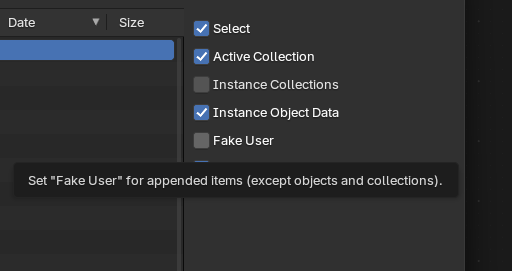 I end up just googling the term to find a good explanation.
Solutions:
-
Improve/give an option to extend the existing tooltip information
-
add a 🛈 hyperlink at the end of the tooltip which directs you to the blender manual about that specific thing.
2 Comments
When pressing F1 when hovering over the option already opens the manual at the correct location with additional information. If it doesn't file a bug and we will make sure it does. Adding an icon everywhere would just take more space.
You can also see the F1 to manual as the option to extend the existing tooltip information.
I checked pressing F1 in that location would bring you to docs.blender.org/manual/en/5.3/files/linked_libraries/link_append.html with more information about the options.
Ah, I did not know about F1!