
Custom Themes Should include Viewport Shading Configuration as well.
Viewport Shading configuration and Default startup File configuration should be included when saving a custom theme inside of blender. Option to load the Theme, the windows layout and viewport shading options should be given
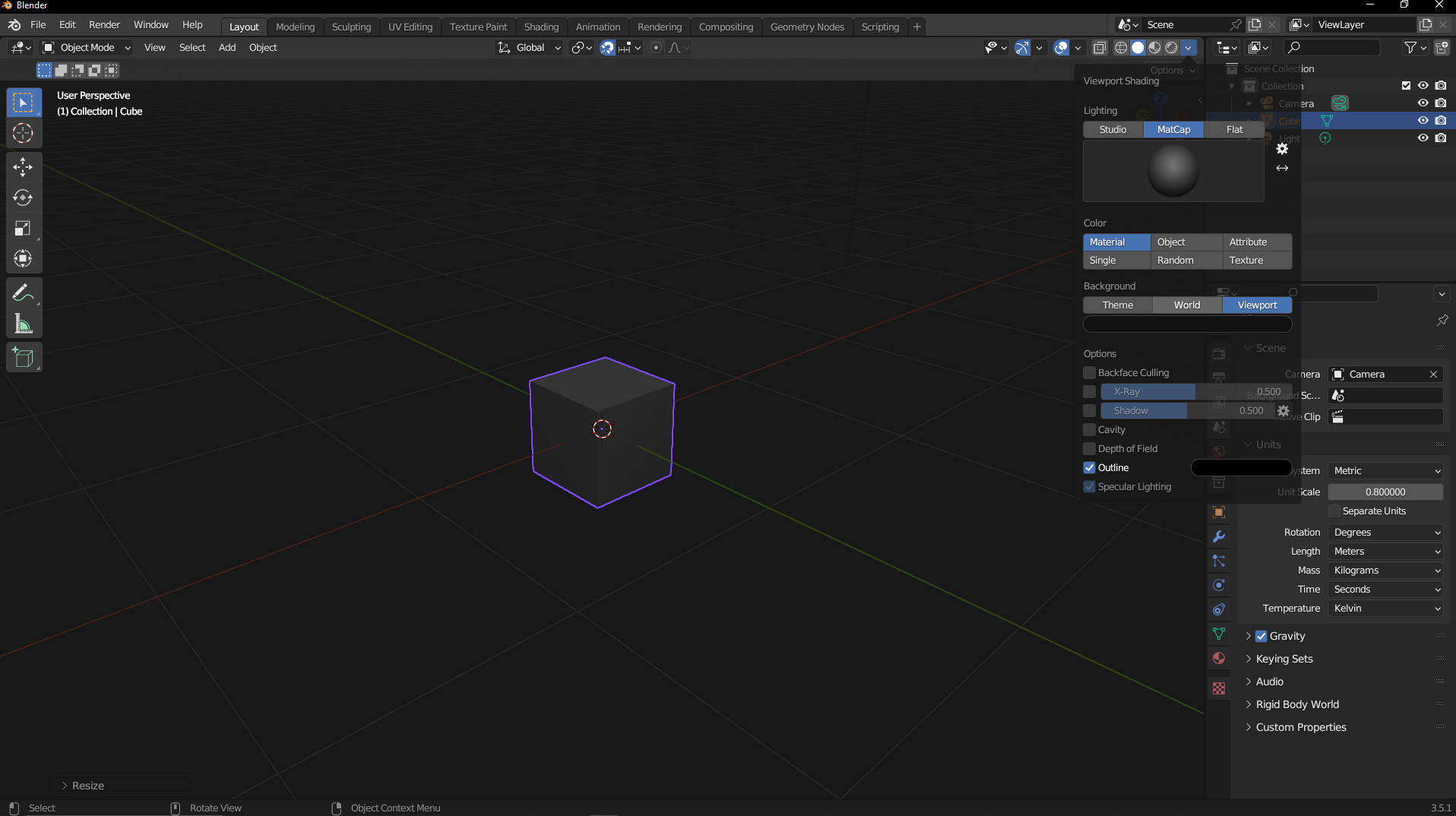 .
13 Comments
I don't think changing the default file and templates belongs to the theme. A theme is for style and colors of the interface.
A combination of theme, settings and startup templates is something else, more like a "profile".
Imagine if when changing the color of your browser it would change the extensions and cookies and saved passwords. That's why Profiles exist.
You're right. I think think the Theme should be an option inside of a Customization File. So instead of passing around XML files for Themes alone. Users could have a Customization File that you "Install" instead and it allows you select whether you would like to Set your "UI Configuration" (window layout and so forth) Your Viewport Shading or Change your Theme. As an added bonus you can go ahead and Set that to your default start up config if you like.
Why?
Because Custom Theme and Custom Viewport Configurations and Custom UI Default Blender start ups deal with the same Idea. Simplify the Custom UI Configuration Process. Its Like Having Three different locations inside Blenders Complexed UI just to Snap to Grid....
I disagree on that.
And keeping these isolated allows easier customization and exchange.
🤔
There are many reasons why you would want to frequently be changing the settings for solid shading/workbench, such as:
You will not be going into your theme settings to change the selection color or whatever else every time you start sculpting. It does not make sense to include something that will be frequently changed as a part of a theme.
Someone who sculpts frequently might want it to default to having a matcap. Someone who mostly models for games might want to have backface culling on by default. Regardless of UI colors. And everyone should want to have cavity enabled by default. Go enable it.
Thats right. Thats why It shouldnt be included inside of themes. Instead of an XML File for Saving themes It should be a configuration file that gives you the option to Choose if you would like to use a Custom Theme, The Custom Viewport shading settings and or the Custom UI window Layout among other things.
How often are you changing your theme, this is an issue for you?
I don't think I have changed my theme in the past 3 or 4 months, and at the moment don't have any plans to ever change it again. I changed the default scene yesterday.
Im not sure the frequency of changing themes would warrant discounting a customization file. When I start up blender I want it to be a certain way. I want the Windows to be a certain way, I want the Units to be a certain way I want certain snapping settings to be a certain way. When I install anew blender version i dont want to re-configure blender again. and again and again. I want to be able to back up my settings. Maybe that make sense.
This is a XY issue. You propose a solution for Y when your issue is actually X. Your issue isn't having all the settings for your theme, layout and shading settings all stored in the same place. It's how to back it up.
These solutions are already covered: startup file contains all your UI layout and viewport shading settings. Themes are also stored in there if I remember correctly.
When you install a new version of Blender, the splash screen proposes you to import all your settings from previous versions.
What if I want to take my settings with me to a new studio Im working in or what if I crash my computer or better yet what if i want to use a custom built version or a experimental build? Hmm seems like the only solution is a configuration file that I can quickly install all my settings instead of tediously going through Blenders long and drawn out cusomization process.
%appdata%/Blender Foundation/Blender/<version>
If you don't have a backup (you should), you're going to lose your theme, preferences, and such anyways
Click the button to copy your settings. If you miss it, go to appdata and copy the stuff over.