
Add the 'Vertex Group Specials' menu to all types of object
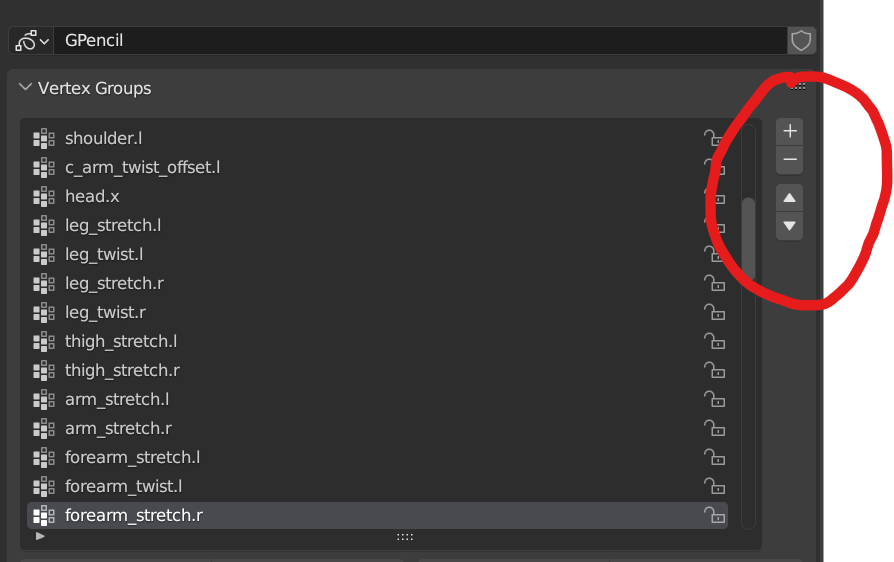
Add the 'Vertex Group Specials' menu to the Vertex Groups panel of all types of objects, (specifically the GPencil objects).
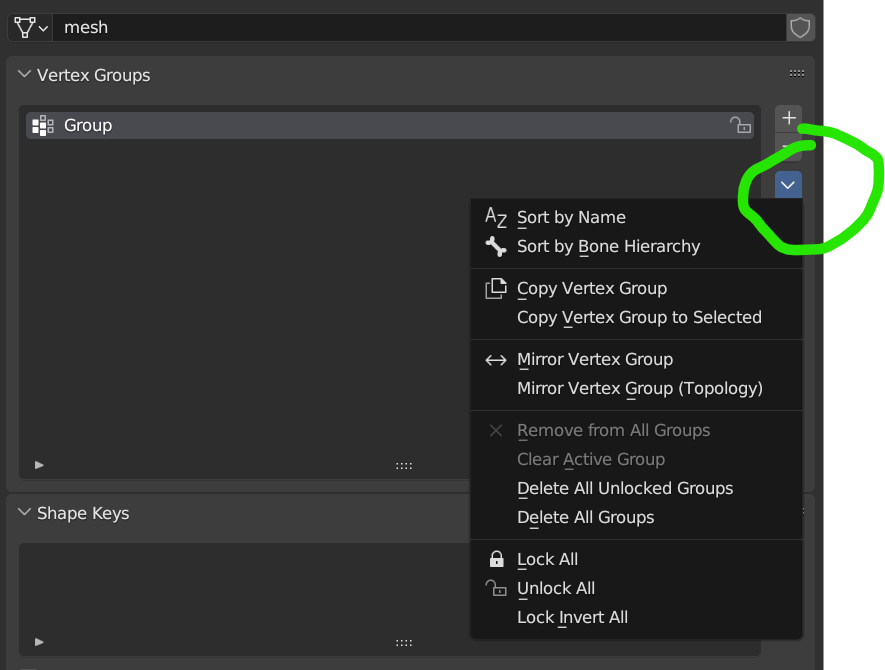
At the moment, Vertex Groups added to Mesh objects have an extra (and very useful) menu called Vertex Group specials. This menu does not exist for the Vertex Groups of a GPencil object.
It's very handy to be able to do things like 'Delete all Unlocked Groups', 'Copy Groups' or 'Unlock All'. So let's make it a uniform option for all Vertex Groups of all types of objects.
7 Comments
To be honest, I never proposed this (and multiple other things to do with vertex groups and GPencil) because it just seems like a missing feature that has to be on the developer's list of things to do already.
Does anyone know if there is a public roadmap somewhere where we can see what the devs are already planning on doing? I've looked but haven't been able to find one...
You can try to look it up on the repository: blender/blender: The official Blender project repository. - blender - Blender Projects
Thanks bud that helps a lot. Sure enough, some of the things that I would have proposed are already being worked on. Nice.
Yeah, I can appreciate that logic. For now, I'm going to (attempt to) code my own menu which will serve some of the important functions that I use regularly when dealing with vertex groups on meshes. Let me know if you (or anyone else) wants a copy (it'll be an add-on).
When I looked at the dev projects board, this particular thing wasn't on it so it's good you proposed it. Yes, I'd definitely like a copy if/when you finish it :D thanks
Hi Matt,
I've finally got around to coding this!
It turned out to be quite a simple edit to the source code, which I've then packaged into an add-on: github.com/GaryCarse/Gpencil-Vertex-Group-Specials-Menu-Add-On.git
Just enable it and the menu will appear under the Object Data Properties > Vertex Groups (for Gpencil objects).
Hope you find it useful!
Nice man, thanks. I noticed that the "Clear active group" and "Remove from All Groups" options didn't work because they used the Mesh version of the remove_from operator so I implemented a GPencil version of the operator that takes the parameters required for those options. Also, the "Remove from All Groups" option works with Multiframe editing but for some reason the "Clear Active Group" only works on the current frame.
I made a PR: github.com/GaryCarse/Gpencil-Vertex-Group-Specials-Menu-Add-On/pull/1