
Feet & Inches
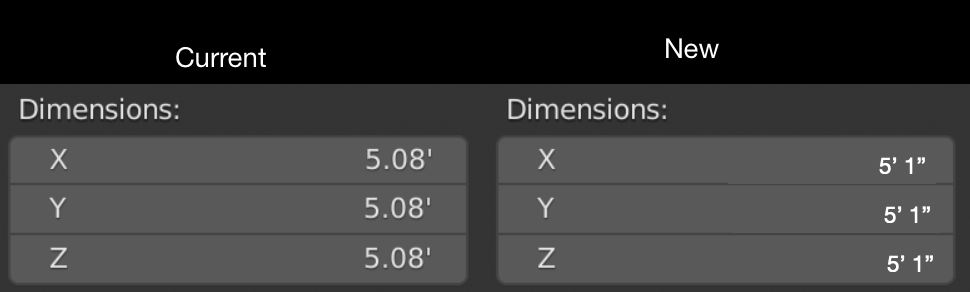
Say you have an object that's 5' 1". Currently, as someone who uses the imperial system, your only options are displaying 5.08333ft or 61" in the item dimensions box. Both options require you to do manual math to arrive at 5' 1". Also, when beginners read the dimensions are 5.08333ft, they might make the false assumption that Blender is inaccurate and use other software for architecture and stuff. It's understandable considering Blender comes from a country that uses the metric system, but I think we absolutely NEED a "feet and inches" option somewhere in the units section for the people who use the imperial system.
6 Comments
I just wanted to comment on this because I had the same problem and saw it wasn't answered but then found the solution and wanted to add a solution for other people who find themselves in this situation.
In the Units Tab where you can change from Feet to Meters etc there is a tick box called "Separate Units" or at least there is for blender 2.93. If you set units to feet then tick that it solves your above problem and shows 5'1" as 5'1" not 5.08'
I hope that's helpful for you and anyone else who finds this thread.
Indeed this option has been around for ages now.
I will mark this as Done. Thanks for commenting on it.
we can add an option in blender preferences where we can use "." to insert feet symbol. Just like if we want to input 5'1" , we can simply press "5" then "." then "1"
Here, here. And also it should allow to you 'move' an object 5'1".
* @joel.godin * You actually can type in 5' 1" while using the move command if you enable "Default to advanced numeric input" in the settings. Perhaps, that setting should be enabled by default.
* @qwertquart * you can write advanced numeric after you hit Asterisk on numpad by default