
Ping-Pong Texture Painting
It would be very nice to have a ping-pong mode for Texture Painting on mirrored models in the viewport.
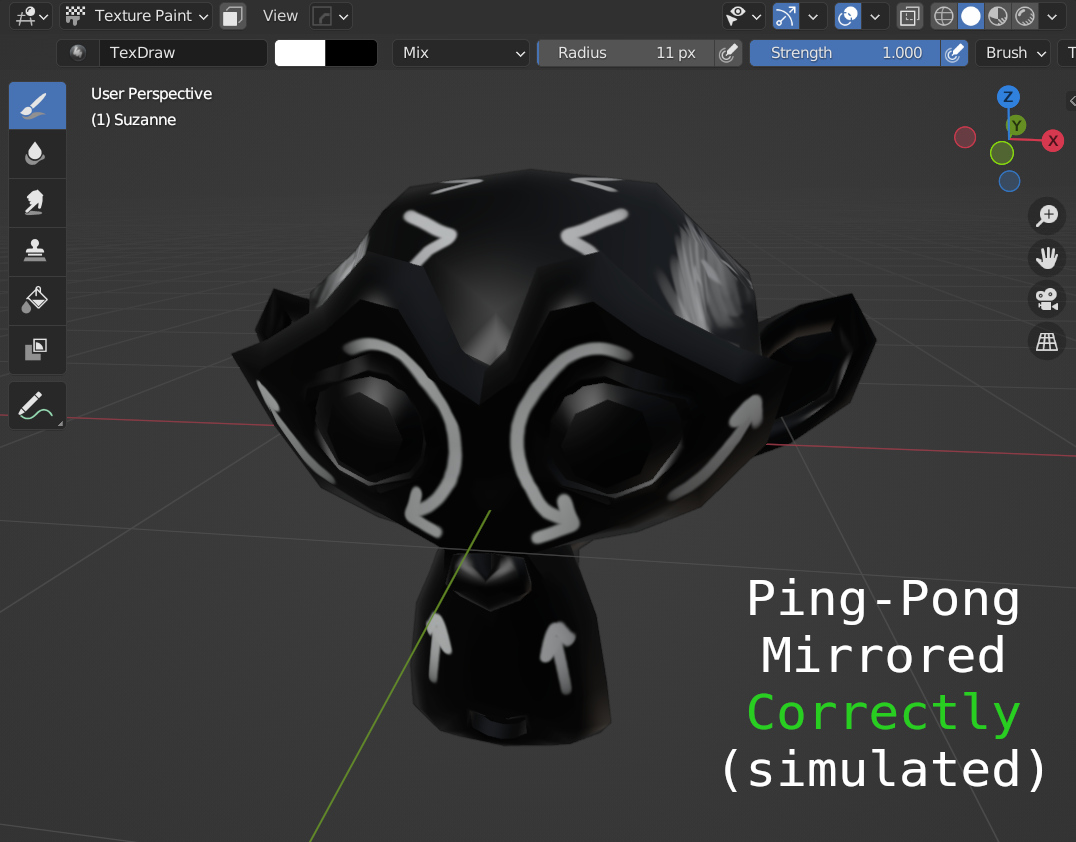 The example model here has it's UVs mirrored off the page (-1 offset on U). The model below shows the default is to repeat the texture so it maps incorrectly to the other side of a mirrored model, this is not always what you want especially in game assets.
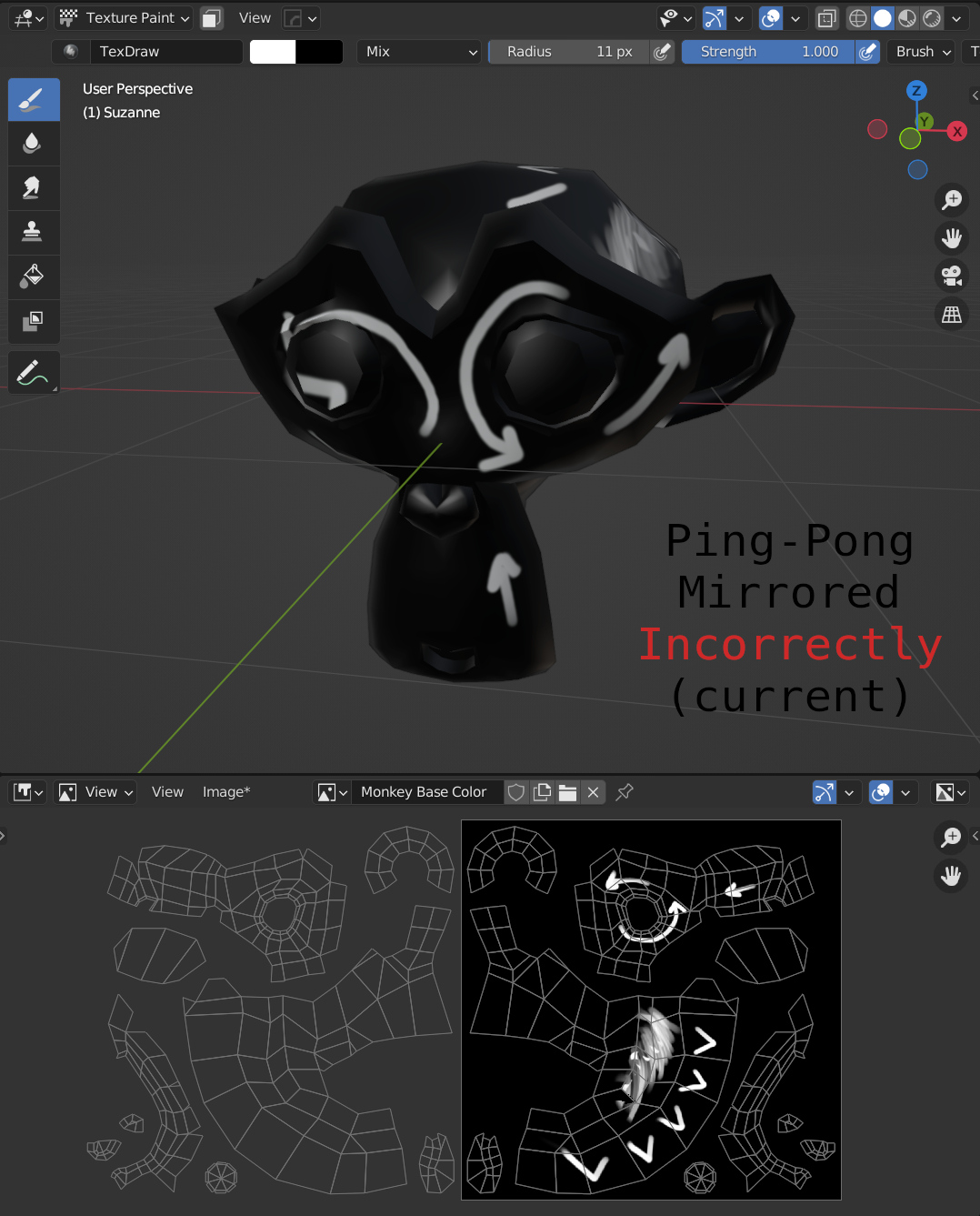 This could perhaps be added to the viewport...
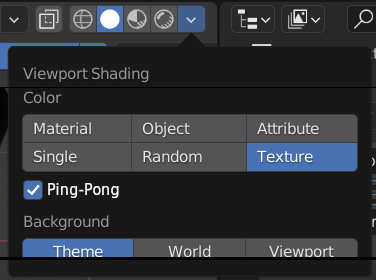 ...or in the image Editor.
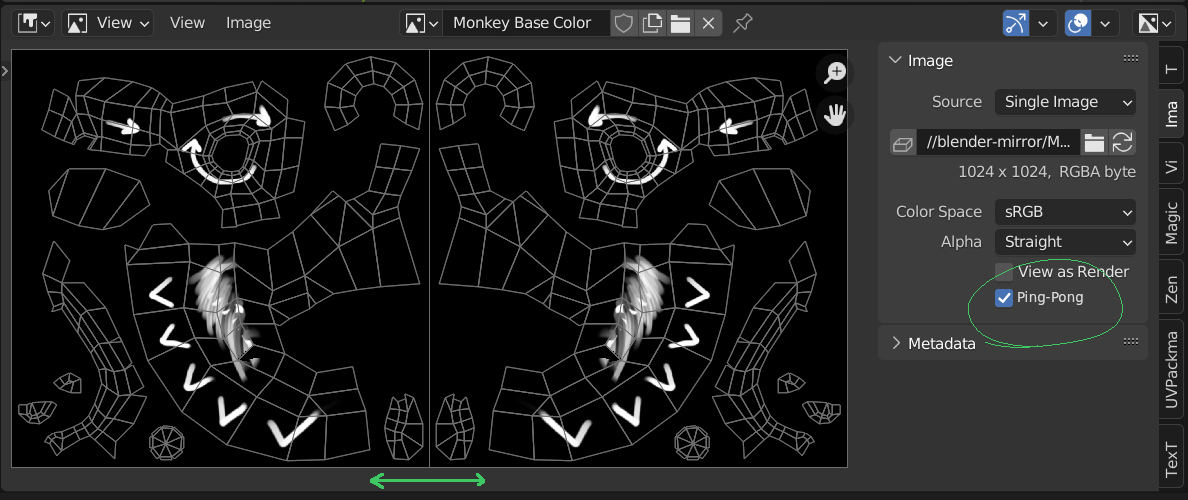 This is not however just a display mode like the 'View' > 'Display' > 'Repeat Image' checkbox is, it would need to actually effect the image's mode on the GPU or something (like GL_MIRRORED_REPEAT) so that it shows up mirrored in the Solid mode of the Viewport shading when 'Texture' was selected for the color source. Additionally, while in Texture Paint mode the strokes would need to be mapped accordingly, to the ping-ponging UV coords.
I have personally been struggling with this issue for years in my game asset dev work and would love to see a built-in official solution instead of some of the dodgy hacks I've had to resort to to get the same experience (such as coordinate mirroring nodes and painting in LookDev or Rendered Mode, or just masking off half the object with the Face selection mask in Texture Paint mode.)
7 Comments
The same effect could be achieved if you simply mirrored the uv's on the left on the X-axis I have never seen this ping-pong uv thing before. Not that it doesn't exists
There are plenty of ways to fake it in Blender for rendering, however the Texture painting mode doesn't map the brush correctly and so it makes mirrored/ping-ponged models hard work with for painting, baking, and game dev.
I doubt a simple checkbox would suffice here because your suggestion assumes the mirroring direction (left, in your case). Is this a common technique in game development? I've never seen it before. You could probably achieve the ping pong mapping using a shader.
It is a common technique in games made for lower spec hardware, older games, or stylized games, it can even help save some memory in big studio games as Vulkan still supports it; it's a common feature of all GPUs. As I stated above I have achieved the ping-ponging using a shader node which only recently works in the viewport with the arrival of Eevee, although it only works in Lookdev mode and not in Texture Paint mode where it's really needed. Additionally, mirroring is quite heavily support in all other areas of Blender, especially in sculpting which has the same sort of hands-on model as texture painting.
I don't really understand what you mean to do here. Could you explain please?
It looks like you want to be able to draw outside the UV space while having a form of UV-space mirroring, but why not just put all your UVs within the UV space? AFAIK the standard of regular UVs is to remain within [0;1] and anything beyond that is supported (or unsupported) differently depending on the exchange format and target rendering software, so I'd think it isn't really a good idea to exploit that?
If you really want to use more than one UV space, use UDIM.
If what you want is an easy way to stack mirrored UVs, either use the Mirror Modifier, or if you have only some parts that need mirroring and have identical topology, use this method .
And if this isn't enough, then maybe that's what this proposal should be about: tools to stack UVs or mirrored topology.
Drawing outside the UV space is well defined on GPUs, each texture unit has a wrapping mode that the GPU uses to decide how to map any UVs that go outside [0,1], usually defaulting to repeat, which is what Blender's defaults to. However there is an additional mode called Ping-Pong (GL_MIRRORED_REPEAT) which will mirror the texture each time you go 1 more unit out. so [-1,0] will be flipped as well as [1,2] will be flipped, but [2,3] will be the right way around. Flipped and stacked UVs can't work for game assets for some engines because it breaks the tangents which will corrupt the rending of normal maps in engine, so unfortunately it's not a viable technique.
Oh, ok! I had something really different in mind when reading your post.
If I understand it well this time, this sound like what we get when we set an Image Texture Node 's Repetition setting to Mirror?
If so, maybe it would make sense to basically copy all these repetition settings over the UV and Image editors' Repeat Image setting.