
Viewport - Black and White template/style (not only black)
Right now default template/style is generaly Black .
- This mind that any image saved from vieport have black background and white/orange wireframes, etc. everything is determined by this style
- This doing problem for prints, etc. re-use of image without render in case image can be used just from viewport omiting whole process to adopt final work/image in case early images from viewport are enough.
I know is white template for whole GUI, but I think user should have this option to easy with betwen black and white viewport, not GUI.. Reason is due of used black object sometimes, etc.
b3d.interplanety.org/en/white-8-theme-for-blender-2-82/
By this feaure request expecting option fast switching in:
- View > Viewport style - Black
- View > Viewport style - White
- View > Viewport style - Blue (prints)
- View > Viewport style - Green
Feature is related with: Shading - Random colours as not random (Spectrum/Gradient for childs)
- to optimize works with viewport
- made this sometimes draw/sketch like CAD style
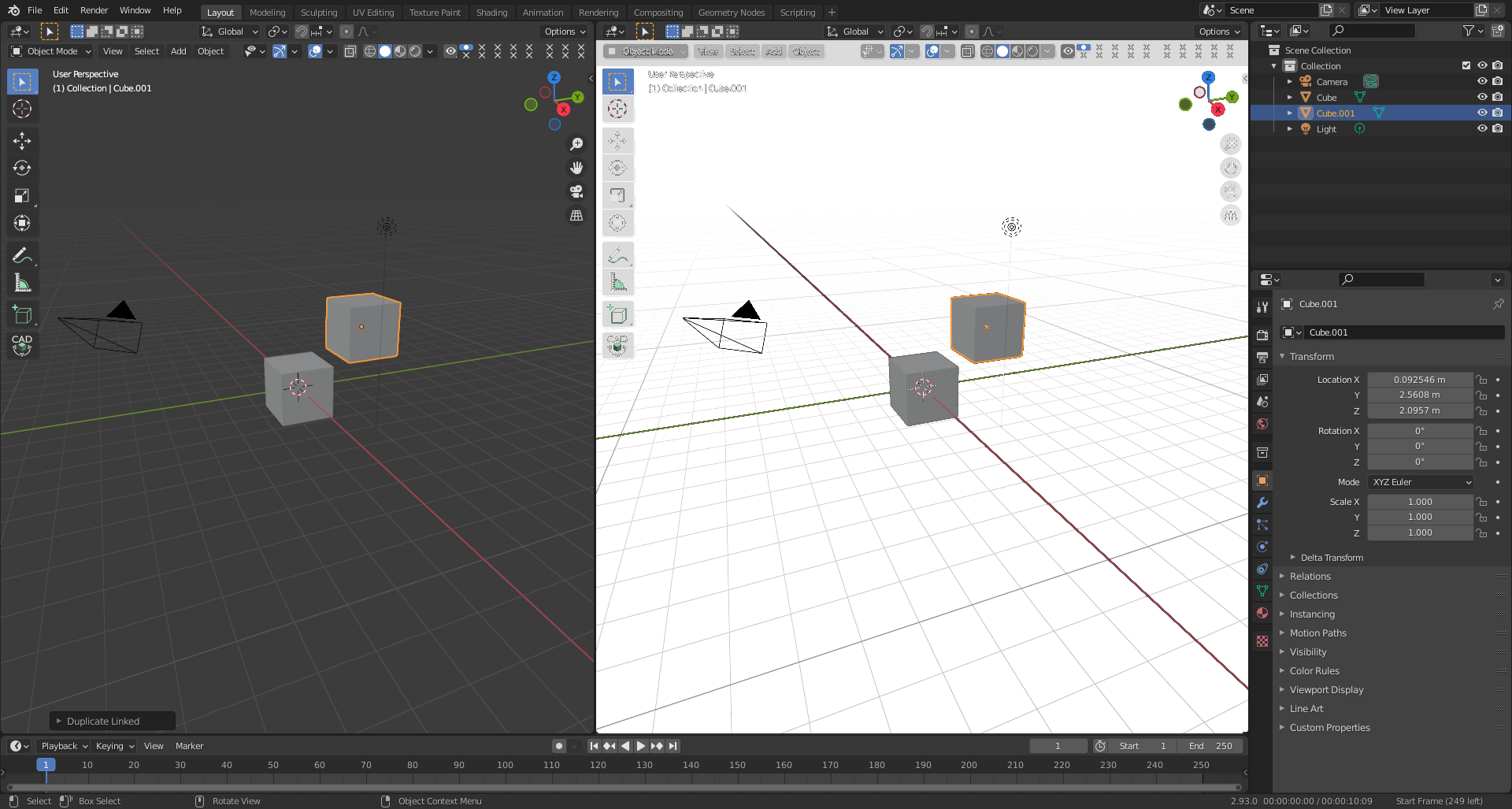
- the mockup replacing colour black/gray to white only (it's not perfect job - but we see the sense ; )
- missing sketchup easy change style
- maybe this can be done in simple way
wiki.blender.org/wiki/Reference/Release_Notes/2.93/Grease_Pencil
If is know some solution let me know about.
2 Comments
So u need "templates" for viewport color... you are also convinced that we cant live without such.
Dude, you made 7 topics during past few hours. Maybe it better to cool down a bit?
I really did not know that can be done in this way due not recognized that exist there option to change colour.