
Allow to ignore locked axis while inserting keyframes
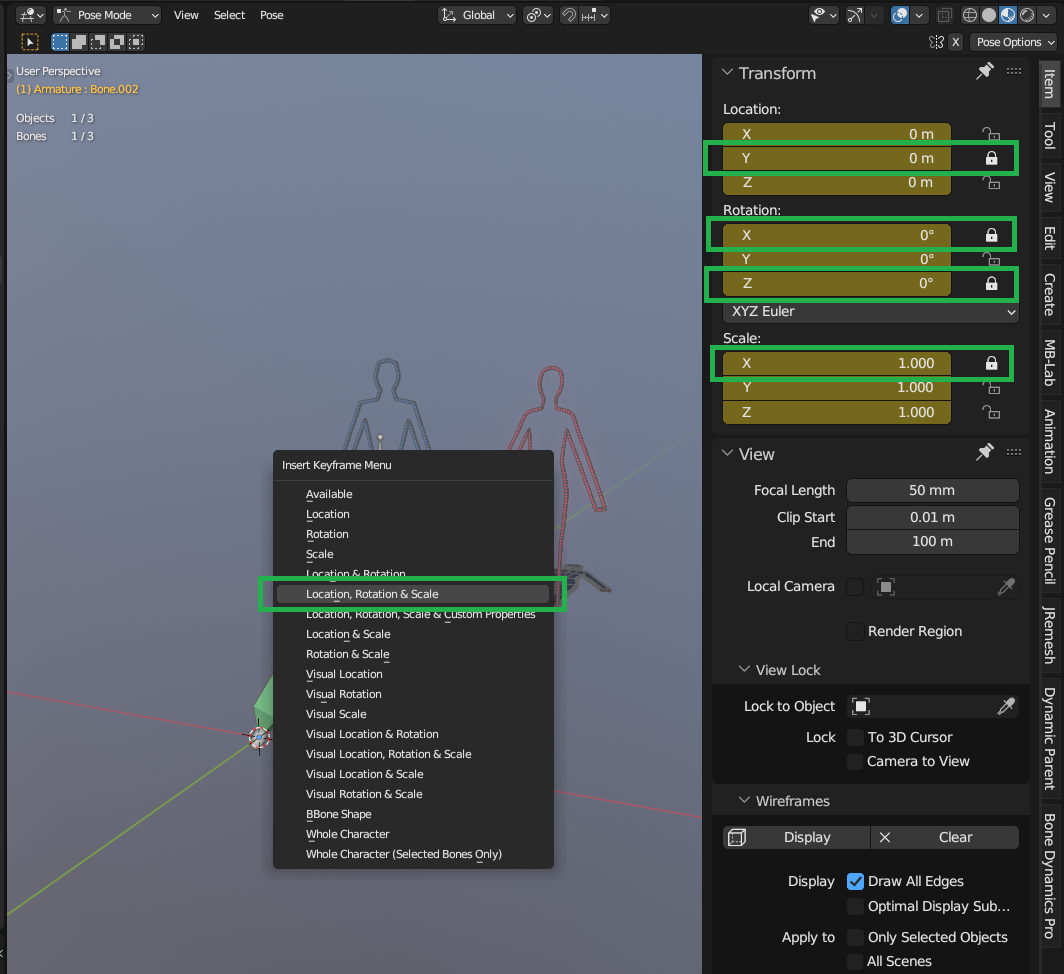
By default, I searched for a while, but it seems impossible to add a keyframe in animation without adding keys to the axis which had been locked (same thing in automatic keyframing).
And this is something which is not logical. If it's locked, we can't by default edit the axis value (or at least, it means it had been locked because we're not supposed or don't want to edit those axis).
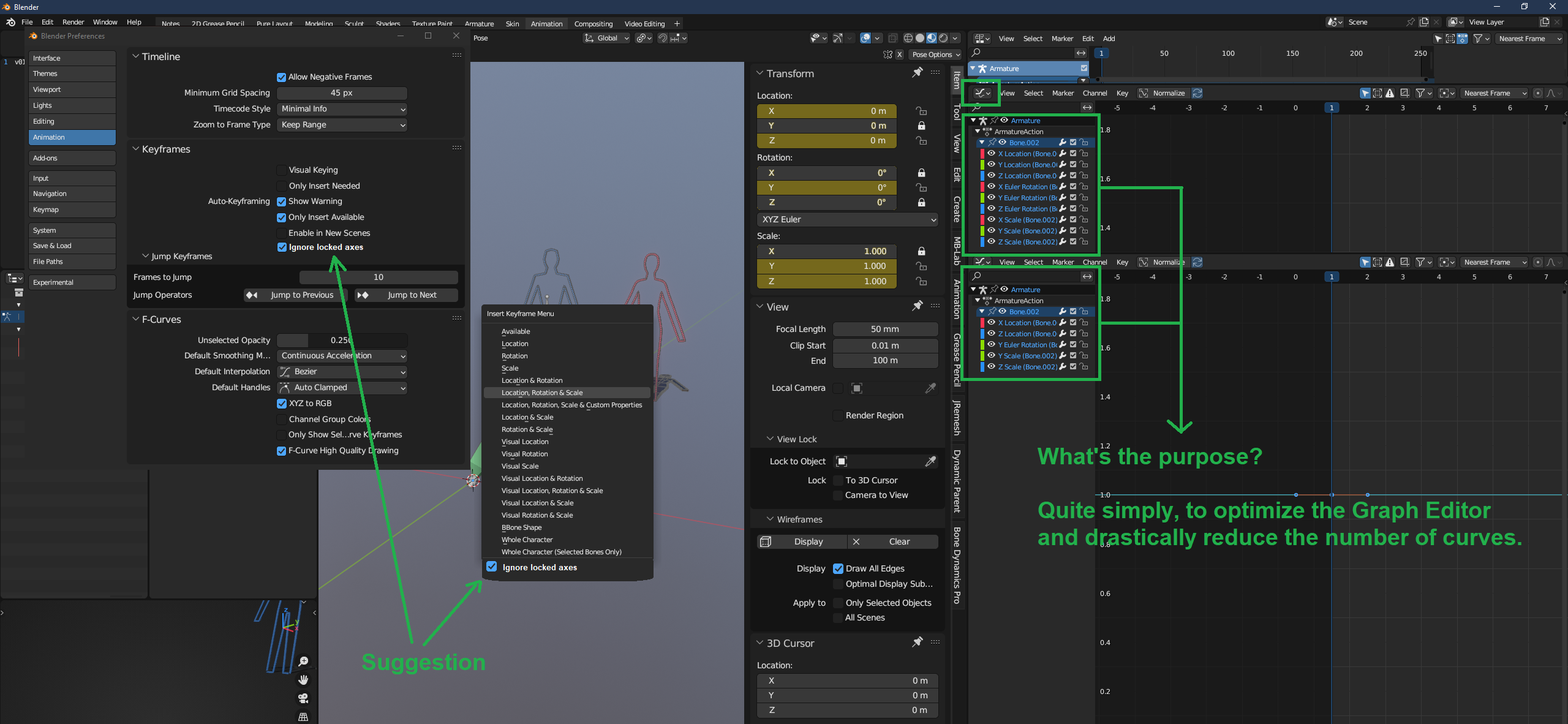
Plus, not being able to ignore those axis also means we can't optimize our curves in the Graph Editor to avoid useless flat curves in it.
So that's why I'd like and suggest to add an option to ignore the locked axis while adding keyframes. This way, it could really improve the animation workflow in Blender.
How it is currently:
My suggestion:
0 Comments