
Add object scale to the Object Info shader node.
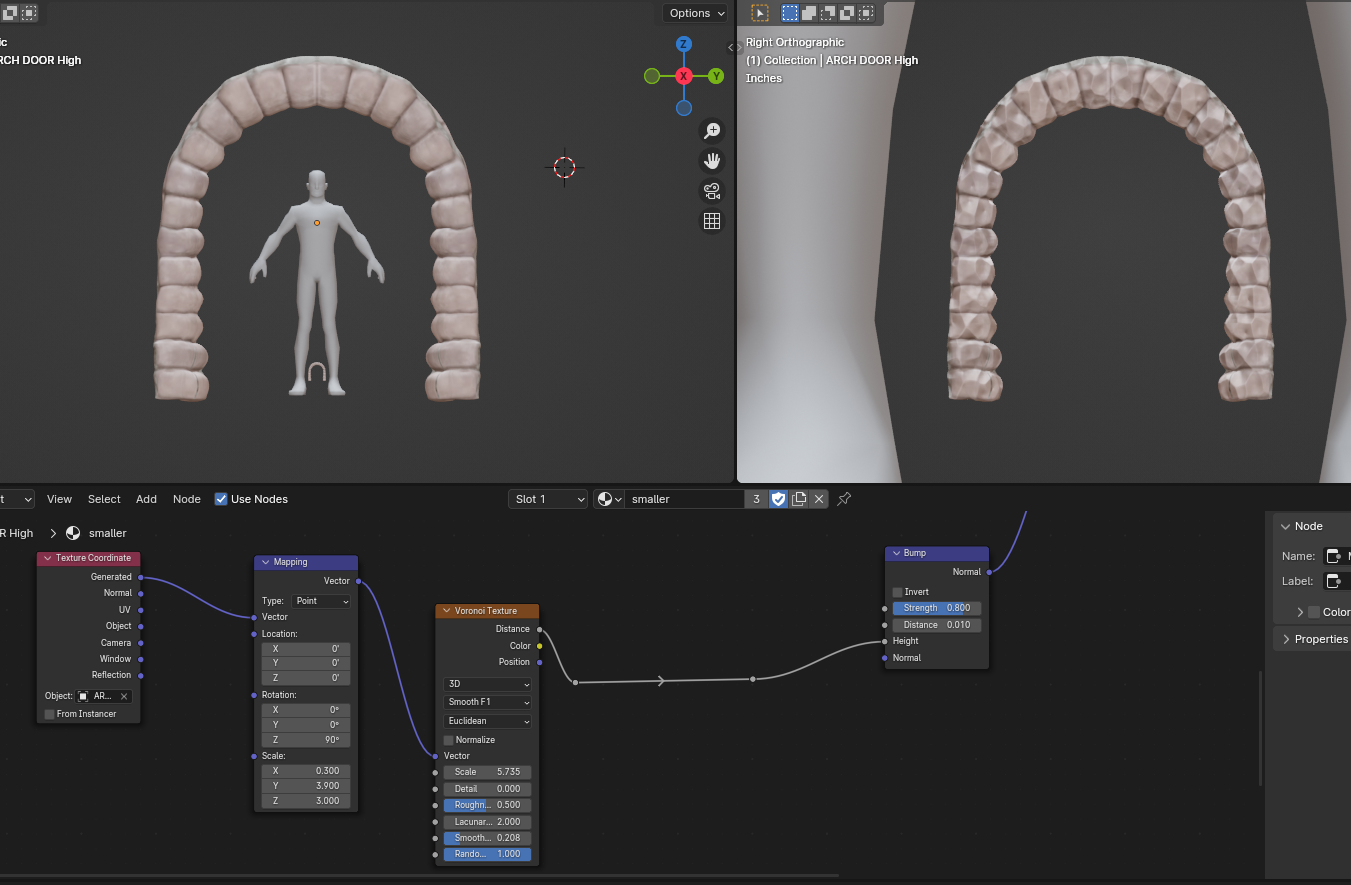
The object around the character is 9 feet tall. (left viewport)
The object between the character's legs is 6 inches tall (right viewport)
Both objects use the same procedural material for Bump Height.
You can't currently use the same material on duplicate objects scaled to a different size and get the same result from the shared material.
So to use this 1 arch object for a castle gate, a house doorway, a window, and a mouse hole, I'd have to set all the objects to store material data at the object level and then give each of them a different material with a different bump strength.
If the Object Info Node included the object scale I could have the bump strength be adjusted on the fly based on the object scale.
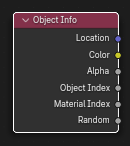
It already has location. Adding scale and rotation would be very useful.
The Object Info Node in Geometry Nodes has scale and rotation. Same should be added to Shader Nodes.
Here is the desired effect via Geometry Nodes:
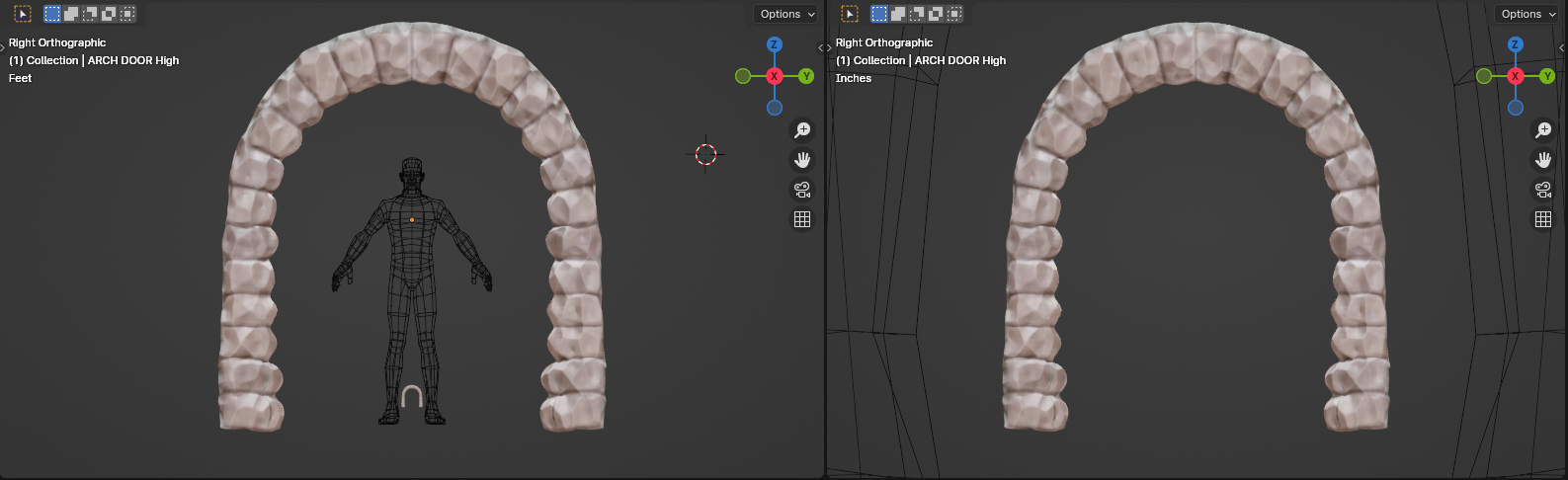
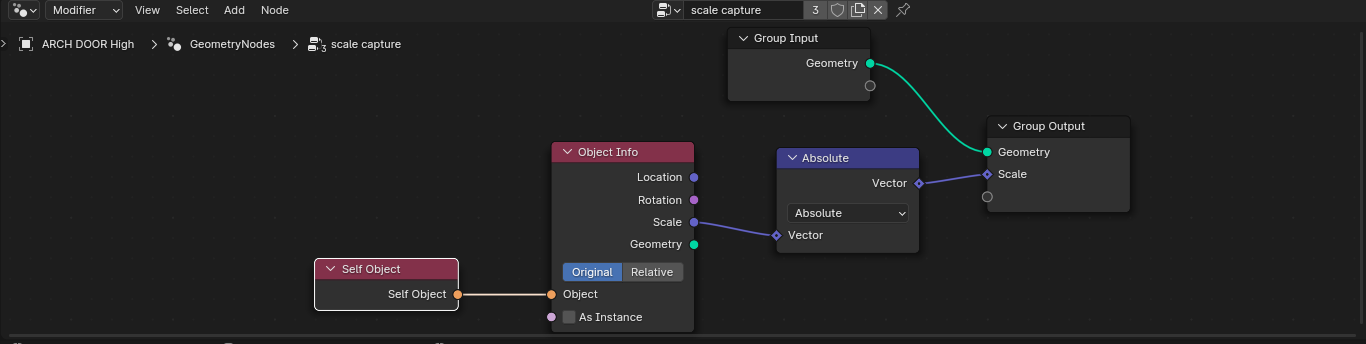
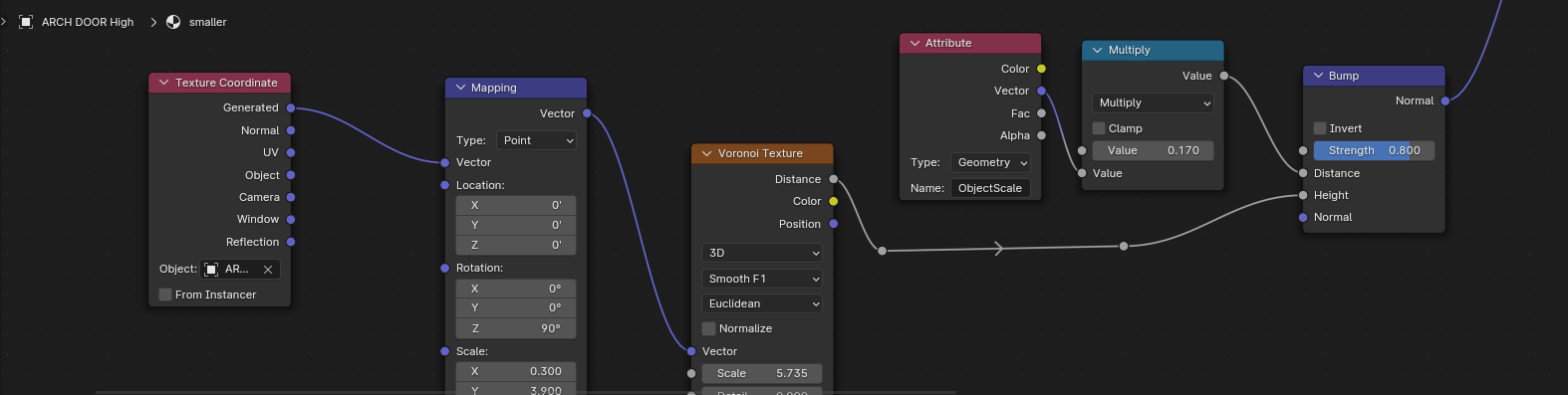
NOTE: This problem only exists with the Bump Node. The Displacement Node scales down with the object scale as expected.
"C:\Users\thinsoldier\Desktop\BlenderWorkPC\2020\3ds-streetpass-mii-plaza-restaurant\Open\GN arches test scaling bump strength with object size.blend"
"C:\Users\thinsoldier\Desktop\BlenderWorkPC\2024\xp05 scaled object bump strength 2024.blend"
2 Comments
You don't need GN blender.stackexchange.com/questions/31266/is-it-possible-to-get-an-objects-scale-through-an-input-in-the-cycles-node-edito
Awesome. Then there shouldn't be any problems with adding object scale to the object info node.