
Bookmarks in Blender File View should be at the top
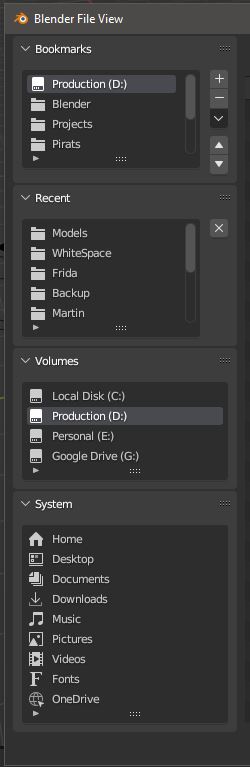
How you arrange your project is often by setting up a nice bookmarks list. But bookmarks in the Blender File View is at the bottom... that is a problem since blender will not remember if the the order of the Volumes, System, Bookmarks and Recent boxes has been rearranged between sessions.
imagine if we could save options as default!? - Imagine if we could right click on any option and choose "Make Default" and Blender would from now on remember from session to session that that setting of any option is the default!
6 Comments
This is the case in 4.0: projects.blender.org/blender/blender/pulls/112114
i think you can change this to in development. Or even Done
The Layout order for the boxes is changing in 4.0 that is true but this doesnt solve the issue that has been raised. By simply closing and reopening the file browser window it resets to the box order to the default, even if you reorder them when opening a file, once you close out of the file explorer and then go back, the box layout order is reset. This cant even be changed by saving a new "Default Startup File". So i think there still needs to be a make default option, or perferably to have they file browser layout save automatically when closed or changed.
yeah its quite annoying! I hope 4 will have this!
I think this will be in 4.0
i hope you are right!