
Alt key when grab modal, to lock view to object.
It would be cool that if you press G to grab an object, when you are inside the modal to grab, to have a key like the ALT key that just does like "lock to" in the N panel.
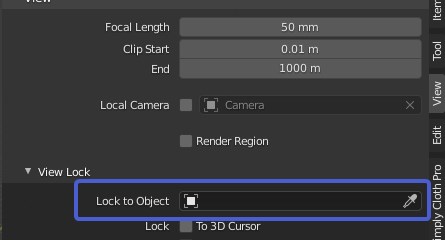
But just during this specific modal (and the SHIFT+D or CTRL+D modal), and just when you press ALT
Also, the lock is done while keeping the current view (so it just follows what you moved)
This feature is present in other program like unreal engine and unity, and it helps a lot to move object without having to stop just because the object become out of sight.
Here are two gif to explain how this would work :
The old method :

The new method when pressing ALT or a key like that :

4 Comments
Hi, please use the following code for inserting pictures:
Videos seem to be broken right now so make sure we can follow your proposal without them 👍
I think
ALTis too good to be occupied by this thing. In UE/Unity you use it only to move some objects in scene. Not elements in edit mode, without snapping. If you didn't noticed - this Lock to Object option work with incremental only snapping (because of reasons).Blender about modeling, not only moving objects. Not as good function to occupy such good key as
ALT, it has to be used by something more about transformation (eg. I have proposed to use it for alternative snapping switching)But some
VI think could be comfortable to use (right underG) and Blenderish kind of -Vto switch View lock to object/element while transform.Maybe this way? blender.community/c/rightclickselect/Skhbbc/ Shortcut directions eg ctr+z and z+ctr ?
Yes. Please. We need better tools. Holding shift while doing this would be amazing to rotate it as well.