
Change overlay wire-frame opacity
Quickly change wire-frame opacity in overlay settings.
The current option to show the amount of wire frames being displayed is not particularly useful.
I would find it far more useful to quickly adjust the opacity of the wire frame overlay on my objects. Many people work with wire frames shown on top of object shading. (even in object mode.) This is particularly useful for identifying an object's topology at a glance. However, completely solid wire frame overlays are often too dark and distract from the object's overall form. I believe this can be changed in theme settings, but who wants to dive into theme settings every time the want to work with wire frames on shaded?
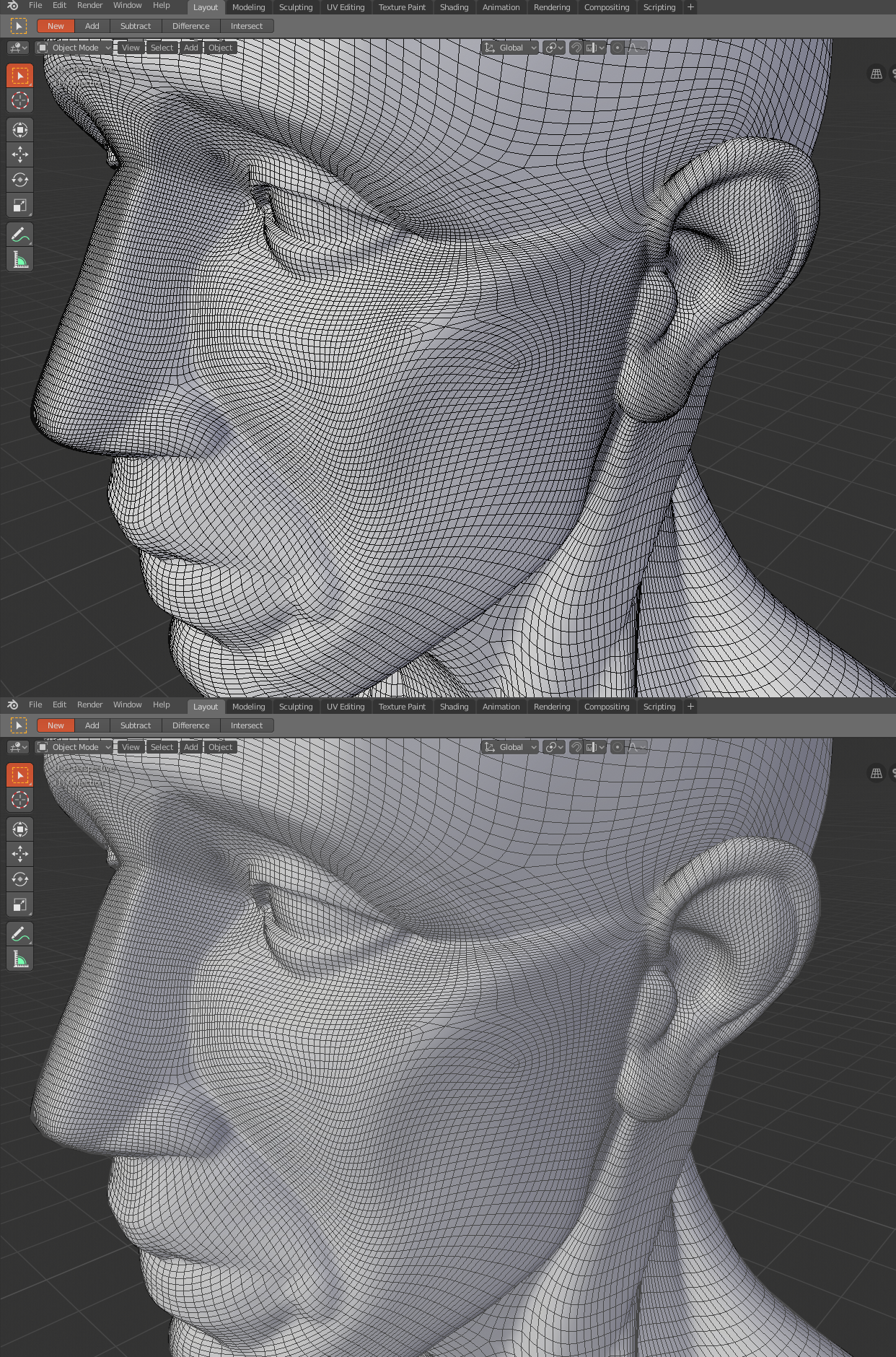
3 Comments
I wrote a patch to change the functionality of the wireframe slider from number of lines to opacity.
developer.blender.org/D7622
Hi, found this post by googling 'viewpoint overlays wireframe opacity'. I tried to figure out what the slider going from 0 to 1 was doing. I assumed it was opacity but nothing seems to change. I agree that this would be very convenient, I often struggle to see what's going on with the geometry. I'm posting mostly to support the post and its idea, +1 from me. Also wonder what that slider that's already there is doing?
I also agree with this suggestion, we really need a wireframe opacity slider