
Customizable Transparency in Viewport for Specific Objects Only
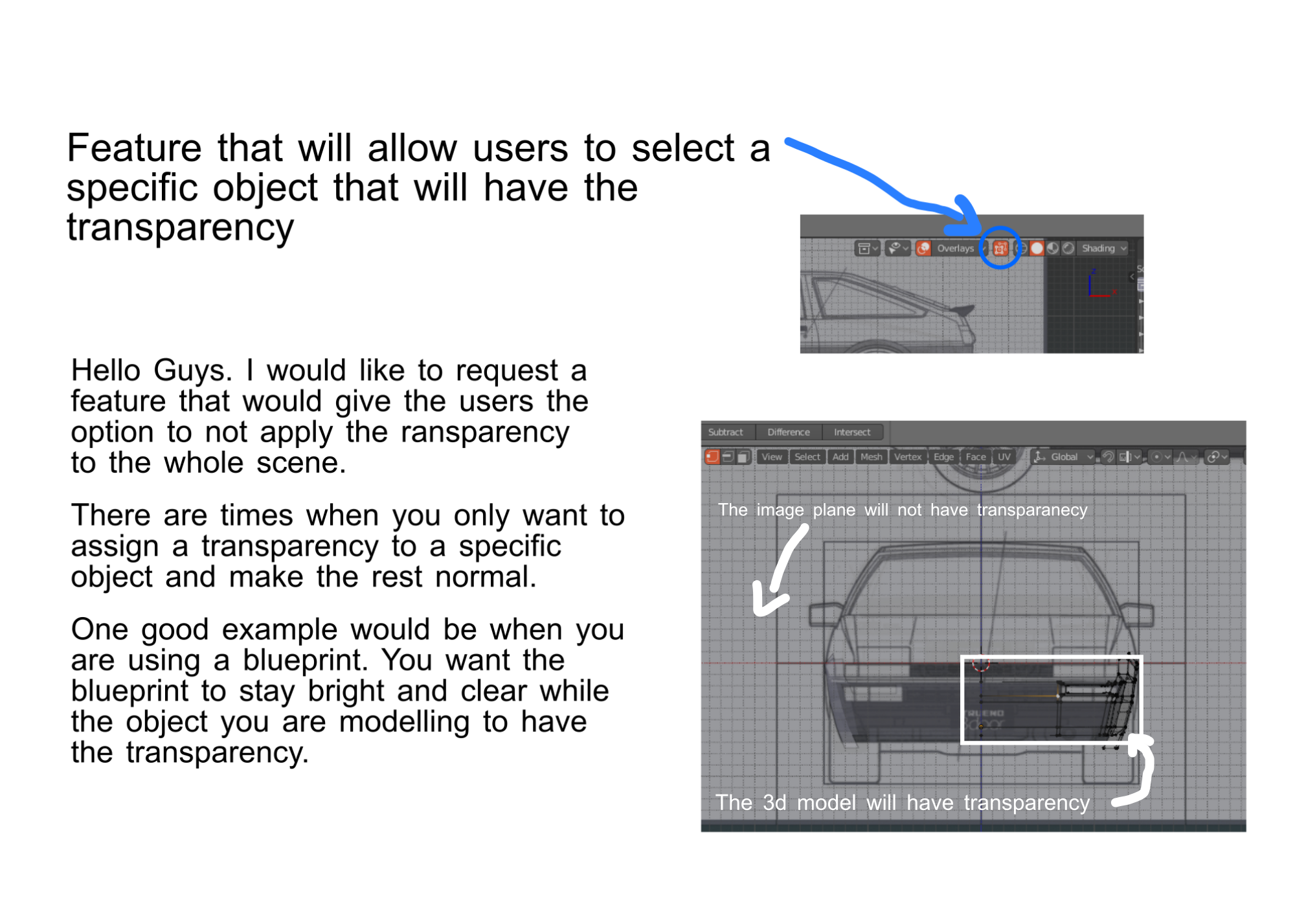
Hello guys. I would like to propose a feature where you can choose specific objects that will only have the transparency in viewport and not the entire scene. One reason would be that transparency makes the objects darker which in some cases you want them to be clear and brighter.
This would help make modelling with reference easier and might also be useful option for other types 3d modelling.
Thanks.
4 Comments
Yes! Yes! 100 times yes!.... Only now I realize that instead of old
Limit Selection To Visiblenow it work as someShow Whole Scene Transparentand to get not limited selection while editing one object it need to make all of the scene objects transparent. What a crap. Who make it work this way?Show Whole Scene TransparentandLimit selection To Visiblehave to be separate properties.there are already 2 solutions to your problem in the 2.8
if you use the blueprint as an empty then you can set its transparency regardless of the meshes.
in the material setting you can set transparency of individual materials in the viewport display panel.
* @jerzy.gorski.art * Dude. Nice One. Thank you! I have not encountered that workflow before. Blender is such a big software and I may have to dig more longer to find or think of that one.
How about an overlay setting for the transparency of "Hidden" Objects?
Set to 100% Transparent by default (Current behaviour) but can adjust up so you can still see a faint image of the object!