
Graph editor Keys Scaling Box Tool
Currently to scale keyframes we need to make a multiple steps with set 2D Cursor to desired frame and value, when set Pivot Point to 2D Cursor, and when make changes with Scale+x and Scale+y in a sequence. And its clarely a wasting of time and too much of the movement to solve 1 simple task.
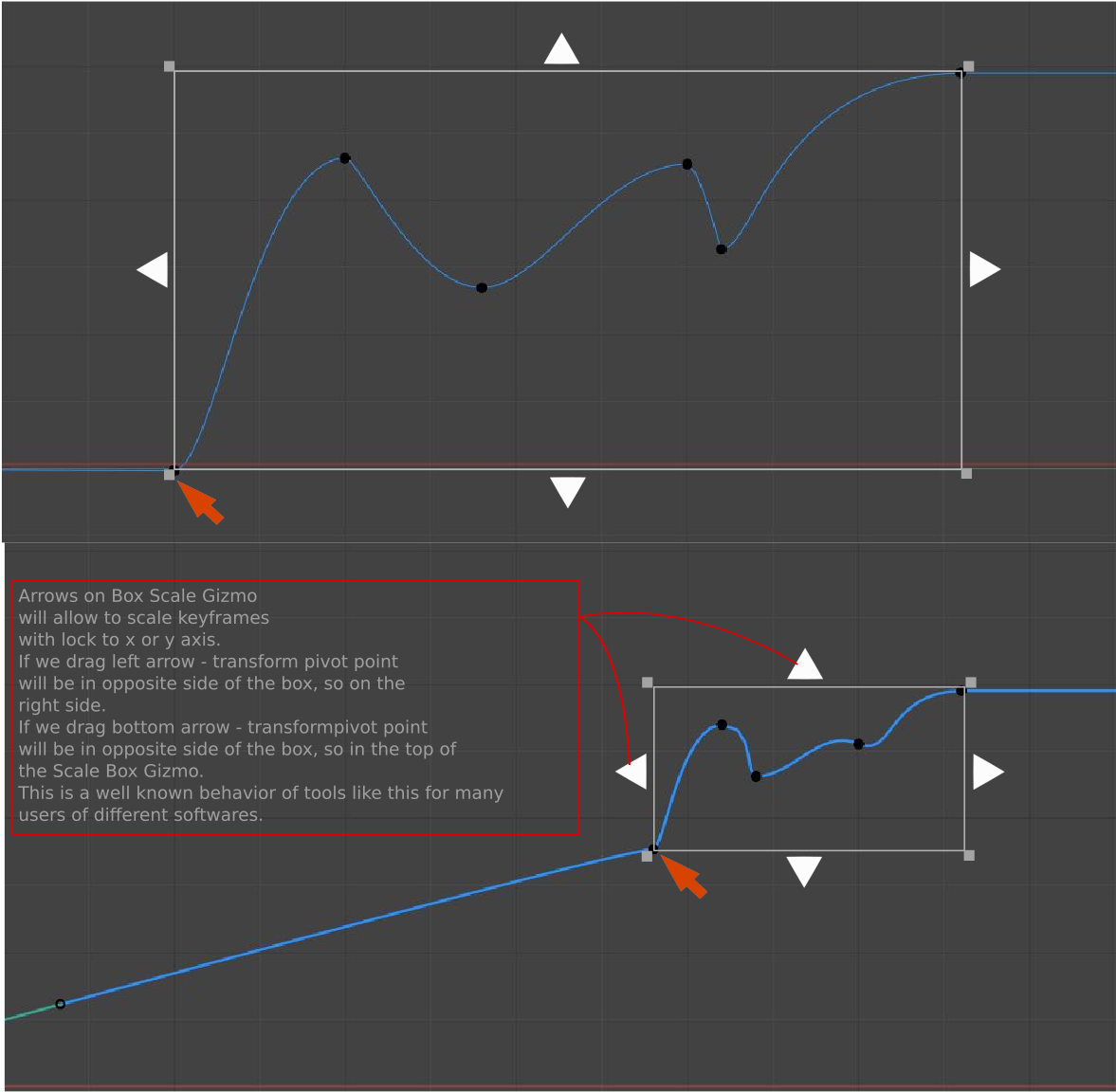
Implementing a Box Scale Tool can easilly solve it. Box Scale Tool taking the idea of Scale Cage which we already have for 3D objects, but just in a 2D space.
Behavior of triangle arrow are described in the image.
To make non uniform scaling, we can simply click and drag upper left/right or bottom left/right corner of Box Scale Tool to perfor the action. In this case transformation pivot would be automatically set in diagonally opposite corver of the gizmo.
While moving, pressing Ctrl key will allow to snap to other keyframes, marker vertical lines, or 2D cursor x or y axis.
4 Comments
Maybe like Lattice Deform controllers would be great
Something similar to lattice deform are normally a separate tool. Oftenly named "Envelopes" in many software, not only 3D but also audio software like Audition (audio edit) or more complicated DAWs (Digital Audio Workstaion). So in my opinion it should be 2 saparate tool. One just for scaling, and second for more complicated shaping.
Bumping this. Totally agree; this would make animation timing/pacing so much easier to do.
2D scale cage for Graph editor, PLEASE blender pleasssseee