
Change the Modifier header color
I have a hard time finding what modifier to adjust because each Mod interface blend together. I wish for a setting in theme to change the color of just that part of the UI.
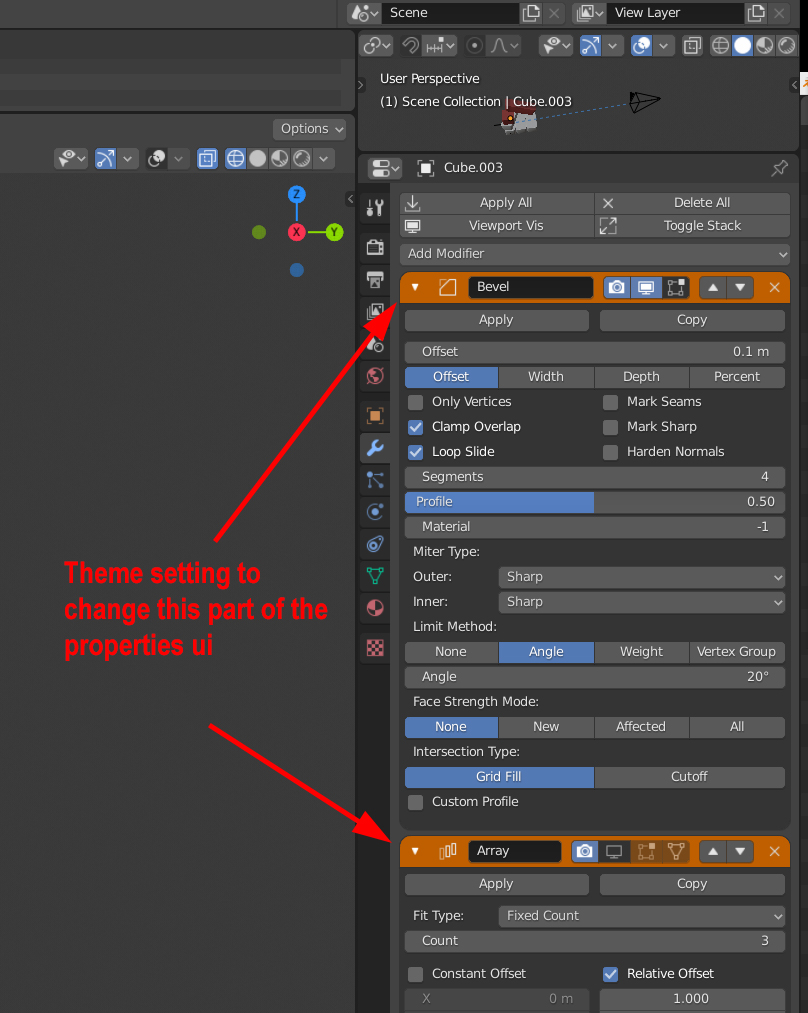
I have a hard time finding what modifier to adjust because each Mod interface blend together. I wish for a setting in theme to change the color of just that part of the UI.
10 Comments
I suggest to use the Modifer List addon (which deserves to be part of the default addons, and even, activated by default, IMO) :
blenderartists.org/t/modifier-list-1-5-3/1147752
* @ xan2622 * I also was looking to change the headers and I found this some time ago. And finally the modifier stack is manageable! I wish it was a default.
* @Ge Ro * Wow this add-on looks promising
* @vojikcosta * Promising? It already works like a charm. ;)
* @Ge Ro * Wow! Never heard about this addon before. (Looks similar to 3ds max modifier stack management) Definitely deserves to be a default in blender.
Yeah I tried that too, but no luck: devtalk.blender.org/t/blender-ui-paper-cuts/2596/3207 🙁
* @ThinkingPolygons * Sad, Oh well a boy can wish
+1 List as default & visual separation of the modifier header, imho also Apply and Copy should be part of the header, maybe integrated into the header
Another suggestion is that you can control the space between the modifiers through the theme like add few pixels to make less cumbersome
hm, make sense, good idea, but may be another colo scheme