
Bezier Curve Custom Bevel Profile Options
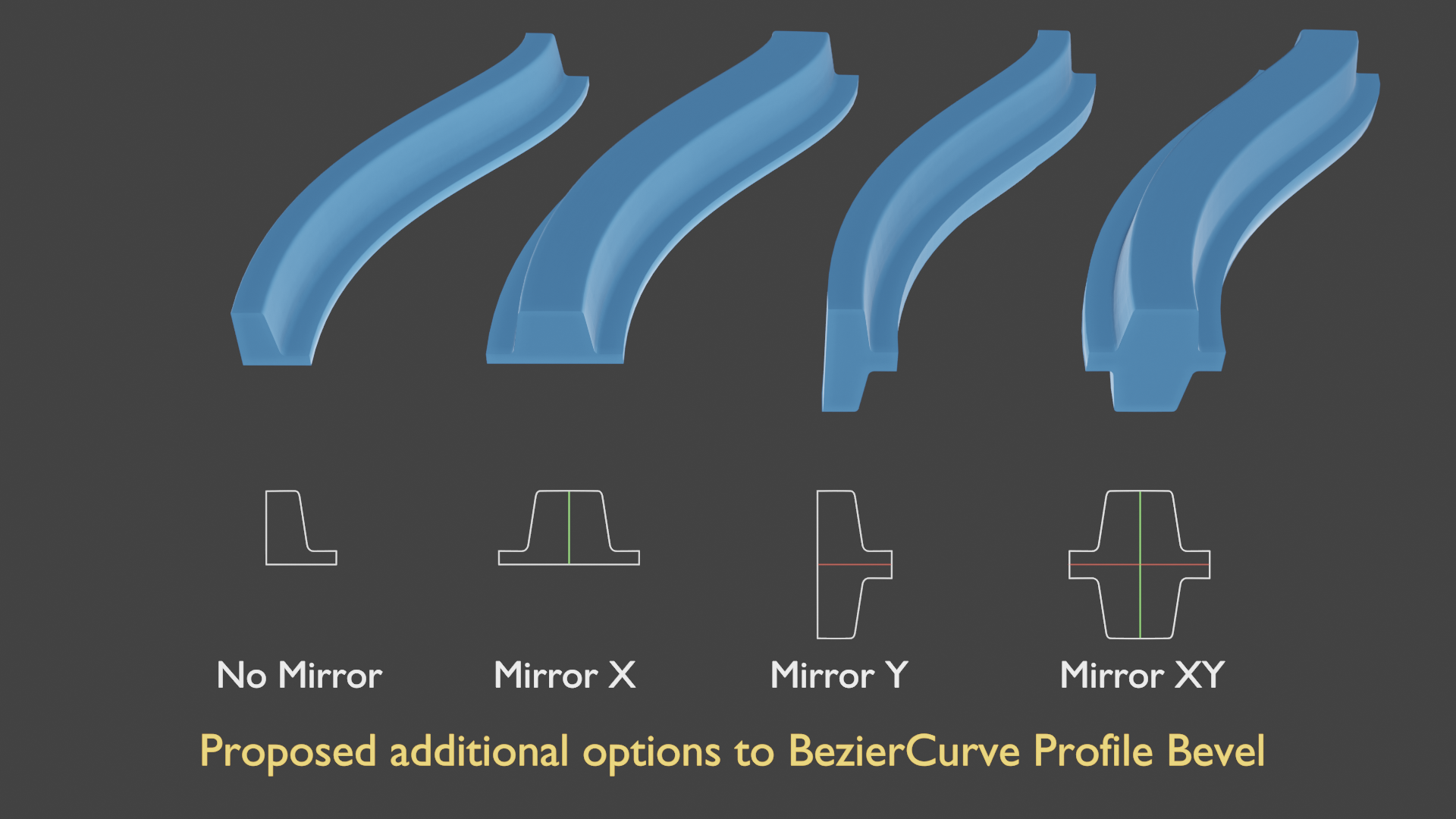
I propose adding some mirror options to control the results of the custom bevel profile. This would include 4 options:
- No mirror, in which the bevel would extrude along the curve as is.
- Mirror X - to allow mirroring only along X Axis.
- Mirror Y - to allow mirroring only along Y Axis.
- Mirror XY - to mirror along both X and Y (the current option)
This would result in increased usefulness and flexibility of the custom profile tool, e.g. making it easy to model baseboards, curbs, etc that are controllable by editing vertices in spline/curve.
4 Comments
It is done in 2.91, so please remove the post.
* @mrajendra2150 * I guess you can do this with modifying the fill modes.... you might be right
* @mrajendra2150 * Thanks for the reply, but 2.91 does not have the functionality I have depicted. Fill modes do not entirely achieve my suggestion either. Additionally, the option to have a closed profile is what I'm looking for. Unless I am missing something?
as of 3.1, this functionality that @anim8r is describing doesn't exist.
Yes choosing the Fill Mode to Front or Back will remove the mirror effect, but then there's no cap at all. and choosing None or Both creates a mirror effect, but you get a filled cap. and then, Clicking Fill Caps doesn't achieve this either, as the fill just clips through the profile.