
The ability to slide lasso or box selection with spacebar before releasing it
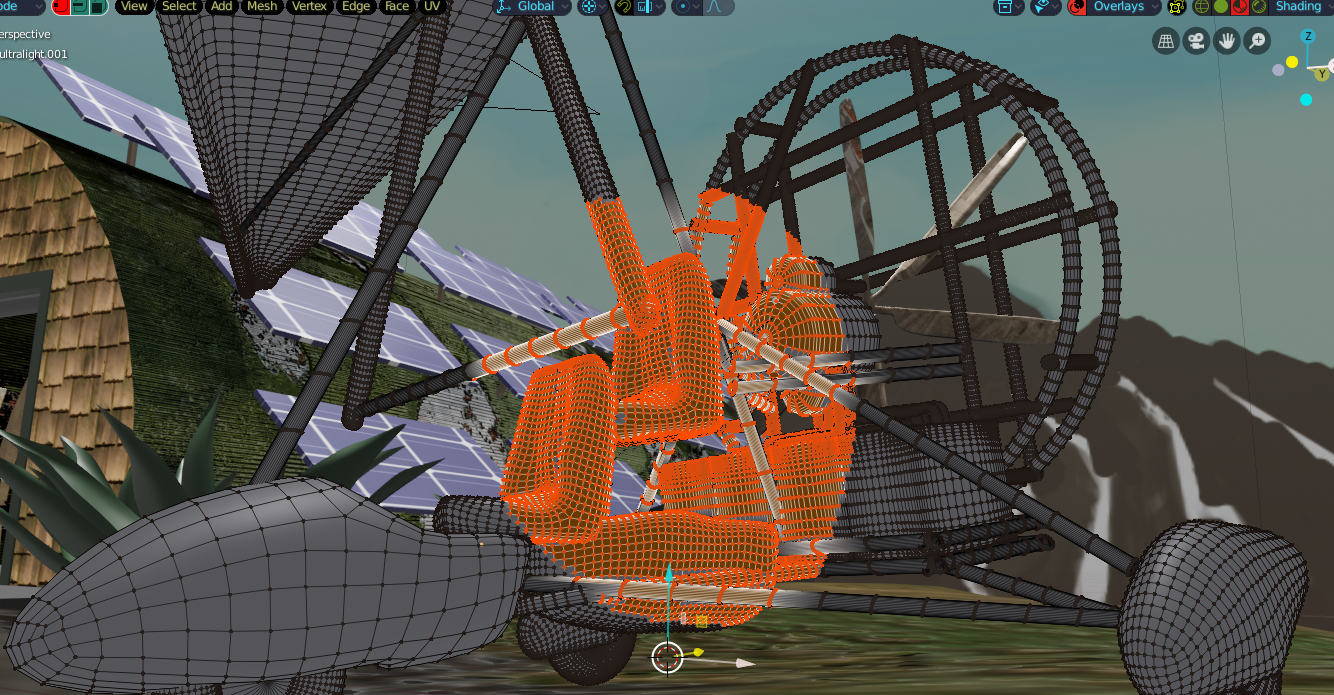
So in EDIT mode, vert selection usually, when you make a lasso or box selection over part of a mesh, you have to be perfect with your placement the first time. This can be tough to do. If you're off on your placement, you have to sometimes re-do it a couple times to get it right.
The ability to slide your selection before releasing it would be very helpful. Is there a way to do this that I'm not aware of?
So right now in 2.8 (EDIT mode Vert selection) I push CONTROL and create a lasso selection and it selects the vertices. It would be good if we could (before releasing CONTROL) push SPACE and slide the selection to place it better. I see that it's most likely possible because when I push CONTROL and SPACE, it does nothing indicating that it's doing nothing and not mapped to anything. (I'm still a Right clicker)
Pushing CONTROL and SPACE would stop you from growing the selection and would cause it to slide. Releasing SPACE but continuing to hold CONTROL would allow you to grow the selection. If you realize that your selection is not so good, you release it away from the selected mesh and try again.
It could be very helpful for masking in sculpting, painting, Grease pencil and possibly other parts of Blender.
4 Comments
Oops, a little problem with my idea. I just remembered that Ctl + SPACE combo is being used to toggle full screen of the area the cursor is hovering over.
And when you're doing it from actual lasso tool mode: Shift + Space (for the way I'm configured) toggles play of the timeline.
Shift + X and CTL + X seem like they could work. Z trips the shading pie the way I have it configured.
You should not to be precise. Because there is round-brush selection and you can correct selection as you want. You can deselect with lasso too.
* @ Vyacheslav * Well sometimes I have the need to be super precise. A character model would have been a better example than a mech vehicle model but't I'm not on my main PC. I use Zbrush quite a bit, and there they have this ability and it saves a lot of time. The circle brush is useful sometimes but Lasso with a slide ability would really take things up a notch. Slide ability can also be useful for deselecting parts with lasso.
* @FrankS * okay, may be such correction is useful. And I agree, that it is faster than add one side and delete another. But I can`t imagine situation, where such slide will rule wuthout manual correction with brush