
UNerase for Grease Pencil (or REapply "brush" for selected vertices)
If the stroke points still exist after an erasure (that is not to the point that GP erase tool fully erased the stroke thereby breaking it and deleting vertices), be able to UNDO the erasure... or RE-apply the "ink" or brush.
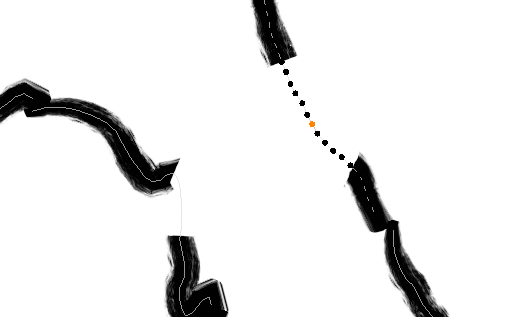
The attached screen clip is zoomed-in on a portion of a stroke in Edit Mode with a break in it from an erasure. It was not so erased that the points disappeared. You can still see the thin, grey stroke path. One point is selected in the middle of the break, which highlights the other points.
Need: When using the Build modifier to "autodraw" something, adding anything later will appear later in the build. In this case, I want to repair something that happens in the middle of the drawing "session".
Tried:
- Tint tool
- Sculpt thicken tool
- Changing Grease Pencil material
Update to post: I still think an UNerase or REapply or Remove Stroke Modifiers tool would be useful. However, this particular situation turned out to be a different issue entirely. Turns out I had NOT erase through multiple layers. It was a white blotch in another object occluding the strokes I was working on.
0 Comments