
Vertical Nodes (patch)
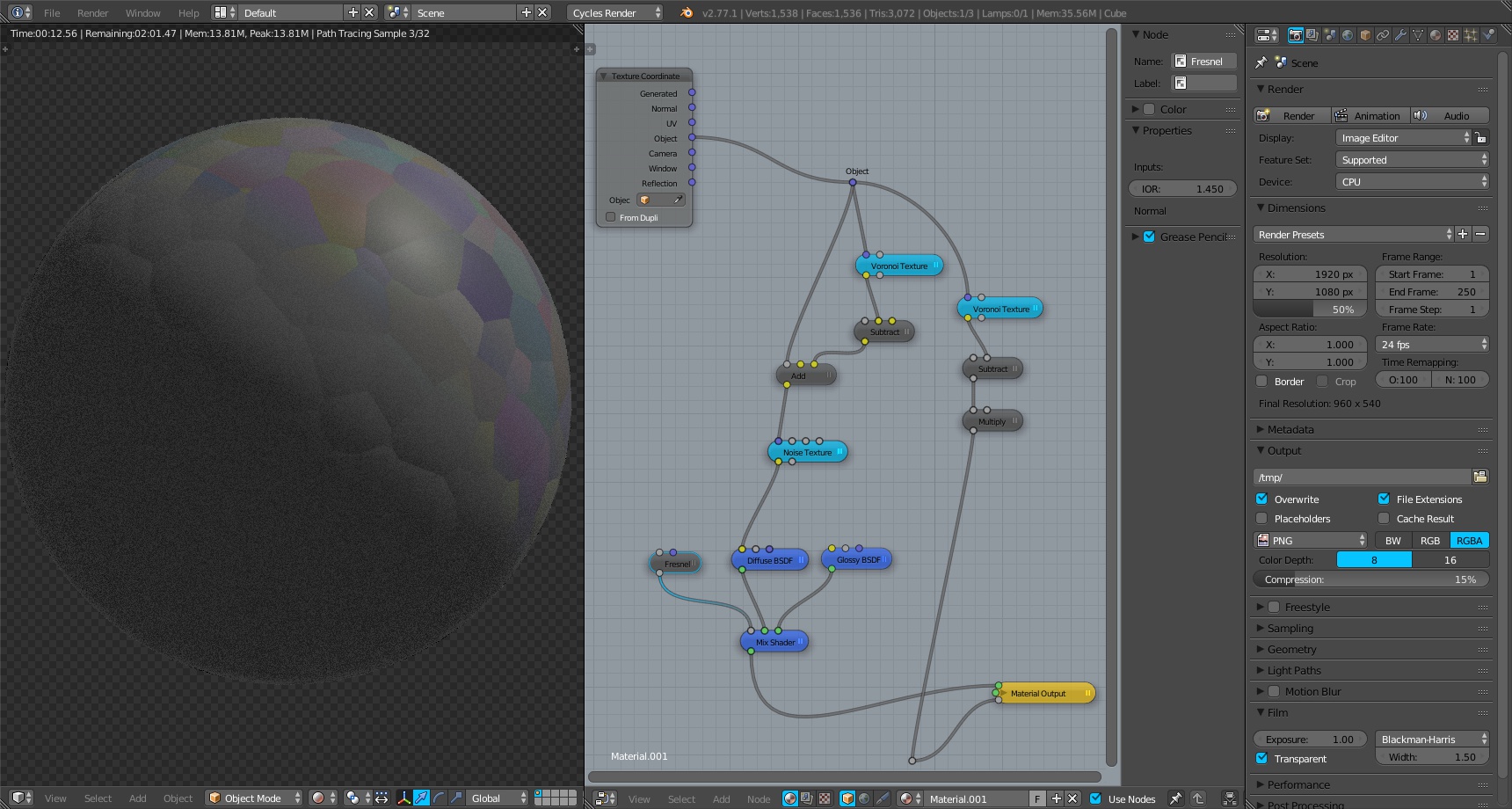
I wrote a patch that gives users the ability to create vertical nodes in the node editor alongside their regular (horizontal) nodes.
It works similar to hiding a node, you press <kbd>Ctrl</kbd> <kbd>Alt</kbd> <kbd>V</kbd> (yeah, that’s not a very good hotkey, something better would have to be decided on) to toggle between vertical on horizontal nodes:
- <kbd>Ctrl</kbd> <kbd>Alt</kbd> <kbd>V</kbd> Toggles between vertical and horizontal
- When a node is horizontal it can be toggled between hidden and normal
Note: it might be better if it was cyclic E.g. you press <kbd>H</kbd> once it hides the node, press it again it makes the node vertical, press it again it resets to normal.
I'm curious to know if this is a feature that people would be interested in. I'm also interested in knowing if there's any reason why having the option to make nodes vertical wouldn't be a good idea.
It's worth mentioning that this patch was inspired by this proposal.
5 Comments
mmm seems convincing, +1
The main benefit from vertical connection is the space economy due to usual monitor aspect ratio as horizontal. But the main downside of it is that you can not place labels for inputs and outputs. And this is much worse than struggling with the space layout.
True, you do lose the labels on the sockets, but I wouldn't say it's a downside of vertical nodes specifically because hidden nodes already suffer from not having labels. If you need to be able to see the labels you can always switch back to a regular node.
hi Isaac, looks interesting, but what is the benefit of it? I mean to have more options, tools and customizations in general is great, but in this particular case, it provides a improvement respect of horizontal style?
It helps when you have a really large node graph (not uncommon for procedural textures or composites) because it takes up less overall space than horizontal graphs. Also, a lot of other software uses vertical graphs (e.g. Houdini and Nuke) so people that are used to vertical graphs can use them in Blender.