
Planarize Vertices
A tool to allow you to planarize a selection of vertices in a given view.
You can scale zero and planarise a selection but currently you have to scale in x,y or z. It would be super useful if you can find a view that you want and select a number of vertices and in that view all the vertice would be planar.
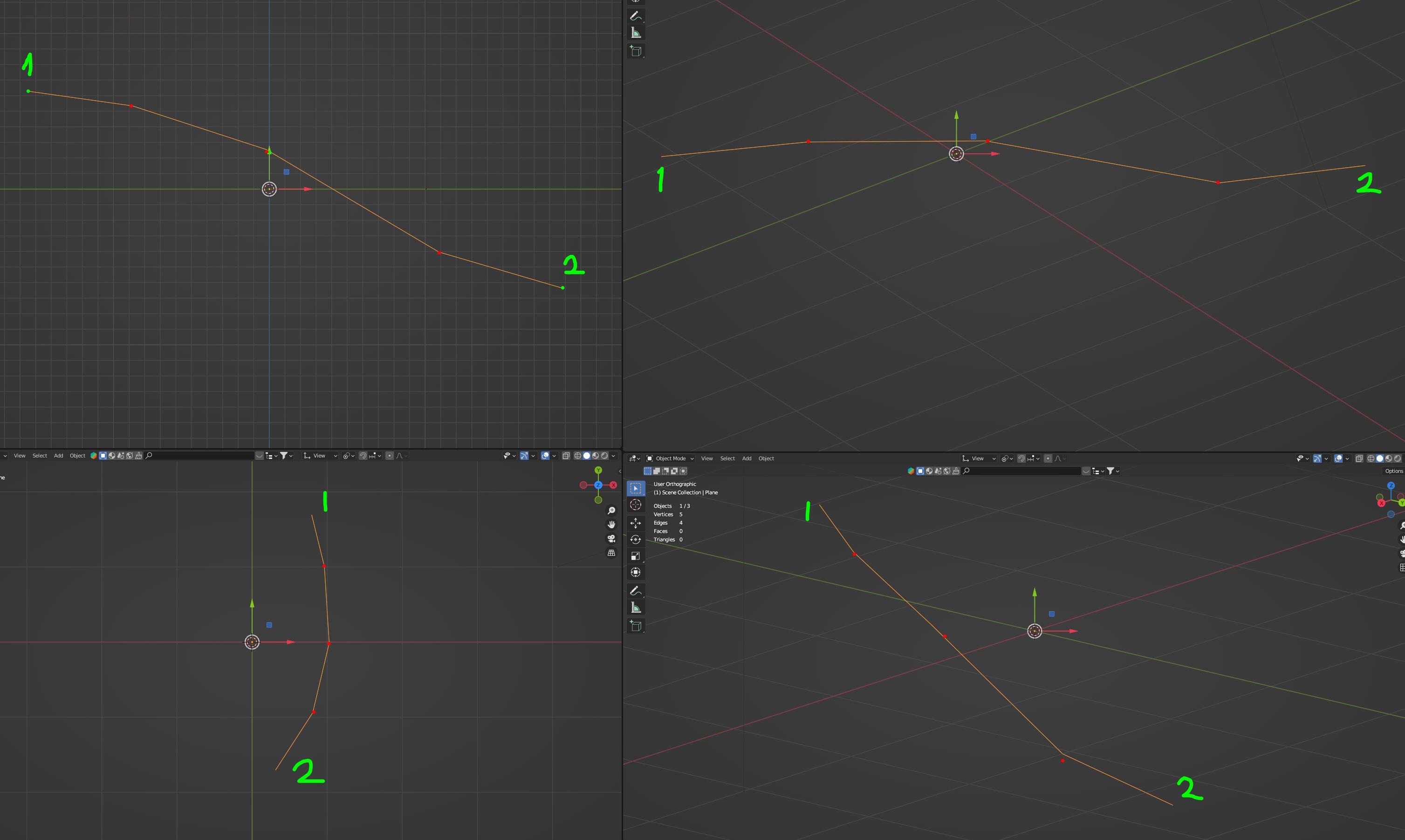
If you look at the example image. If I want to planarise the vertices so that they are planar (or in a straight line) in the bottom right viewport without moving vertice 1 or 2. (Ive marked the verices 1 and 2 with a green dot and the vertices in between in red) I only want to effect the red vertices.
I am always doing this manually with my vertices so to be able to do this in one hit and perfect would be super time saving.
4 Comments
If you set your transform orientation to view, then X Y Z become your view and you can do exactly what you ask for 😉
Hi, thanks for replying. This would only planarize the vertices in x,y or z still and I would have to rotate my view so that my two end vertices are as close to being horzontal or vertical to the viewport and and if all I wanted to do is planarise the vertices it would move outer most vertices out of position.
In that cs ase you can do this:
Though admitetly it woul be nice if there was a way to just select a path of vertices and have a one click tool to straighten it between the two outer vertices or at least to the active vertice.
The first and last vertice move out of position too. I want the first and last vertice (the end vertice) to stay exactly where they are. I just want to planarise everything in between. And with one hit. One tool. There is such a tool in Autodesk Alias which I very often use.