
Local Layers for Bones.
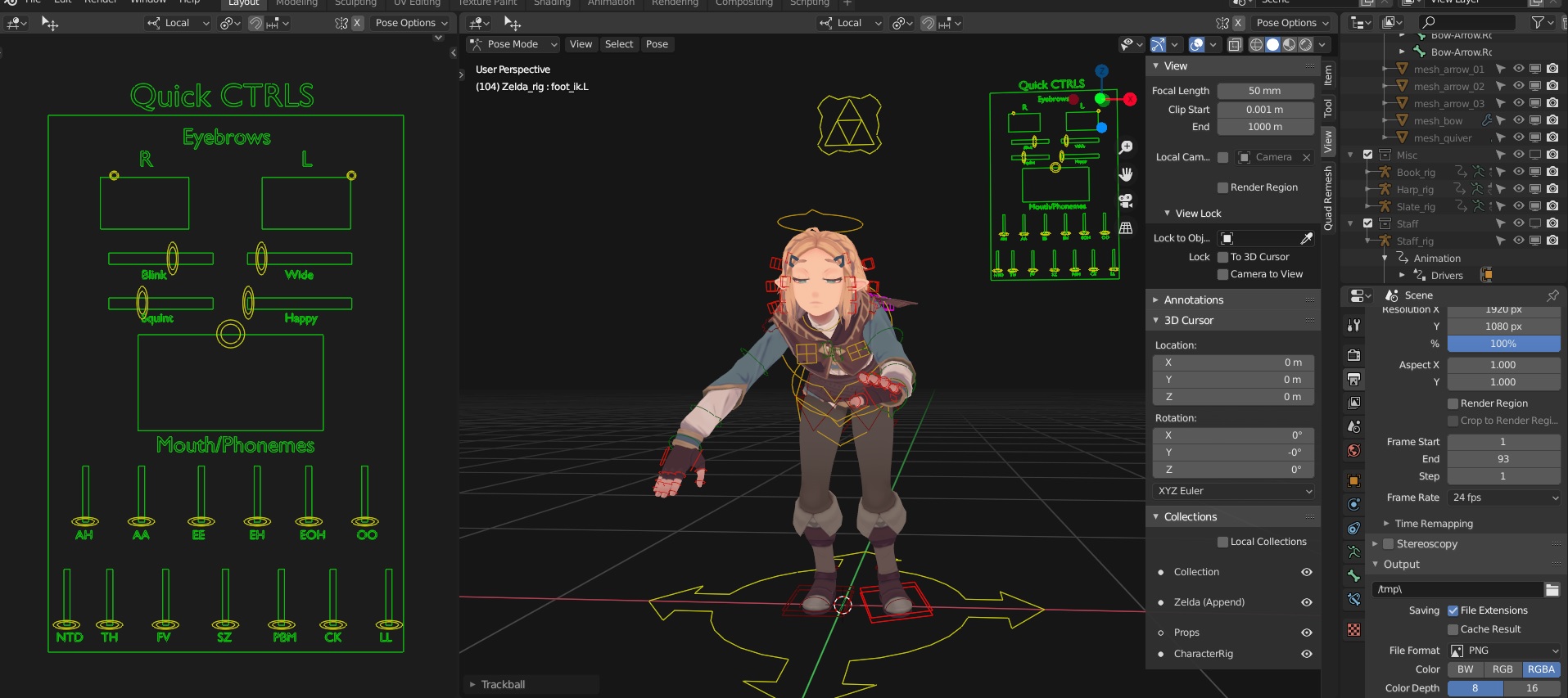
Just like Collections, Bones need local layers for per viewport visibility, unfortunately we can't put Bones in those local collections since they live in one Armature object.
An example where we can hide Facial Control Bones in one viewport while keeping them visible in another, keeping our scenes clean.
I hope any Dev who is seeing this would take it into consideration, thank you.
4 Comments
I would say a GUI picker within blender would be a bit more beneficial. But that is my own opinion.
Take a look at this tool on the blender market. Recommend checking out the demo video as well. blendermarket.com/products/x-pose-picker . This allows different setups. Body, Head, and custom setups as well. You can disable overlays within blender and still have the GUI picker to pick bones.
My suggestion is pretty much the same as this proposal. blender.community/c/rightclickselect/0gfbbc/
* @Rodger Davis * This hasn't to do with a GUI picker in particular but in a more general way to improve Blender's Armature layers & their visibility across different 3d Views or windows...etc. The Addon is a paid one which nothing wrong with that, but not all rigs use the same setup and something that can benefit everyone is better than only few who can afford it.
The collection is a wonderful advancement to the outliner. I would all so love to see outliner add better selection. When you select an object in the viewport it should jump to that item in the outliner, open the collection and clearly highlight the item. All so when if you select multiple items and hit Collection button it would put all the selected items in that new collection.