
Fixing Anisotropy Phase Function for overlapping volumetric objects in Cycles
Hi folks, I originally made a post over on the developer forum as I intended to tackle this issue myself, but as someone not familiar with the blender codebase, I am a bit out of my depth, so I'm migrating it over to this forum in the hopes of getting a solution.
Here is the original post, it has more detail: devtalk.blender.org/t/fixing-anisotropy-for-overlapping-volumes-in-cycles/34675
Here's the issue:
When two or more overlapping objects have volumetric materials, the anisotropic phase function defaults to that of one of the objects, seemingly at random. To be physically correct, it should be weighed between the relevant materials based on their scattering densities. Linked below is an example of the issue, I can provide a .blend, although the issue is absurdly easy to reproduce.
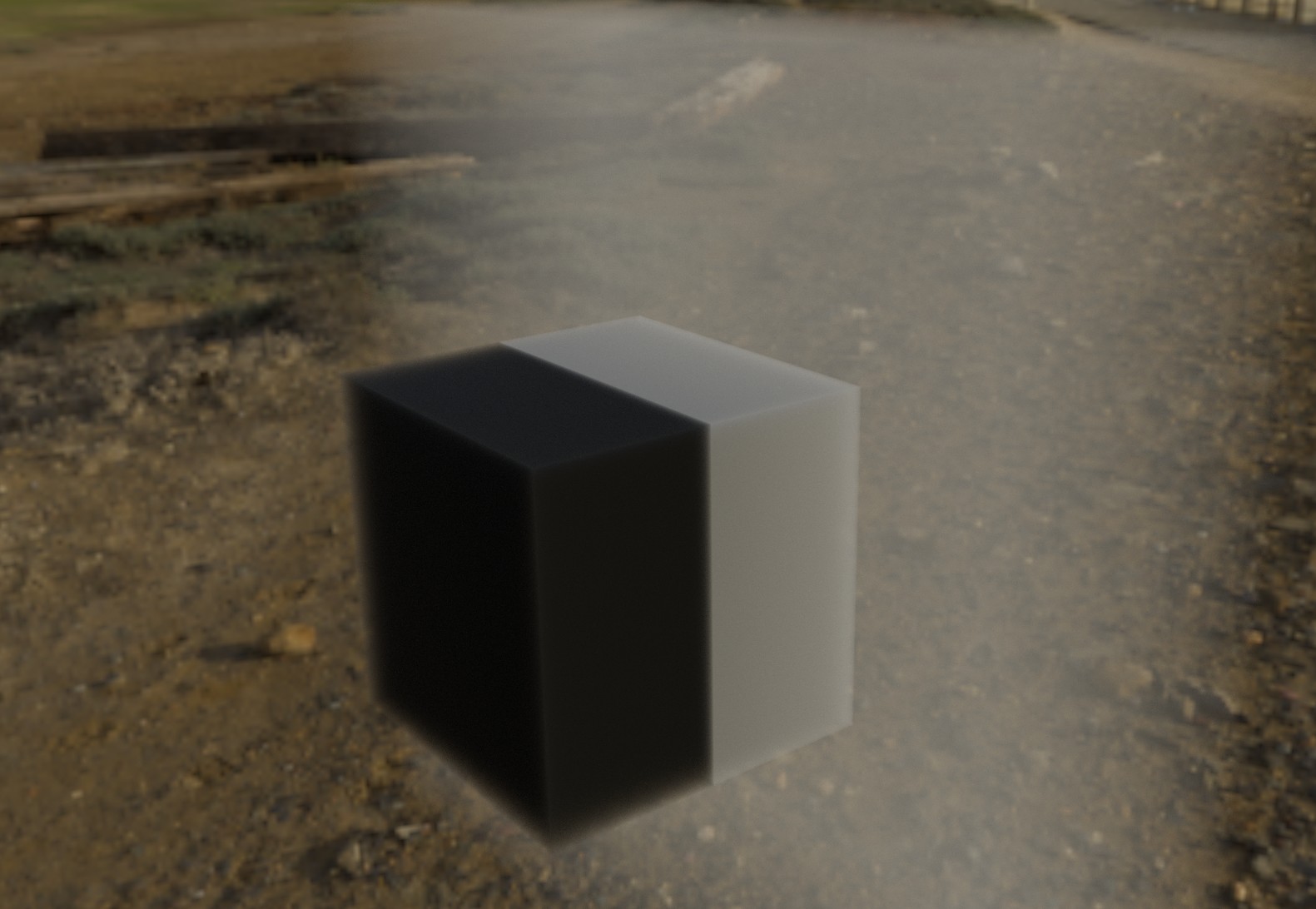
A brief written description: the denser cube with a more anisotropic material (roughly anisotropy of 0.8) adopts the phase function of the less dense volume on the right that has a more isotropic phase function.
Why this is important: The most common usage for volumetrics is for atmospheric fog. This means that any objects in that volume either 1. adopt the anisotropy of said atmosphere, here is an example with a cloud:
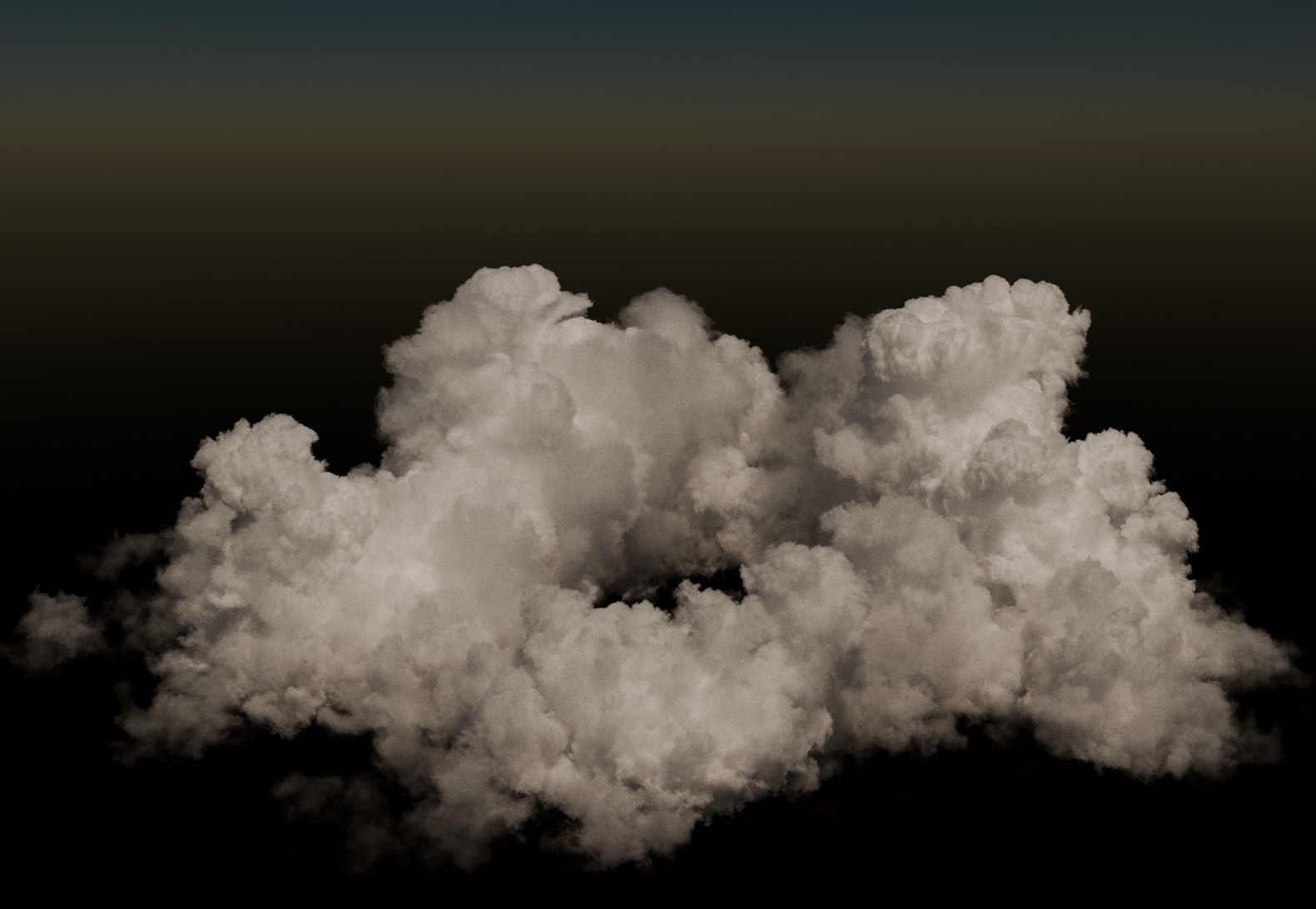 First image without any atmospheric volume
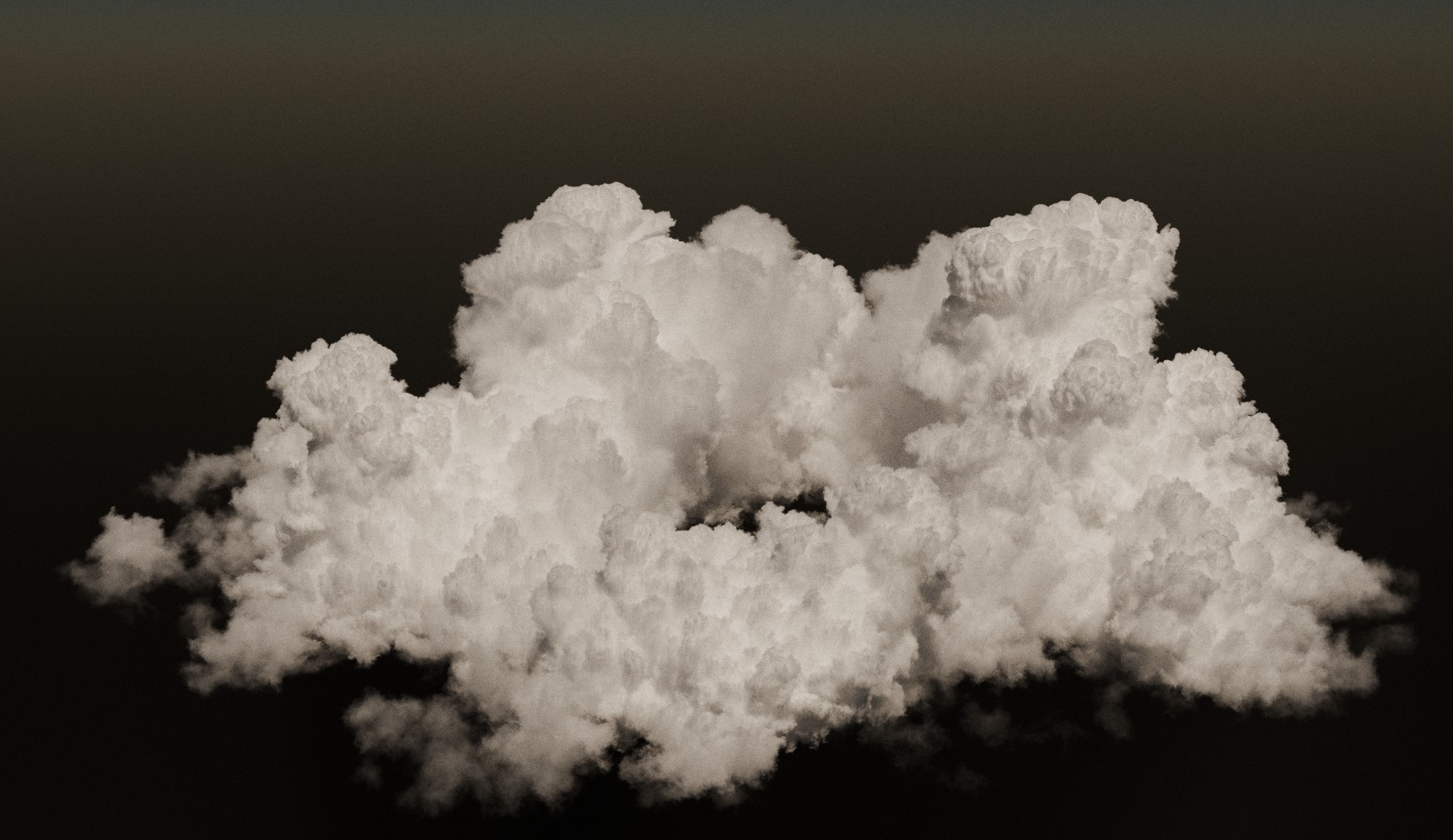 Second image the phase function becomes isotropic to match the phase function of the atmosphere material. This consequently makes the cloud look very powder-y and less fluffy. The other possibility is that the atmosphere adopts the phase function of the volumetric object it contains, demonstrated in this render:
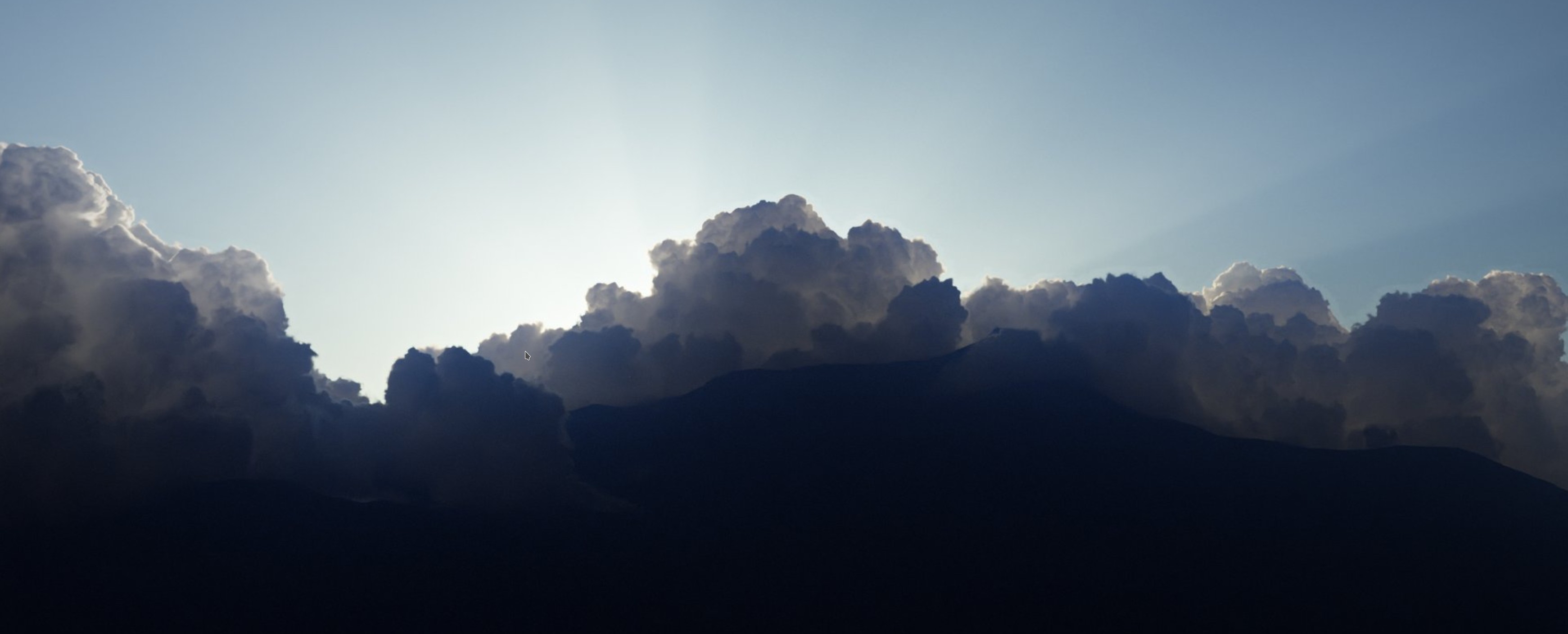
You can see the pixelated artifacts around the edges of the clouds here, this is where the vdb volume changes the phase function of the atmosphere to match the (very high) anisotropy of the clouds. This is the best example I could find, and it's still noticeable even though I had to massage it a ton to get it to not be obnoxious. I wish I had a better example, but as you can imagine, I don't save renders where these sorts of issues are front-and-center. Hopefully this gives a decent picture of the issue. I'd love to get some eyes on this and hopefully get it fixed because it's been a thorn in my side for a while now. I unfortunately might have to migrate to an engine like Karma if issues like this (and the slightly less irritating, but still annoying VDB overlapping artifacts) aren't patched. I'm an environment artist, and a large part of my work is playing with volumetrics. No hate to Karma at all, it's a lovely engine, I just love Blender and would like to keep using it as much as possible.
I'm eager to provide any more detail if requested, but this is probably already too long for essentially a bug report.
0 Comments