
Markers from Scenes visible in Sequencer
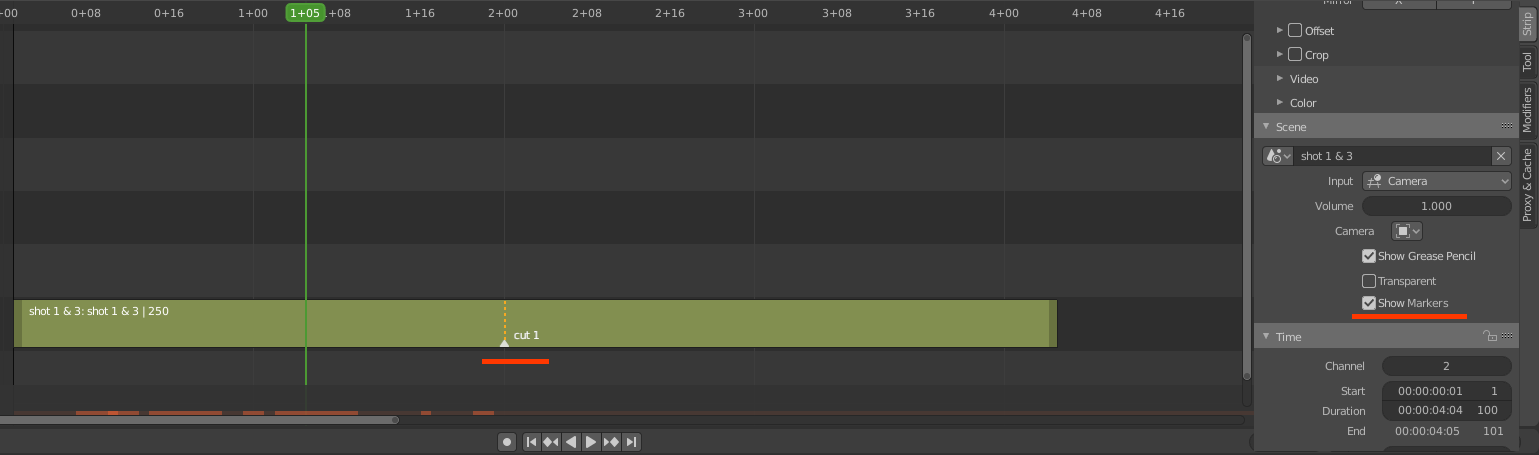
It would be cool to be able to see the markers present inside a scene when editing its strip in the VSE.
What usually happens is, I want to use the first 100 frames of a scene as a strip, then use frame 100 through 200 as another strip. In this case it's easy to remember, but with trickier numbers it gets complicated and I end up having to go back and forth between scenes and use the time panel's playhead frame number to know where my cut is.
Being able to place a marker in the scene, then have a checkbox that would make the markers visible in the Sequencer, would save a lot of time.
6 Comments
This add-on has included this function: github.com/samytichadou/blender_project_manager
* @ tintwotin * Thanks for the recommendation. I've installed the addon and tried to get that feature, but no dice. There is a 'Markers' section in the BPM panel but I can't get it to do anything.
To be clearer, I'm not trying to replace the markers from one scene to another, but to display the markers from a scene within its strip, in place. So say, if I moved the strip around, the "inner" marker would move with it, and if I moved just one end of the strip, they would not move.
Also BPM addon uses a folder structure with each shots in a separate blend file, when here, I have my shots and VSE editing all as separate scenes in one blend file.
So this might not be it, but then again BPM seems to be in early development and doesn't have much documentation. If you know more on how to get this working please let me know! cheers
* @jack.herbert * When I tried it, adding markers inside the scene(toggle to scene), show up when you return to your main edit.
* @ tintwotin * Dang, I must be missing something cos here I can't see any. Did you start an actual BPM project or does it work with a simple file? By "toggle to scene" do you mean a special button or just the normal drop down?
* @jack.herbert * You need to make a BPM project - you'll see the toggle button in the top header.
* @ tintwotin * Thanks, I can see it now. I still think it's a bit cumbersome and forces me into a totally different workflow to what I had going. But at least shows that it's possible, so might look at the code and try to implement a strip-ped (pun intended) down version of it. Cheers