
Sculpt only one side with symmetry
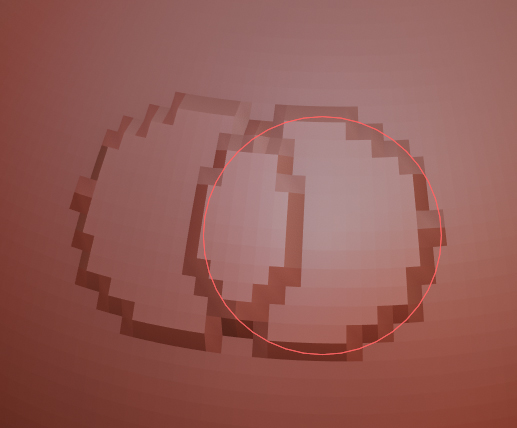
When clicking on the center of symmetry, there is an overlap at the intersection:

So, maybe devs can add a checkbox to the symmetry panel to turn off the sculpting on the parts of symmetry from which the sculpting did not begin. For example, if I clicked on the right side and moved the cursor to the end of the left side, sculpting should work only on the right half of the model. If you started from the left, then on the left.
Now i can disable symmetry, sculpt one side and then use symmetrize, but it is not very convenient.
The result should be something like:

I'm sorry for bad english, hope you understand me :)
2 Comments
It looks like it's done.
Also i would prefer brush, that makes stroke only with one height. No self-multiplying. No smudged start and end. No self intersection, That will solve your problem and mine too