
Two Modes One Mouse - Blender 2.8 Sculpting
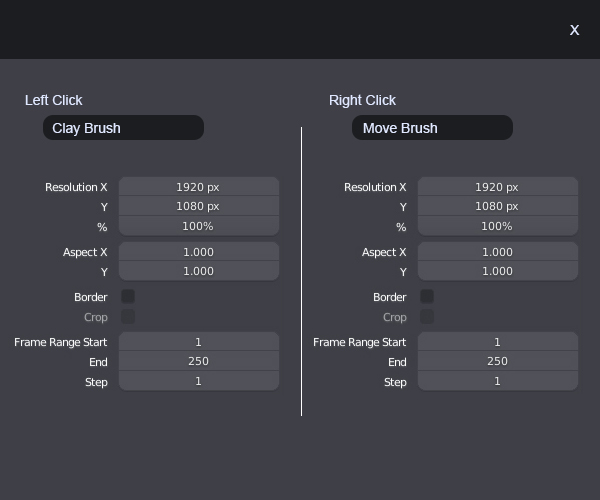
I think that in the sculpt mode there should be an option to have two modes on the mouse like (Left Click - Sculpt, Mid Click - Normal move, Right click - Clay). This could be an optional mode inside sculting for Graphic Tablet users, just imagine moving one piece of the model with the grab pencil on the right click and start sculpting instantly with the left click without any need of changing the brush. And for change the brushes here's an example of a custom window
Custom Window:
10 Comments
Why clay ?
@loic.dautry: It's an example
Do you actually mean :
? How could this be implemented in Blender? How the user would manage this ?
@loic.dautry: This could be an optional mode inside sculting for Graphic Tablet users, just imagine moving one piece of the model with the grab pencil on the right click and start sculpting instantly with the left click without any need of changing the brush.
I can see how this could work, but a good thing would be to have a mockup (especially for the UI, which is right now made for managing only one brush at a time) so that the devs may see this clearly and work on this. Otherwise, it's just an idea needing further thinking like hundreds of other topics on RCS.
Also, if there are two brushes at the same time, how should their individual options be managed? Each brush has a set of options, like brush size, strength, curve, texture, ...
Also, If there are two brush, this may be a good idea to have something to swap them between LMB and RMB?
@loic.dautry: Up there you've got the example.
why does that have to do with render options?
@loic.dautry: I put the render options only to see how is it going to look like not the options that needs to be there
@david.iniestaprados: Ok but the mockup doesn't make any sense then. No appropriate content, no clue where it is in the current 2.8 UI...
@loic.dautry: As a floating window