
"In Back" option - inverse of "In Front"
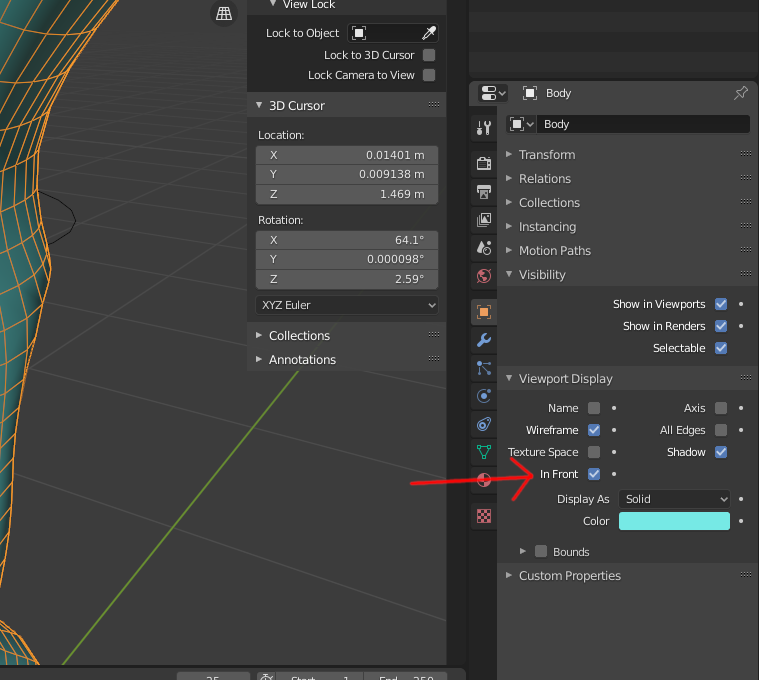
In the Object Viewport Display tab, there is an "In Front" option that allows the object to be drawn over all (???+) other objects.
This is occasionally useful, BUT imo, and especially for Reference Images , an option for "In Back" would also be useful, and possibly more so since there's usually only a very few (~1) reference image in a given scene.
+because I don't know what it does if >1 object has "In Front" enabled.
5 Comments
this could be simplified as a "visibility priority" drop-down with "front", "none", and "back" as options
There IS back option for reference images. And «In back» for object will toss it behind all big scene. Is there point to have it?
* @ Vyacheslav * just as much point as having an "In Front".
Where is this "In Back" option for reference images? 'Cuz I'm actively looking for it and can't locate it.
* @jeric_synergy * same place as Front. Reference settings. {attachment 41705100png}
* @ Vyacheslav * , this is NOT the same place as the OBJECT "In Front" option.
In fact, I'd argue that it's Yet Another Blender Inconsistancy to have reference images visibility treated so differently than Object visibility.