
Bevel Modifier Clamp Overlap
Here is the description of the bevel modifier clamp overlap option in the manual :
*"When enabled, the width of each beveled edge will be limited such that they cannot intersect each other. Edges that are far apart will still bevel with the full width , only edges too close to each other are affected."*
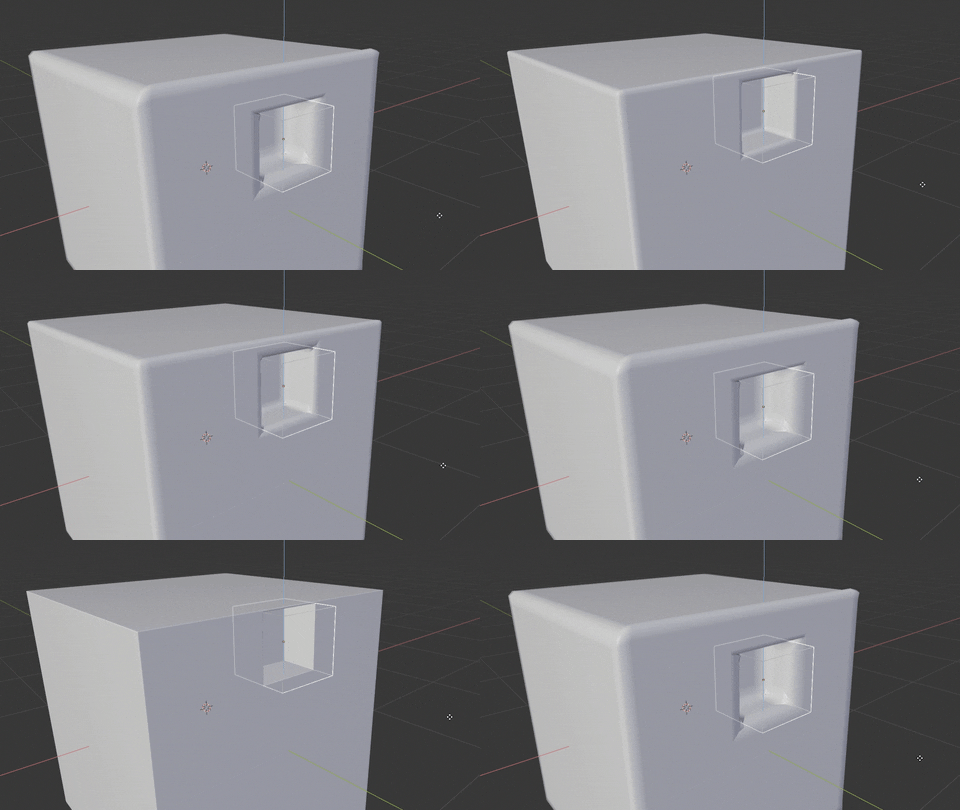
However, this is not how the bevel modifier behaves, it clamps all edges. I think it would be really great if the bevel modifier could clamp only concerned edges, especially for hard surface modelling, simply adding this option could greatly improve full procedural workflows for hard surface.
7 Comments
I absolutely agree on this one. Clamp Overlap should clamp on an individual basis, not as a whole.
Extremely necessary feature that needs to work properly! Please implement it!
I would bear in mind that the current behavior provides consistent beveling across all edges included in the modifier (you can restrict beveling to a specific vertex group of the object), which is not necessarily a bad thing. It depends on what you are trying to achieve.
It would probably be safer to have an additional option to only clamp where overlap occurs which appears when clamping is enabled.
The other thing is I don't understand why this wierd geometry is created. Please compare to what is on my proporsal. {attachment Inked5_LI_Momentjpg}
Hi, I am refreshing the topic. Just a simple example how I would expect the clap to work. there are a few stages to show the aproach. The geometry {attachment 1JPG} vector group {attachment 4JPG} how it works {attachment 5JPG}how it works when applying bigger bevel vithout clamp{attachment 6JPG} and the results what I would expect {attachment 7JPG}. So I would expect (please, dont take personally) that bevel will work to the point where it can for every edge individually.
It would ideallly need to group bevel areas into large and small bevels. Larger loops would get priority for larger bevel.
yeah a very unrefined and unpredictable modifier