
Shader Nodes Blur Attribute Using White Noise
So far, there is no blur node in the shader editor, although it would be a useful feature. This is because it would be too difficult and complex and would take too much processor power to blur shaders in the viewport, because it is much more complex than blurring a single image. There is already a way of blurring an image with shader nodes by displacing the texture coordinates with a white noise texture, but it only works with texture coordinates, so you can't just blur it anywhere.
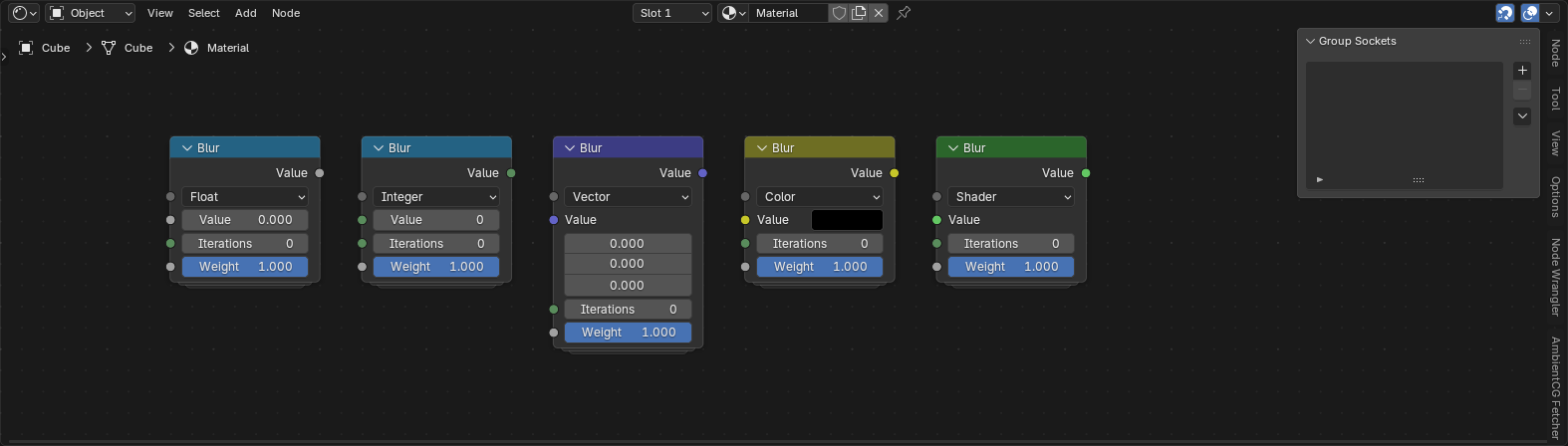
So what I propose is, adding a new node to shader nodes that works similar to the blur attribute node in geometry nodes, but by using a white noise texture as the mix factor to achieve a blurring effect, instead of trying to do it exactly like the blur attribute node in geometry nodes, which wouldn't work because shader nodes doesn't use fields, and using the same method as compositor nodes also wouldn't work because of it's complexity and resolution changes. So using the white noise texture to blur data anywhere seems to me the best way of doing it, although I'd love to hear any other suggestions. Below is a node group that shows what the blur node could look like.
0 Comments