
Keyframe Retiming/ Ripple Edit/ Relative Adjustment
I've been chatting with an animator in Maya and while usually I feel most features have a related function thats just "different" but similarly effective. The main feature I can't seem to solve is "Retiming" and I've been able to distil what I really want from this feature.
And I think it's the relative adjustment of the rest of the frames to scaling a section of the keyframes.
Here in this video is is presented as a percentage adjustment with a window but I think the most efficient method would be for it to work with the normal transform methods.
In Maya the function looks like this. For this case you can type in a specific frame range and have it adjust.
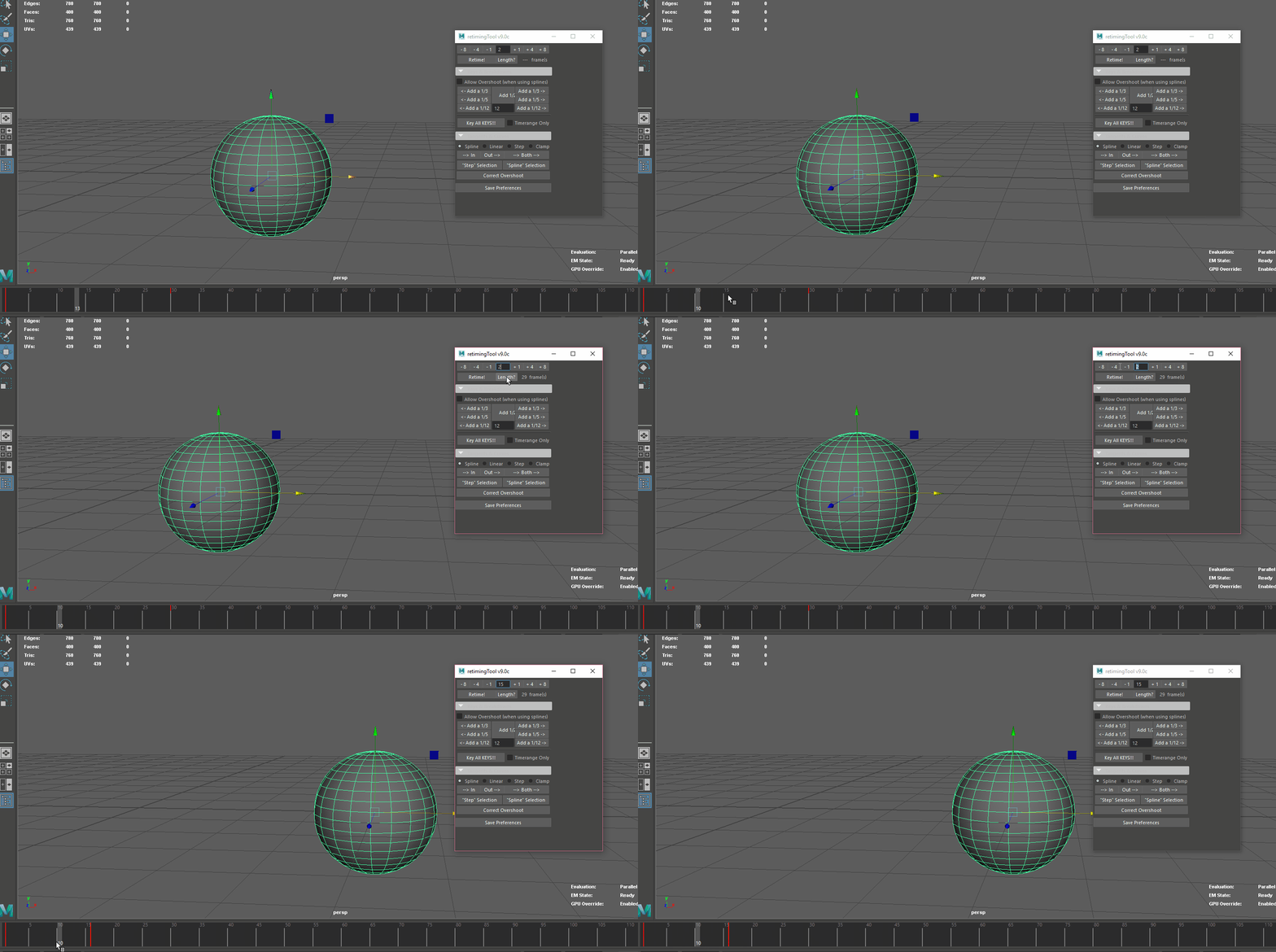
In blender though with the transform tools I feel this could be more seamless.

With normal blender function scaling these keyframes may result in the pose overlapping with other keyframes. Meaning if I only wanted to adjust the timing of the frames, I'd have to translate the rest of the frames after. This makes iteration take longer.
I think if there was an option for even just the right side of the keyframes to adjust relative to the new range of the frames it would basically work like the retime feature. Maybe not as accurate, but still very useful for such a small change.

This would be the ideal way this could function (focus on the keyframes not the odd selection from trying to animate this), In short as I scale the keyframes the later keyframes adjust meaning only the timing of the pose is adjusted.
I imagine this would be a simple thing, but I'm not much of a programmer. But I think just this core function would be a significant improvement to animating in blender.
I think being a toggle on the scale function would be the most efficient rather than a universal toggle. But either would be an improvement.

8 Comments
I made an addon for this! blendermarket.com/products/retime
I am confused. Would this be the same as selecting all of them and moving them?
* @zorro.weaver * Yes, which is done quite easily with the shortcuts
[and].Although this could be handy to have some buttons with more specific controls to remove extra steps and provide presets. Yet I don't see this worth development time from the BF as of today, maybe an addon would be enough.
* @zorro.weaver * No, maybe I should have used more than two keyframes for this. Basically think of it as a maybe "fit to scale" or something? I'm not sure how to explain it better.
The idea is scaling in the timeline like gif one, works like gif two where the later keyframes move out of the way (or contract).
* @-L0Lock- * No thats not what i mean. Hitting that key would also select the scaled keyframes it wouldn't help for this use.
* @iadagraca * you dont need to explain what ripple editing is .. anyone who doesnt know shouldnt even reply ... ripple editing and inserting blank frame while moving all later keyframe is important for the second most important step in animation -> keyframe timing .... its a standard in every worthwhile animation software , be it flash, toonboom, or whatever and has been a standard for animators since forever ... blender is programmed by programmers not by artists and especially not by animators , hence they cant see the importance of this base feature of every animation software minus blender .. they probably dont know what "timing" from the 12 animation principals even is (few people do )
* @alexmehler * So... You say that you shouldn't replay to people who don't know what ripple editing is, but then you complain that Blender's developers don't know about artists' needs?
There's a quick fix for that: informing people when they don't know.
* @-L0Lock- * I agree. And there are many artists who are blender developers too. That's generally the reason they get into developing.
* @alexmehler *,I only replied because I wanted to know what I was voting for.