
Symmetric pivot for mirror modifier
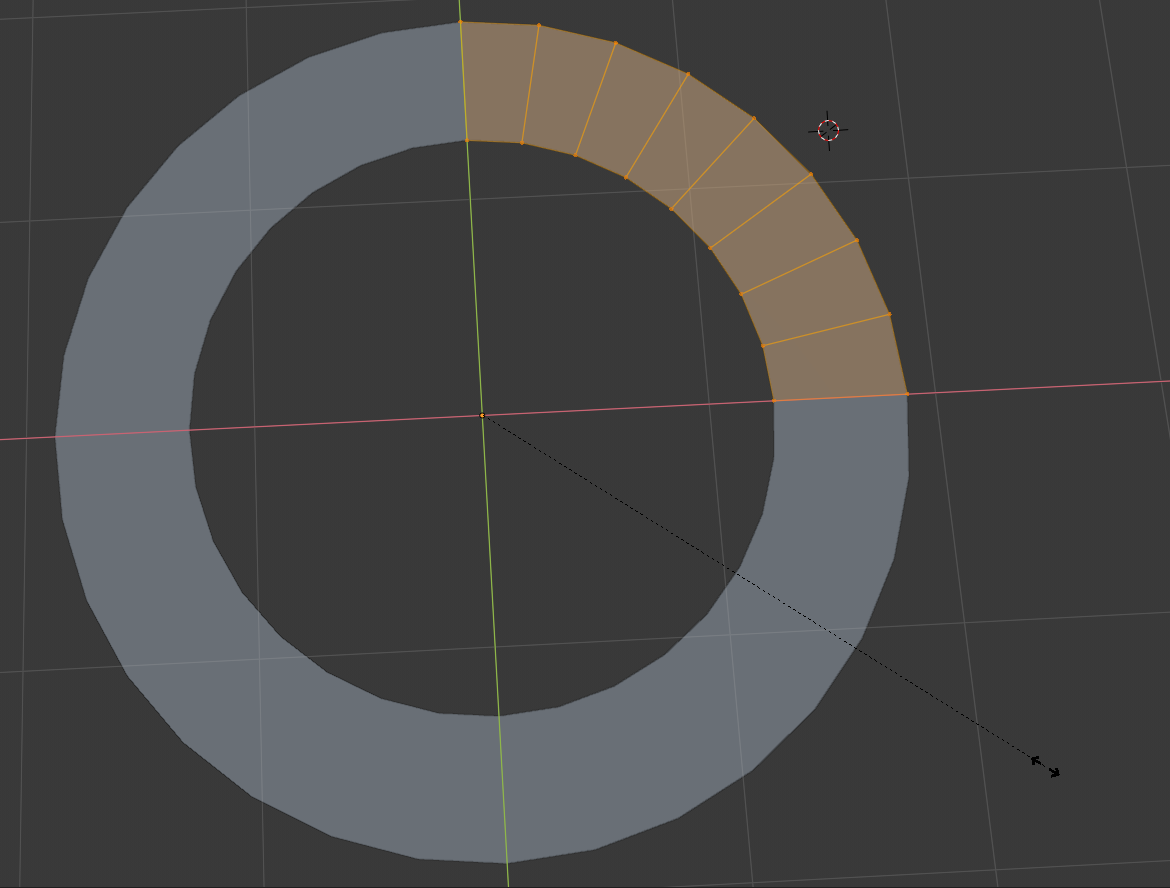
I am often annoyed when,
- I make some symmetric mesh
- delete the other side
- add mirror modifier
- and try to scale them, and
- I end up scaling with the pivot center on one side.

To get this solved, I would like to propose a symmetric pivot (I am not good at naming functions so please some one come up with a better name).

This will use the mirrored vertices to calculate the pivot center (only when the pivot is at median point. This is an option for each mirror modifier.

I actually implemented this and sent a diff to blender since I am still confused on how add a new feature to blender. Please up-vote if you think this diff is worth merged into the branch. If not, please give me feed back so that I can make it worthy.
4 Comments
I think the naming is deceiving, I didn't understand the proposal at first, but yes, I struggle with this too! Maybe something like "use mirror data for median point" or similar, but not as long
The bigger issue is that modifiers are not used into consideration for pivots and commands (like extruding a face in the edge of the symmetry) which in principle makes sense that they wouldn't, but in practice it's often useful. It would be nice to have a more general solution, or to have more small features added. For example, using the smooth brush in the mirror axis with a mirror modifier.
Yes I get caught with this one. It would speed up workflow if you could click a box while in the modifier. Snapping the cursor, changing the pivot point does become a tad tedious when you are on the fly.
Or, if there was an
Object originin the pivot point drop down menu.@-L0Lock-: Haven't thought of that. I don't think that it could replace symmetric pivot completely, but it should be great to have it. Maybe you could make a new proposal for that. (If the
Object originis some link, I cannot click it from ipad for some reason)