
Allow to set the viewport camera's FoV, just like actualy cameras.
Right now we can set a camera's lens length in millimeters or specify its FoV directly. Strangely the FoV option is missing for the viewport camera.
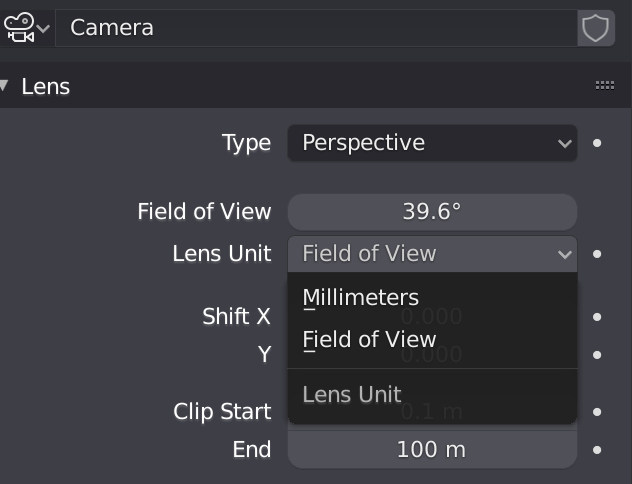
Right now we can set a camera's lens length in millimeters or specify its FoV directly. Strangely the FoV option is missing for the viewport camera.
8 Comments
I'm really confused how it all works.
A focal length only has a FOV when you add an imaging area size to the equation - so a sensor size in Blender terms.
Is that viewport mm based on the 36mm sensor of a default Blender camera? Does the viewport sensor change if I change the sensor of my active camera? If not then it doesn't make much sense to have all the cameras in my scene set to a camera preset that the viewport can't also be made to match.
How come the default camera is 36mm but the 'Blender' preset in the camera settings is 32mm? Does this mean the viewport camera is 32mm or 36mm?
Is all of that irrelevant because the size/aspect ratio of the viewport changes everything?
there is an option already...
blender.stackexchange.com/questions/3023/how-do-i-reset-the-viewport-lens-angle
* @Michael Ben David * What are you talking about? I think you have misread the question. I can't find anywhere in the N panel that lets the user pick the FoV angle, it only lets you set the view in millimeters.
* @keavon * Agreed. Many people know what FOV they are comfortable with in degrees from games, seems like an oversight to offer both angle and mm for cameras, but only mm for the viewport camera. Obviously you can create a camera, set it in degrees, set it back to mm, copy that and paste it in but it would be easier to have the option.
* @keavon * You said the FOV option is missing from the editor camera. It's not.
For the editor camera it's merely restricted to mm instead of an optional FOV in degrees. If you do need a FOV in degrees you can still create a standard camera, enter the degrees and change the units back to focal length again. It then shows you the FOV in mm. 72° is 24.77mm for example.
Not ideal but nothing showstopping, either for the moment. I do agre that it could be nice to have.
* @motionblur.of.doom * First off, I'm not the OP so I didn't say that the FoV option is missing. However, as the OP worded it, the FoV option is indeed missing . A normal camera lets you select the option of "Millimeters" or "Field of View". The viewport camera assumes Millimeters and does not give the option of Field of View, so the FoV option is missing exactly as the OP stated. We're picking at words here, but the point is that it would be very helpful to add this. In my case, for example, I am building a game environment in Blender and switching between Unity and Blender to test it out. I want to easily set the same FoV in Blender as I have on my camera in Unity. I can certainly use a camera as an intermediary conversion tool, but that is very sub-optimal and many users may not even realize it's an approach they can use.
Yeah I might not word it very precisely but I think we all agree that this would be a nice and convenient feature to have.