
Simple Deform (Bend): make all three axes give a usable result on first click
I realize this has been mentioned before, but I would like to submit it in a more actionable bug-report style with some concrete suggestions for improvement.
The problem
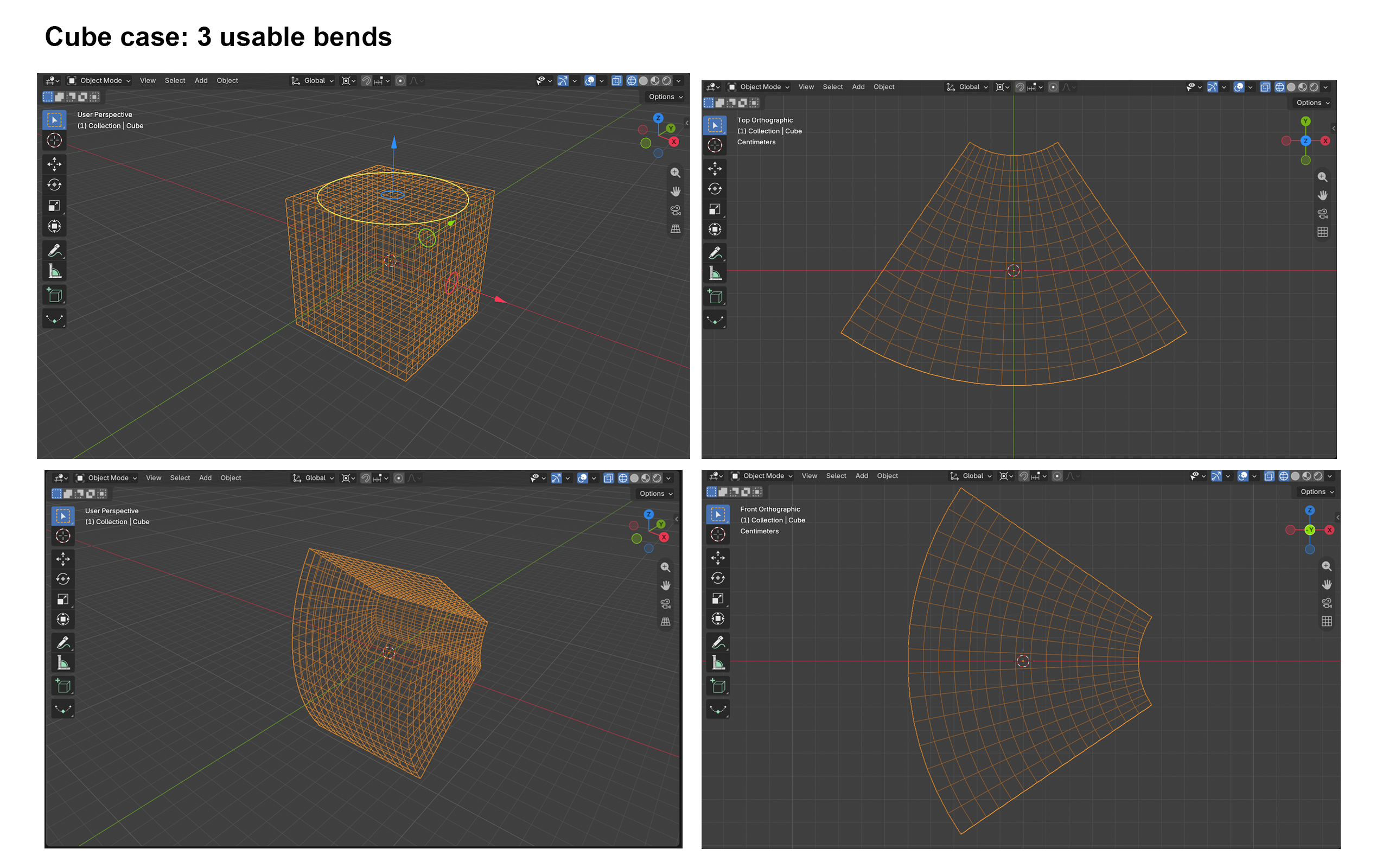
Bend mode in Simple Deform works on only one axis for most real-world meshes. On a perfect cube it bends as expected on X, Y and Z, which makes the modifier look reliable. But on a long, flat box (roughly smartphone proportions, with enough subdivisions and scale applied), one axis works and the other two either do nothing useful or fold the mesh over on itself. New users routinely lose hours to this. Many reddit threads, YouTube videos, etc.
Reproduction (Blender 5.2)
- Add a cube with loop cuts on every axis.
-
Add Simple Deform, set it to Bend, and cycle X, Y and Z. All three work.
-
Repeat with a long, flat box of the same subdivision. Only one axis gives a usable bend.
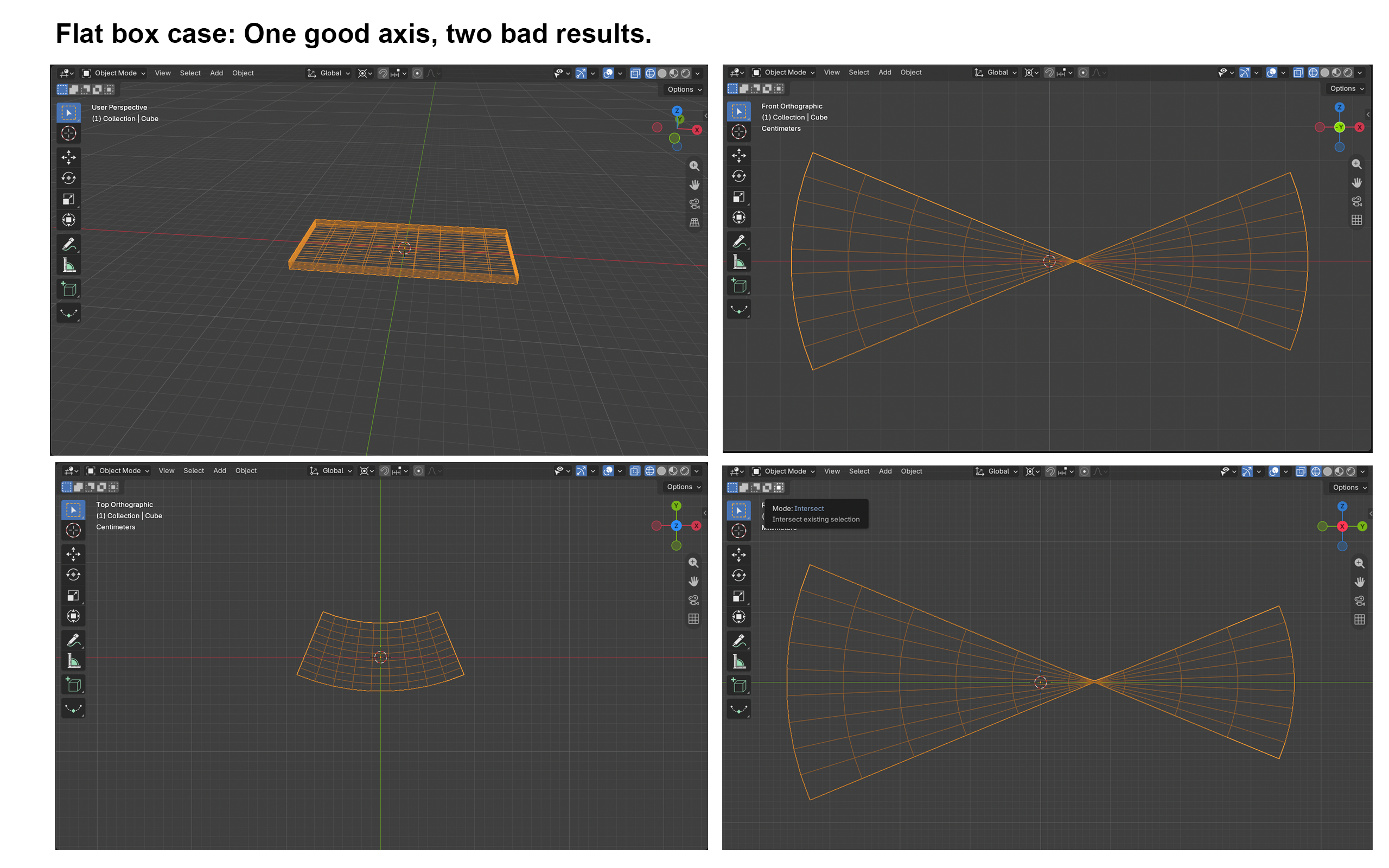
Nothing in the UI explains why. The axis dropdown is ambiguous: the API describes it as deforming "around" the local axis, while Bend is described as bending "over" the modifier's Z axis. A new user can't tell whether the selected axis is the bend axis, the length axis, or something else.
Why the current workarounds fall short
The standard advice is to add an Empty, rotate the mesh in Edit mode, or install an add-on. An Empty adds an extra object and a concept beginners haven't met yet. Reorienting geometry bakes a workaround into the mesh and breaks non-destructive workflows. Add-ons add a dependency for a basic operation. All three require already knowing why the modifier misbehaved. This has been reported since at least 2.80 (T69900, T71742), and several add-ons exist mainly to auto-correct the bend axis. Even among experienced users, the experience is admittedly inelegant and awkward, and takes additional time and steps for a "simple" deform.
Proposals (any one would help)
- Separate the two concepts. Let users pick the axis the mesh extends along and the axis it bends around, so every combination produces a valid result.
- Auto-orient option. A checkbox that re-evaluates the mesh for the chosen axis so the bend is usable on first click, ideally on by default for new modifiers.
- Viewport feedback. Draw the deform axis and bend plane as an overlay or gizmo.
- Labels and docs. Rename the axis field, add tooltips describing what actually happens, and document the failure cases in the manual.
Expected outcome
Bend works in all three axis modes for the common case, and existing files stay compatible if the new behavior is opt-in or versioned.
0 Comments