
Fix theme issue - inverted selected button theme
Left: regular Blender Dark theme
Right: custom theme to use an inverted selection style
Note: in the outliner, the checked box, opened eye, and visible camera are considered unselected icons
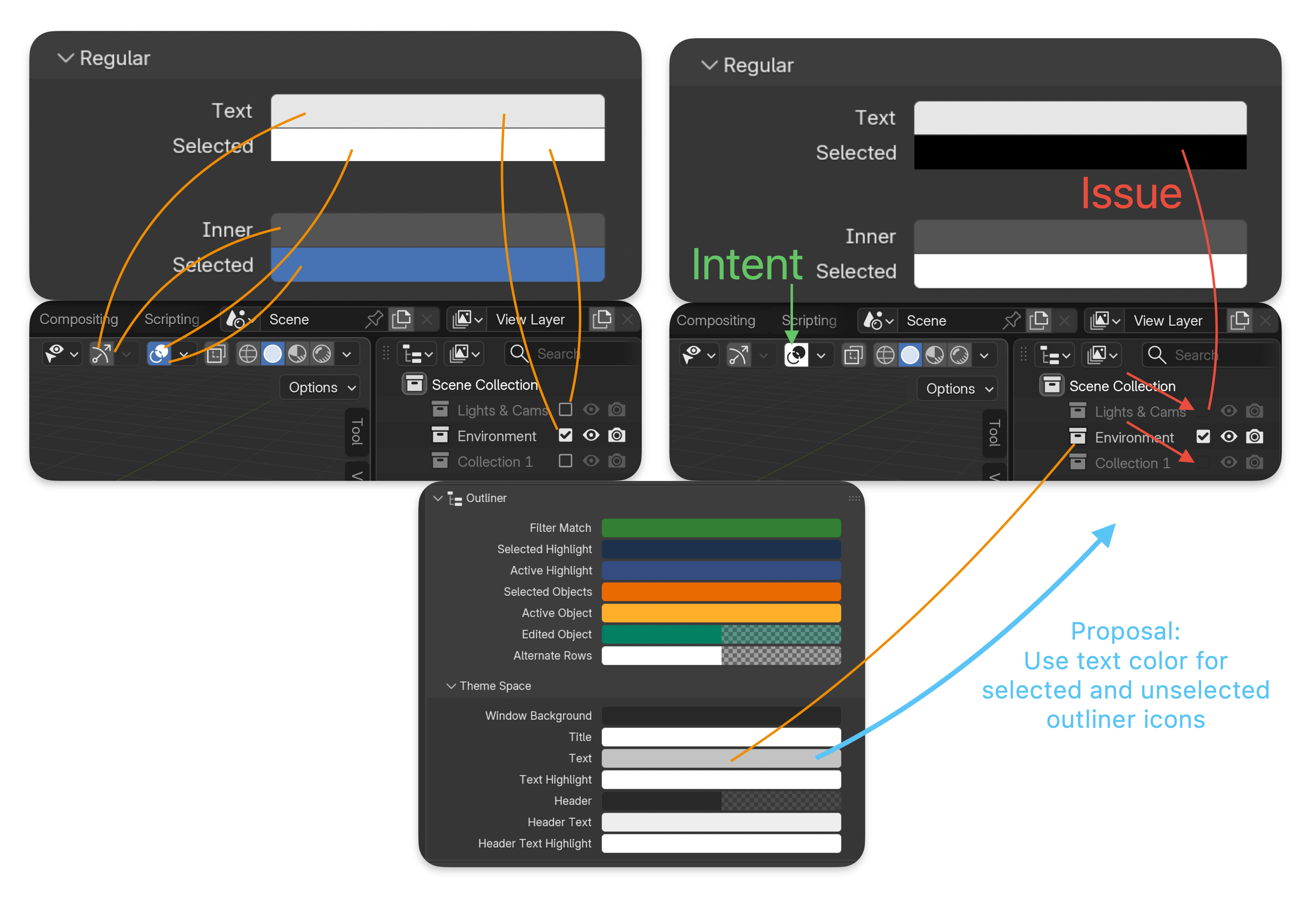
Intent (green arrow)
It's currently not possible to create a theme where selected buttons are inverted to their regular appearance. So a regular button that's light icon on dark background, when selected, becomes dark icon on light background.
Issue (red arrow)
The issue is that icons without a background area such as the ones in the Outliner are still linked to the Regular > Text Selected color. This causes them to disappear on the dark backgrounds of the theme
Proposal
Use the Theme Space Text Color for both unselected and selected icons without a background area. For the outliner specifically, it seems selected buttons are already applying a "greying out" effect using transparency I believe.
1 Comment
Totally agree. This change will make inverse theme straightforward.
For example, my Blackboard theme on Extension website have to work around because of Outliner Icon in disable state.