
Please Limit Scrolling (Shift+A) menus to Top/Btm when using mousewheel (no more cycle)
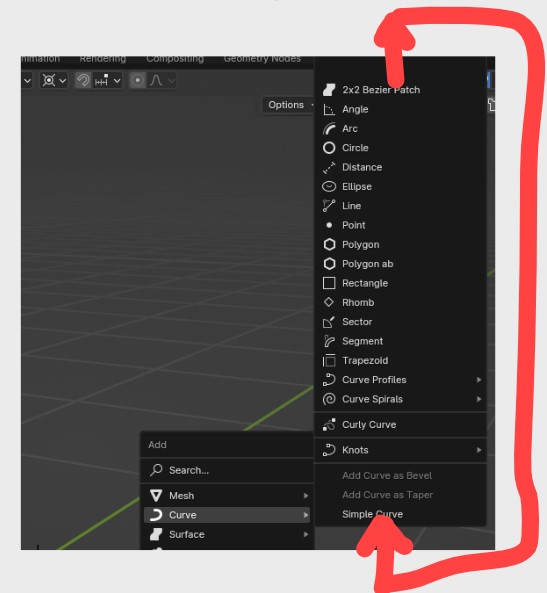
When using Shift+A --> Mesh here that menu is often not fully displayed because it doesn't fit the screen at the current location. Which is fine, we just use the mouse wheel to scroll to the top of the menu where most of the time the item needed is.
This is how it goes now:
Do one big scroll action on the mousewheel to scroll to the top of the list Feel frustration because the list didn't stop at the top, but went cycling to the bottom of the list now in a continuous cycle Scroll up again, but now superslowly to not miss the top item. Which is not easy because it's easy to scroll past it and than blender takes you to the end of the list again (and disturbs orientation because it moves the list) Finally being able to select the top item or the second item there This is IMO how it should be working:
Do one big scroll action on the mousewheel to scroll to the top of the list Click on the item wanted. Done. I have yet to find a reason why anybody would want this cycling behaviour. When we scroll the mousewheel to go to the top of the list we simply don't want it to go to the bottom. So IMO it makes no sense to cycle through this menu. It's preventing us from working fast and is causing frustration everytime we use it and makes the workflow unnecesary inefficient. Which adds up because we use this menu all the time.
So please remove this cycling behaviour in menus and just stop at the end (top or bottom) of a list. Or else please add a setting in preferences so we can at least turn it off.
Thanks for considering!
0 Comments