
Unhide Selection from Outliner
Hey there!
I am a new user to blender, and sofar I love it!
Ofc there are some things that does not make sense, but therefor you got this "Suggestion" forum!
Basically, I would love to have a command: Unhide selection
Explaination why:
So I was fixing a rig for my character, but I have a few other objects in the same scene. Those objects I need to select all parts of each object and then hide them manually.
I want to keep the light and plane underneat.
The thing is, I some times want to show other objects, but not all of them. Unhide all of them is ALT+H, but I only want to unhide a selected object from the outliner, so that I do not have to unhide everything, and then afterwards hide all objects again that I do not want to see.
I do not know if there is such command allready, because I cannot find it, and I have been googling around for a while. The only "unhide" I can find, is the alt+h
I am not looking for layers, I simply want to be able to unhide selection from outliner since I can see the objects names instantly there.
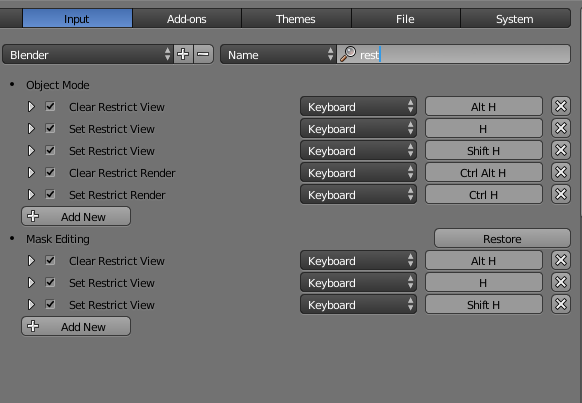
Edit: Forgot to mention, if it was not obvious, I am suggesting to add a keybind :P I know there is hide and unhide "The eye" Restriction view. But I want to be able to hide and unhide by having objects selected by using a keybind.
8 Comments
I dont even understand why would you downvote something like that, the more i learn about blender developpement, the more i understand why it fails in some areas
@The_Real_Fredde87: The features you're asking for are already there.
If you select multiple objects in the outliner, you can unhide them at once by right-clicking an selecting "Toggle Visible" in the context menu. Careful though, there are 2 ways to select objects in the outliner : if you click on the object's icon or name, it will select it in the scene. If you click in the empty area, it will highlight it and only select it in the outliner, which is what the context menu uses.
And there is already a keyboard shortcut for it : "V". Use it while hovering the outliner.
@Caetano Veyssières: it not my request buddy XD
sorry, I didn't mean to mention you. Dunno what happened.
Blender 3.6 does not have any "V" shortcut for showing selected or "hovered over" items in the outliner. I dont unerstand why there is not such a shortcut..?!?
It was changed to be more consistent with the viewport. Now H hides and Alt+H unhides.
well if youre using the outliner instead of clicking the name of the object... just click the eye directly and it will be back visible.
Yes, but why there is no keyboard shortcut for this as well?