
More visible tools information
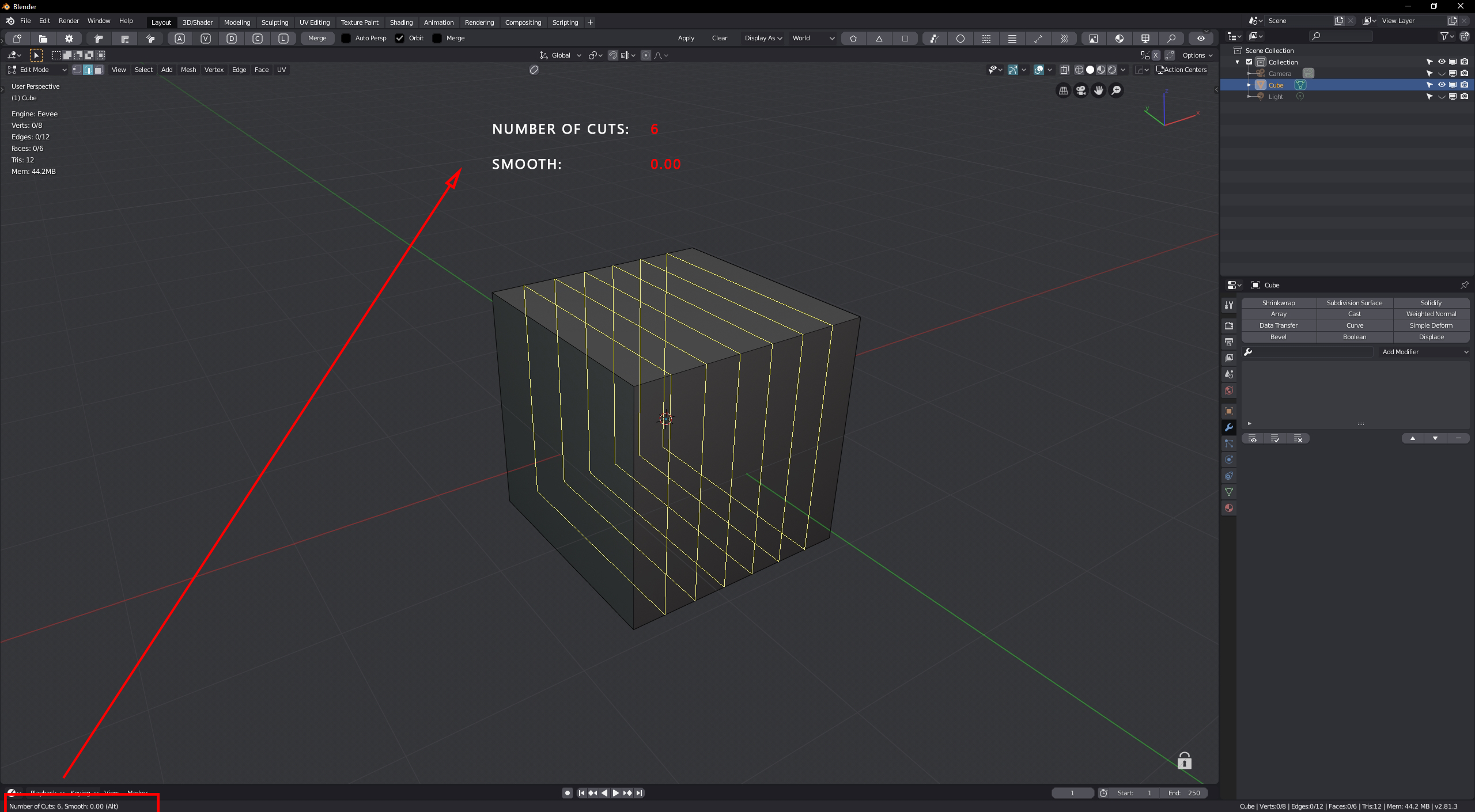
Now when you use tools like loop cut , bevel and other, information in the lower left corner of the screen are almost invisible in 4k + resolution. You have to really strain your eyes to see something. Lots of addons have invormation more visible like on screenshot.
4 Comments
Some plugins such as HardOps and MeshMachine use a display like this right next to the cursor with shortcut key listings and settings. This would be very useful in the mainline Blender I think.
Maybe, you could alleviate the issue by increasing the ‘Resolution Scale’ of the user interface from the user preferences. See the online manual on that topic .
* @Ivo * I know this option. I want bigger only tools info not entire ui.
* @radi0n * Yeah, I know what you mean. Currently that and the line width option in the preferences affect the entire UI instead of just the viewport and I really believe that there needs to be a Viewport only toggle for that.