
Disable resizing T + N panels with Ctrl + MMB
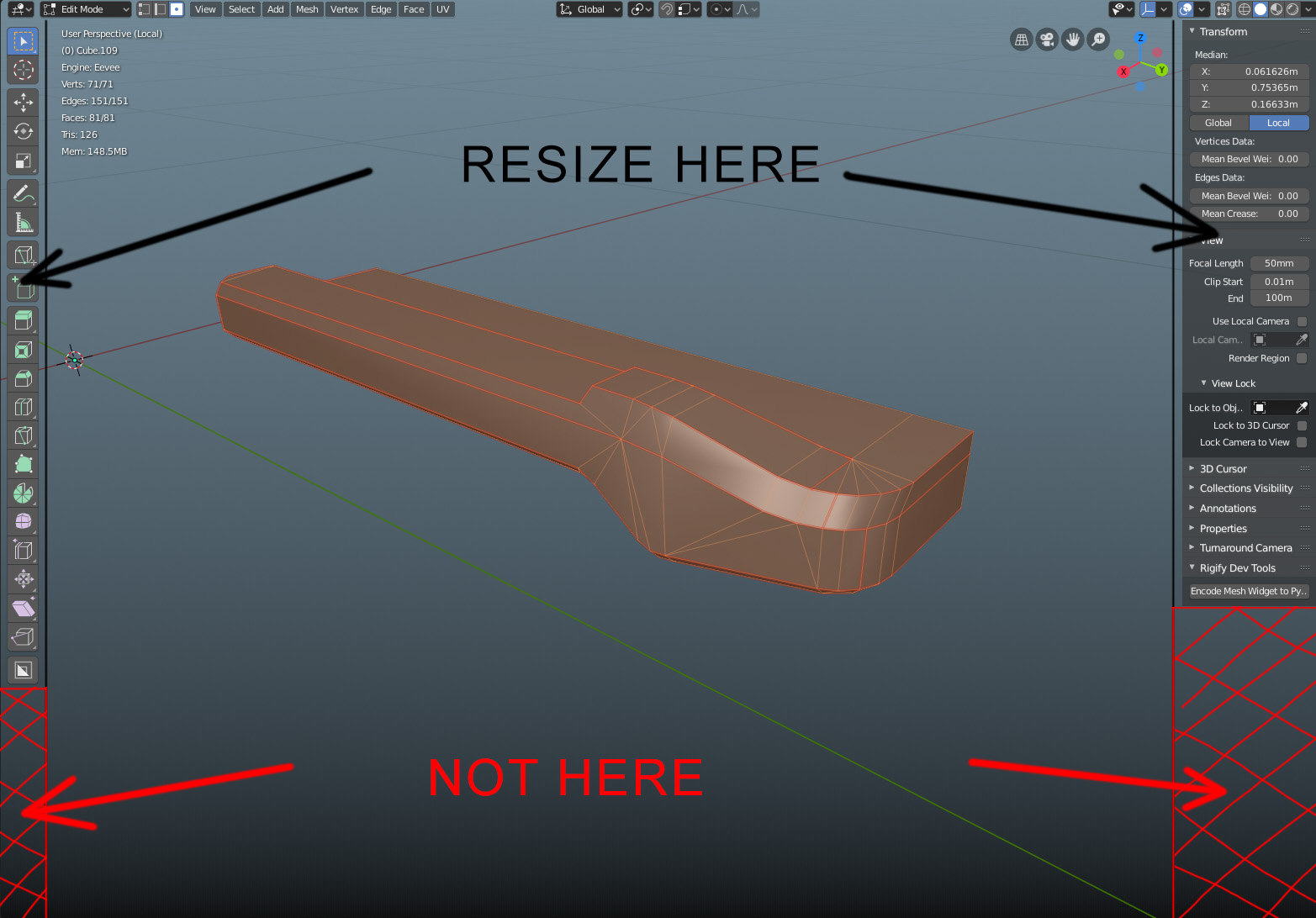
Resizint Tools + N panels with Ctrl + MMB can be handy, but It would be better to do it only in their active areas, not in their "blank" parts. Was searching for similar propose, but didn't find any.
I understand T+ N panels are verticaly placed through whole viewport, but when working, especialy in UV editor, I found out lot of times I just accidentaly start to resize the panel and not operating the viewport.
7 Comments
You can change the status from open to resolved or so on this one
* @alf * Thanks for noticing me, didn't know I can do that, thought it for devs
Is now solved!
* @zebus3d * Yep. watched Pablos weekvideo today, nice :)
I already proposed something similar on: devtalk.blender.org/t/blender-ui-paper-cuts/2596/1431
* @zebus3d * Ok, so, I can delete my post here?
* @Vojtěch * No, thus it serves to keep the problem alive to see if it is finally solved.