
Add Offset option to Snapping Tools
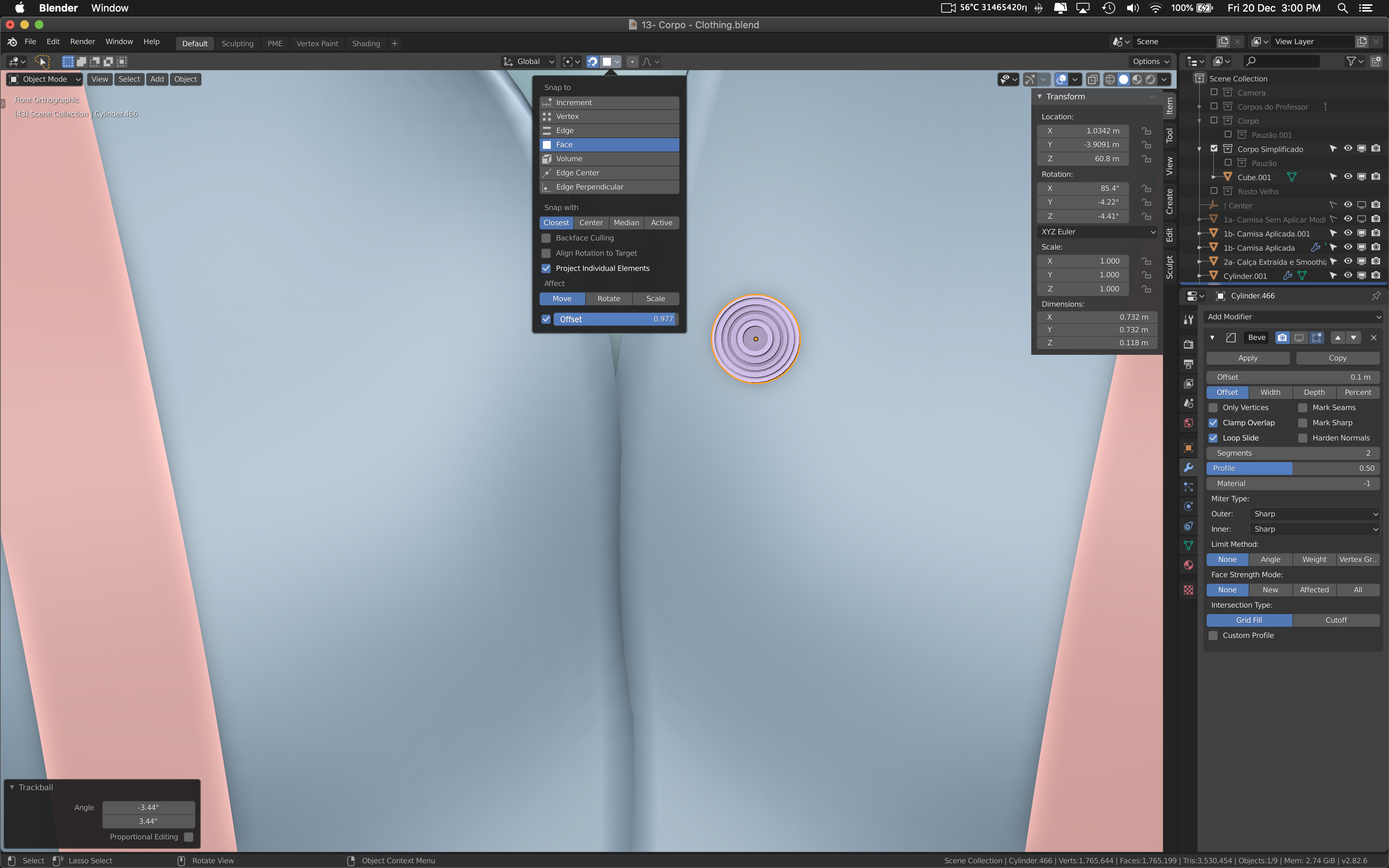
When try to place an object using snapping tools they almost always end up in the middle of the object. Having an option to offset automatically (like we do in Shinkwrap) would be very useful. Toggling between "Under" or "Above Surface" would be very useful as well.
5 Comments
Would really help, just a basic offset based on surface normals would be great!
This would save me a lot of time when I do re-topo. Shrink wrap is not easy to use when you have multiple objects which you need to wrap with one mesh. (I need sometimes to hide some objects underneath etc.) Ideally it should work as offset by face normal by the distance you can set in the slider you showed in the screenshot.
What exactly you mean by " offset " as something with value from 0 to 1 and ON/OFF checkbox?
* @IIIFGIII * distance, maybe. This is just a quick mockup and the function is based on the Shrinkwrap modifier. :)
Ideally, the offset-distance should be the product of the geometry>bevel distance*node-radius; in order to get these curves on top of the surface and not intersecting with it, nor having a gap between the curve and the surface.