
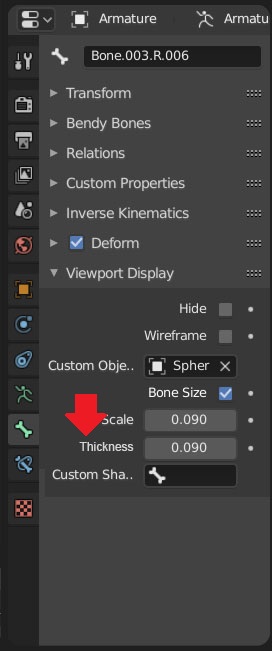
Custom thickness for Cutsom bone shapes.
As you can see if you enable thick line it affects everything including the UI, the 3D Gizmo & the Mesh wireframe.
I would like if we could have a seperate option, thinckness for each custom shape so the shape looks nicer.

6 Comments
also it would be great to be able to specify drawing options for the custom bones, like: always solid andalways xray for specific controls
I like this idea, although I suppose it would be possible to simply use the skin modifier to make a thicker version of the mesh.
* @Josephbburg * no, its not great with the skin modifier, it produces too much geometry, but if it was an option it ould be just drawing thicker.
* @Josephbburg *
* @Luciano A. Muñoz Sessarego * Yeah, of course! You always have to run skin modifier through a decimate/planar modifier. I wonder how hard it would be to add a
u-resolutioncontrol to skin? Oh! And maybe wire-frame modifier could do what you want, you just have to make faces (an nGon between all the parts works fine). Also, I did vote for your proposal, since I love any kind of rigging feature. But I wanted to suggest the workaround.* @Josephbburg * The thing is, it will always be heavier to manage and draw actual mesh instead of just managing the pixels width of an already displayed wireline.
Using things like skin modifiers simply isn't reliable for rigs and projects of the slightest complexity. Performances will drop down way faster, and in Blender's case it's already a challenge to keep somewhat good enough performances on the viewport when animating.