
Snap align vertices in one step
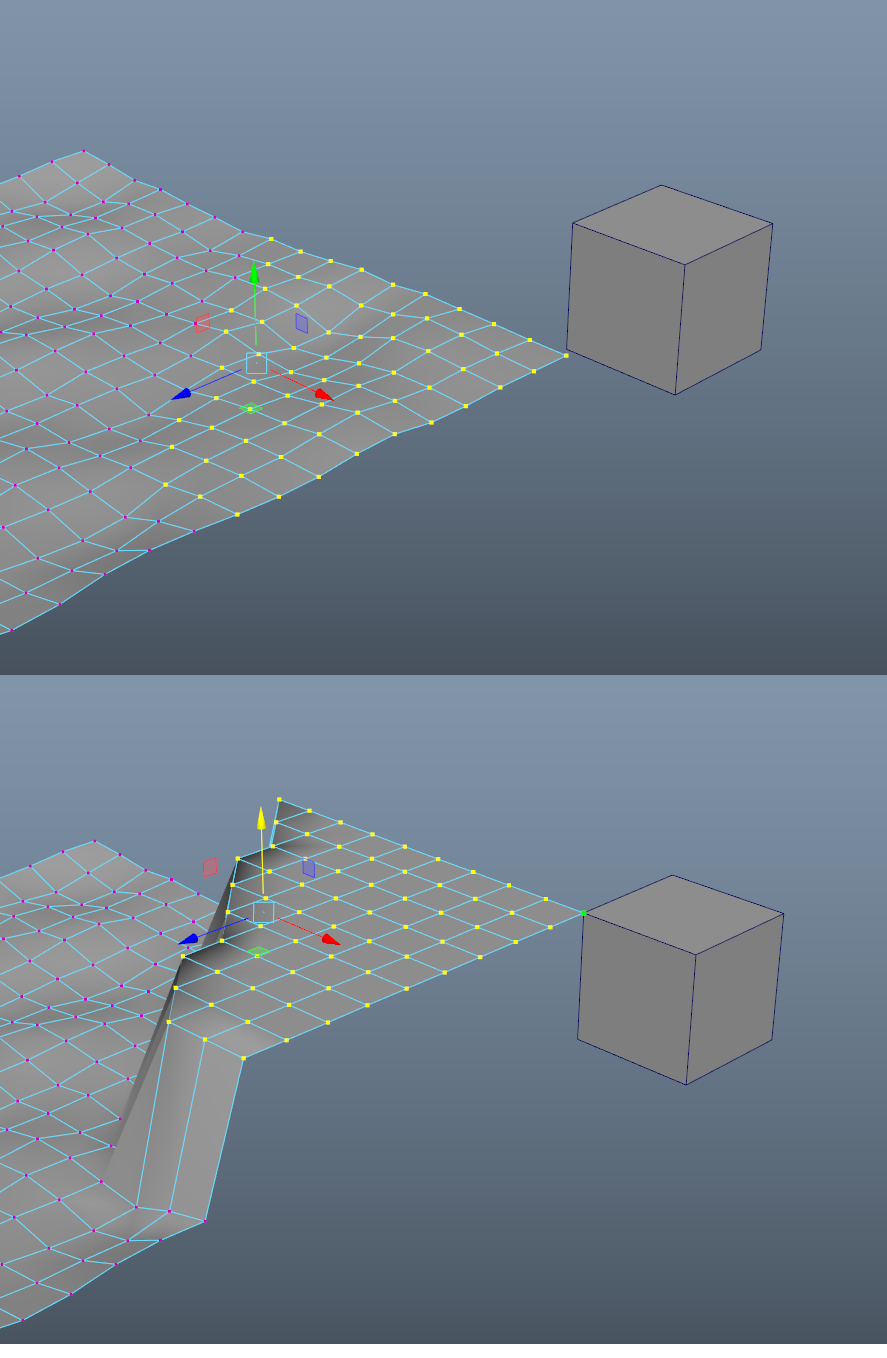
In Maya, I can press either X, C or V (grid, curve/edge, vertex) to define the snap and just move the manipulator to snap all the vertices on the same plane. The snaps turn off as soon as you release the key. I've been able to simulate this in Blender using Pie Menu Editor. I made three pie menu items to collapse in X, Y or Z and then I have to move the vertices align them as I want. So it's a two step process instead and it's slightly more complicated for something I do hundred of times per day. It should work in global, local or custom axis (which Maya cannot do, only global)
I also made hotkeys that turn snaps on while pressing on X, C, V and B for face in Blender because I thought it was too annoying to first have to go to a popup menu to decide on the snap I want then turn it on. It's really slow and cumbersome. So I have a workaround but I think the community could use this workflow. I'm also kind a new to Blender so maybe I'm simply just not using it properly (2.80)
7 Comments
This is good feature!
This feature from maya definitely needs to be enhanced before adding to b3d. But it will be nice to have a concept of switching current snap mode during using tool, it is a lot of keys free during operations.
But "Snap align vertices in one step" it is kind a bad name for this.
It is more "Fast hotkeys switching snap modes during operations."
I agree that a tool setting to do this might be useful, but usually it's quick enough for me to just hit s,y,0 then snap. However, this could save a bit of hand movement, so have an upvote :)
how exactly you do that in maya ? Im not able to replicate that. Is the cube combined with the plane? Can you snap those vertices to another vertex from the plane itself and not the cube?
* @Orphydian * Maya had (maybe still has, I haven't used it in a while) this feature called "keep component spacing" which is/was off by default, so when you snap, it automatically moves all selected components to the snap target, discarding their existing spacing. Enabling the setting works more like snap in Blender.
* @Andrew Palmer * awesome, so in Blender moving to a snaped position keeps the componets spacing ?
* @Orphydian * Yes is does. As Andrew mentioned, in Maya, just deflect the Kepp component spacing option and snap away.