
Find Missing Files - Include subfolders
It would be really helpful if this existing feature could search in subfolders. My texture library is organized in many folders, going through each folder seperately is time consuming and frustrating.
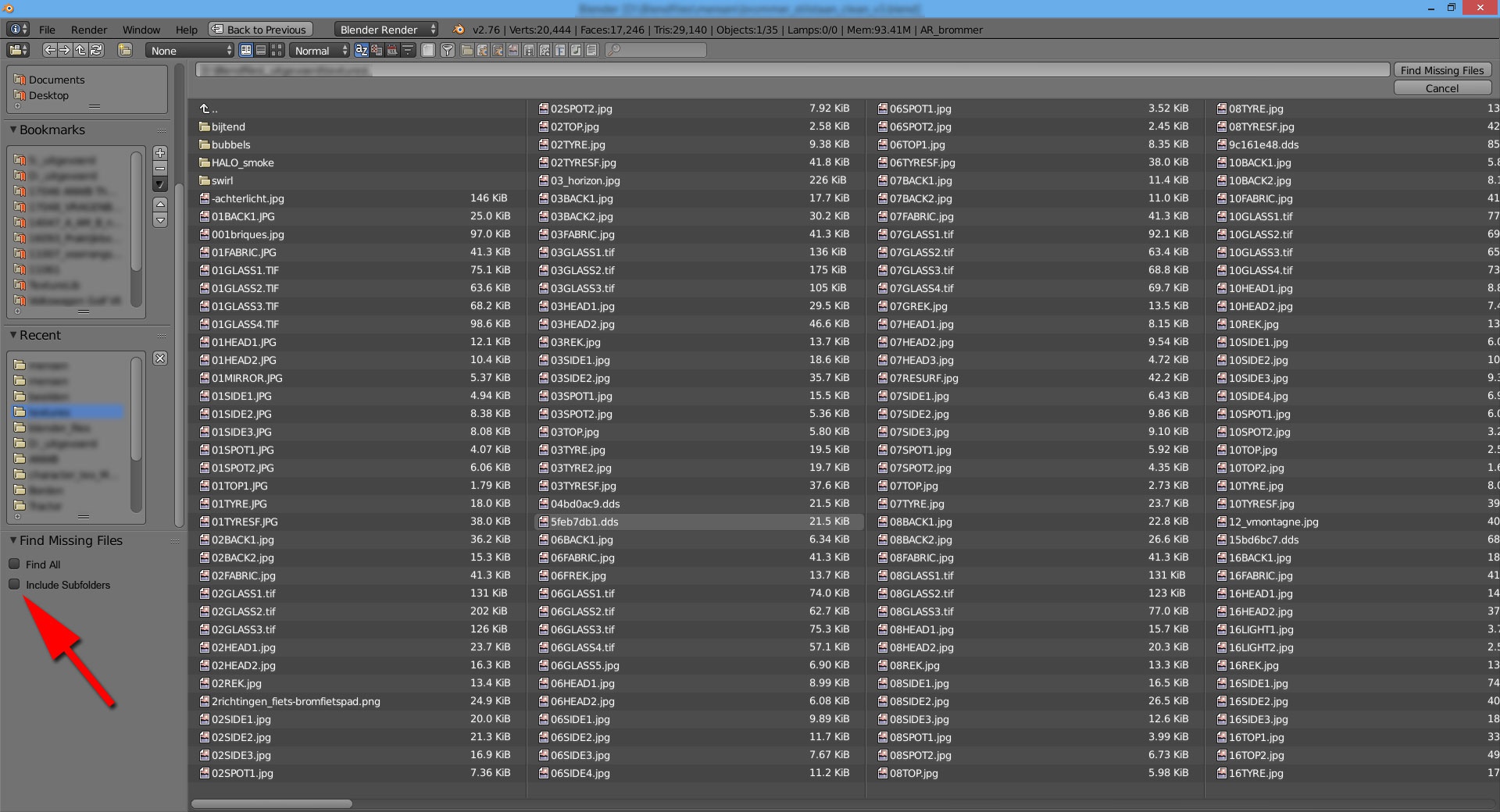
For an example see the mockup.
7 Comments
I love Adobe Premieres "find files" system. If the file was renamed or removed it will come with an extra window and you can see the "Original path and filename" and you can search in "Standard Video folder" or "Local Folder" or "manually". In that case it allows to move a project to a backup directory and the system will find all files again. Such a feature like the "include Subfolders" is a big step in that direction. I really like it.
To clarify.
The mockup is photoshopped. The checkbox where the red arrow is pointing is where I would like the feature to be placed in the interface. It's not there in Blender (yet). :)
What would the result look like if a user were to enable that checkbox?
When you check the box and click on "find missing files" (top right) the search starts. With the box selected the search will include the subfolders.
It basically works the same when you select the "Find All" checkbox.
As far as I know, no it doesn't
When I check the box "find all" and click "find missing files" all of the textures in the folder will replace the corresponding textures in my Blend file.