
Better constraint settings like snap toggle and button
Currently, there is no option to constrain the movement automatically (I know we can press MMB but it is a painful process if we have to repeatedly do such things, either there should be an option to change the MMB hotkey to some keyboard button or there should be a toggle for that just like snap toggle. I checked all transform nodal map and didn't find any option to change MMB. Also don't say you can select move tool but i find shortcuts much faster just leave it for max and maya.
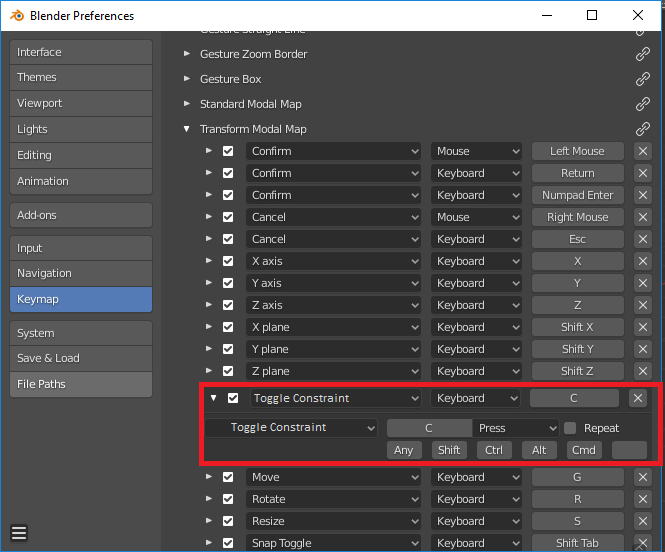
option like toggle constraint instead of clear constraint.
5 Comments
If you're making a proposal, don't say "don't say". Make a proposal. The above doesn't read as a proposal, but as a complaint. It's not quite clear what behavior you actually need.
* @Stanislav Blinov * Ask impacman
* @mrajendra2150 * I'm asking you. It's your "proposal", not impacman's. If you can't be bothered to actually present and describe desired functionality, do you sincerely think that a developer would be bothered to think about it?
* @mrajendra2150 * I apologise, let me explain: suppose you have to move the object in the X-direction. what you do is press G and X key to lock to X-axis. another method - you press MMB while moving and Blender itself predicts the axis based on your cursor position and lock to that axis (Auto-constraint).
Now what I want is instead of pressing MMB, blender should provide shortcut keymap to change to whatever we want to assign because if you move your mouse you have to first stop the movement to press MMB, maybe some user get used to it but it is not efficient, I found working with both hand alternatively is fast.
Another benefit of having a separate option like currently Snap option which can be toggle temporarily by holding CTRL (MMB in Auto-constraint), but snap also has a toggle button to enable it permanently which is handy in many situations. similarly, I want the toggle for Auto-constraint. you will better understand if you had experience working on CAD software where this is a fundamental feature known as Ortho mode. Sketchup enabled it by default. so you can sense the importance of such tools, especially for Archviz work.
Also, if you used snapping toggle you can press A key to add snapping points as many as you want and then blender takes average of those points as a snap target which is very helpful
Kekit has such functions in last releases