
Toggle 'Edit Mode'
‘Edit Mode’ is used so often it should just easily toggle from previous selection back to ‘Edit Mode’ - QUICK one had operation.
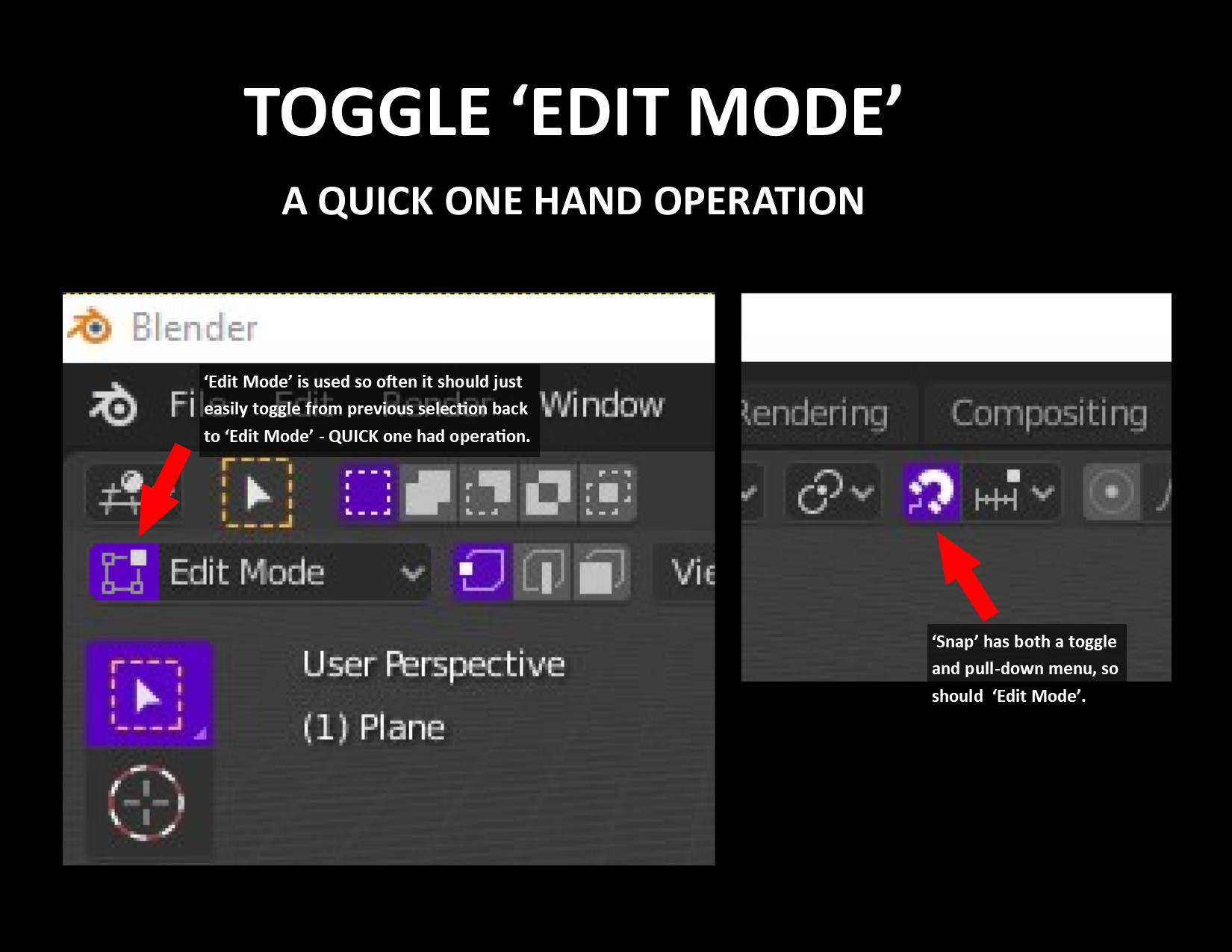
‘Edit Mode’ is used so often it should just easily toggle from previous selection back to ‘Edit Mode’ - QUICK one had operation.
6 Comments
I'm confused. Isn't this what the TAB key does?
* @ammusionist * You're confused because TAB is not an on-screen option but a keyboard shortcut. Just as Shift + TAB toggles the 'Snap' mode and has an on-screen option as well.
By default the key map is 'Tab'.
If any key mapping has been changed you can check it's key map here:
<i>Blender Preferences > Keymap > 3D View > Object Non-modal > Set Object Mode</i>
* @LilacDogoo * We're not speaking of keyboard shortcut but an on-screen functionality. Just as Shift + TAB toggles the 'Snap' mode and has an on-screen option as well.
* @Johnny Lassiter * May I ask why you don't use TAB? I feel that is faster than moving your mouse to a button then clicking.
Now that I understand what you mean though, It does sound like a good idea.
I will suggest that you be more clear about what you are asking.
The title only says "Toggle Edit Mode", most users here will dismiss the topic since the feature already exist.
Your description also does not add any more info than your title already describes. It does not mention anything about "on-screen display". Also; hitting the TAB key is a one handed operation.
Rephrase your suggestion and I'm sure you'll a more positive response. Don't ALL CAPS it either. You just look like an attention seeker.
* @LilacDogoo * I feel it should be a choice. It's the same as having more than one option as the other buttons in the toolbar. Many of the buttons are not even used as often as Object/Edit Mode.