
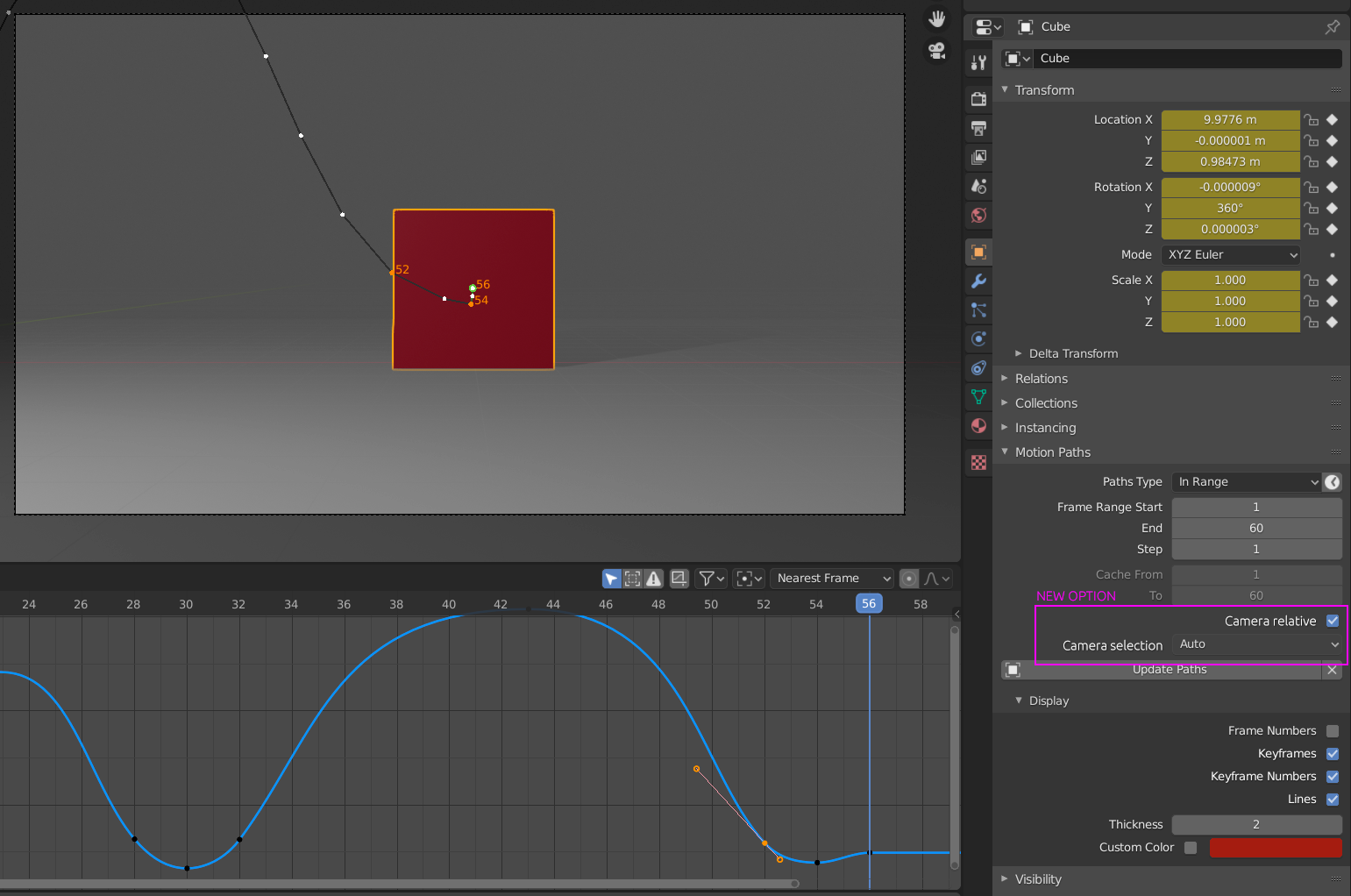
Motion Path relative to camera view
While animating (especially with character animation), we always need to track parts of the body to check our "arcs". While it's working fine on a fixed camera, the "motion path" option doesn't work if the camera is moving, as the motion path work on a global space and not in camera space (or screen space ?). It would be very useful to have a camera relative option, instead of tracking arcs manualy with the anotation tool, or worse, on a transparent celluloid taped on the screen as they do in some studios !
4 Comments
yes I mentioned this to someone before. And he just laughed in my face, that it was a useless thing. That 3d motion paths were better, bla bla bla. While I don't disagree that you can get far with the 3d motion path, from experience I know that sometimes a 2d(screen space) motion path is better. Because in the end we are always animating to the screen. Had plenty of times , the issue where in 3d the motion feels fine,the arks are fine, but in 2d things don't look as good. In those cases, I just use EpicPen to mark arks on screen.
At the moment i use grease for this marking up that animation and set to be always in front screen space/ 2D motion paths are just important
Thanks Christoph Lendenfeld and Pierrick Picaut ! "landed just before #b3d 4.1 moves into beta. Camera-space motion paths." twitter.com/vieleanimations/status/1754994388004909453
Just found a tool that does that in MAYA : MGtools pathtracker. Here is a video demo, that explains very well the issue : youtu.be/AzultIay4Ag