
Simple graph to visualize Map Range node output
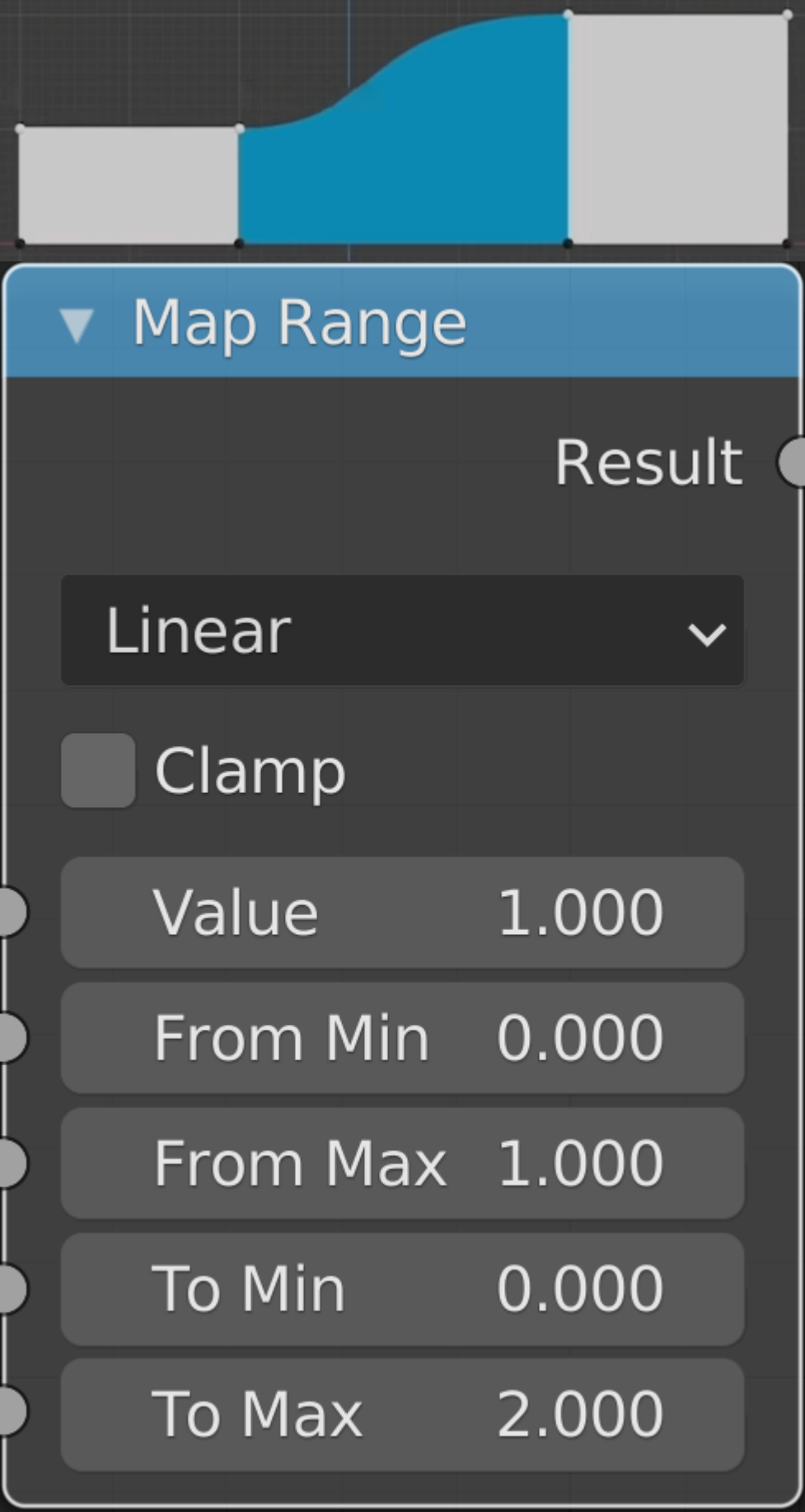
I'd love to see a simple graph added to the Map Range node, visualizing the effect of the node settings in an elementary way, making the parameters less abstract and eliminating guessing, trial and error.
Something like the mockup image, inspired by a recent CG Cookie video .
The representation should be relative, as absolute values would soon pull apart the graph.
Generally speaking, the more nodes that would have an instant output preview, the better.
On a side note: the graph doesn't reflect the Linear setting, yes, I realized that after finishing the mock-up. 😊
9 Comments
It's interesting, but I am curious why not just use the Curves node? From what I understand, curves node is more meant for these kinds of visual transforms, while the Map Range node is more appropriate for example for remapping world position or camera depth coordinates. So that when you for example have Camera Z going from 0 (camera) 2 kilometers far into the scene, you may want to remap it from 0-2000 to 0-1 to create some sort of fog effect for example.
Not that I am against it, but thinking about it, whenever I'd actually want to see some sort of visual representation, I'd probably want to use curves node anyway. Possibly in the conjunction with the remap range node, so that I would first map the input range into 0-1 range, and then I'd art direct that 0-1 range using the curves node.
* @rawalanche * Good point. The Curves node already offers a manipulatable graph.
* @rawalanche * I think the biggest offender is performance. I would expect the map range node to be very efficient computationally-wise while the rgb curves needs to make a lot of type casting which takes more memory power. Also, precision loss. Didn't test it though
* @Gorgious * Precision loss? You can type the precise value of the active point. It's just like a 2d coloramp.
I like it. My thoughts:
My conclusion and possible solution: Make a " Node viewer " mode for the graph editor that lets you view the enabled node. (similar to the spreadsheet editor) This would not only work for map range, but for more precise views of coloramps, color frequencies of textures, all the rgb curves at once, etc.
Fun but useless. because it is hard to predict, how range will convert input data. So preview on the mesh is only one proper preview.
Love the idea! As you said many, if not all, nodes should have a visual preview. It could also be considered to have it in the node properties in the N panel. I hope that if this request will be taken, it will be the first brick of development for finally having nodes with previews inside the node editor.
i think geo nodes should start having icons for every node like grasshopper, or even better like in sverchok, sverchok has 600 nodes ^^ and each one has a unique icon
Interesting, I've never seen visualizing the very simple concept of the map range node necessary. What if you use the Curve node instead?