
Copying Code from Python Console
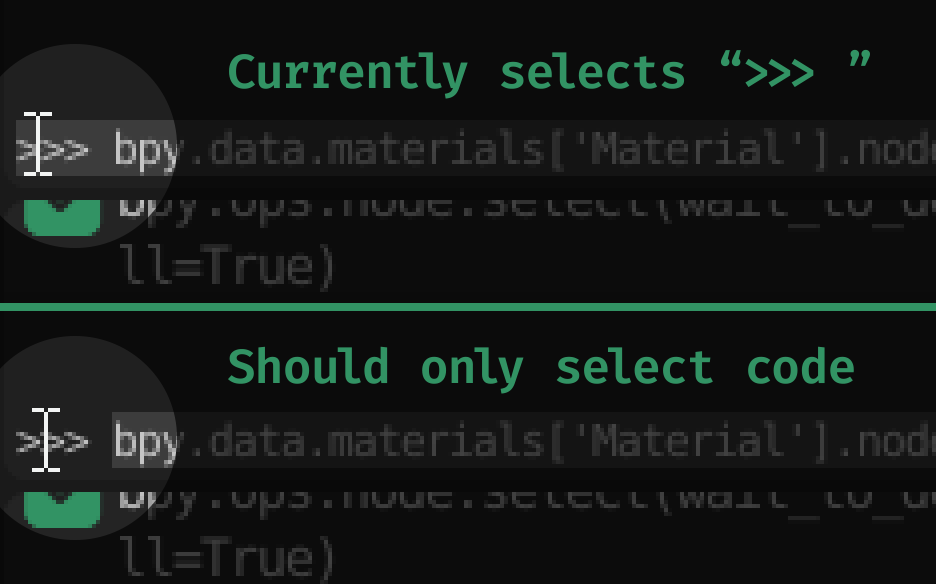
Many people use Python Console to first just try stuff when scripting. Naturally, it's common to copy a line from there. But when you drag to select the text, you can easily catch the leading
>>>
.
That's small, but annoying. It should stop where the code starts, so you could drag to the edge of a screen without a problem.
At least
CTRL
+
A
could select the current input line if not empty. Or if nothing is selected, even
CTRL
+
C
could copy the entire line by default (again, without the
>>>
). That would make things much easier.
4 Comments
disagree- it's a python console, equivilent to a terminal. this is standard behavior that works the same on ALL terminals I have ever used on all operating systems. As someone who copies and pastes terminal output from blender routinely when I'm explaining certain concepts to beginners it's useful to delineate the command from the output. my suggestion would simply be to use greater accuracy with your mouse when selecting.
* @testure * Well yeah, that's fair. Personally I don't really copy outputs... Best of both worlds would definitely be "snapping" the selection in middle of
>>>.But another idea - triple click should select the full line without the start. That wouldn't really change anything else.
* @Vladislav Macíček * triple click should select the full line without the start sound good.
Blender 3.0.0 has "Copy as Script" from the console, which does some conversions. It removes >>> and ... prefixes, it turns error messages into #! comment lines, and it turns script outputs into #~ lines. I think this covers the requests in this suggestion.