
Viewport resolution reduction in EEVEE
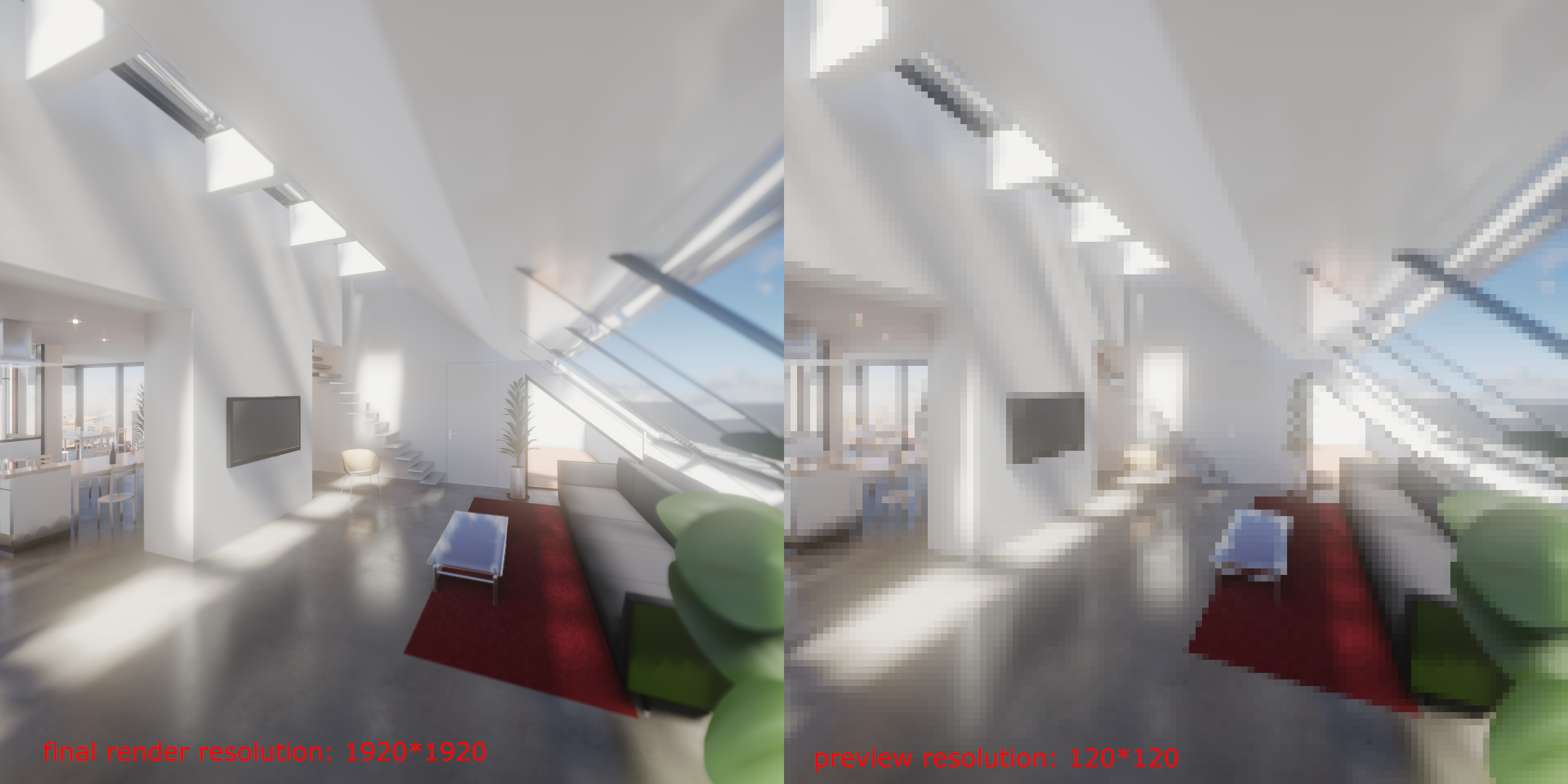
I was thinking if it would be hugely benificial to make the same option what is allready made for cycles so that you could reduce the viewport renderview resolution of eevee so you could set the lighting and composition with a worse resolution what is in exchange a lot faster and more responsive to block out your idea, and you can lay out the details in the workbench engine if you value speed or in a better resolution viewport after you're happy with your base setup
4 Comments
Yeah, with Cycles i'm contempt with using half resolution for the viewport, since my 4k display gives me nice pixel density already. So for eevee it would be nice too
Be sure to double check your properties panel in your Render tab. Samples for Evee rendering and viewport is there. This will set your resolution for faster playbacks and rendering...
Or maybe I'm missing something.. The only difference is that the sampling is in it's own categories. Ex: Subsurface/Shadows/Ect. So an over all sampling would be simpler.
@rodgerdaledavis: I think what he's talking about is actually lowering screen dpi in a chosen viewport area. Blender would then do the real time calculation as if it rendered a much smaller viewport and then zoomed it up. You would actually see the pixels, as it is shown in the right image, but get a lot faster output on slower machines.
@Okavango: yes this is exactly what I'm thinking