
Add a “Replace Materials” option when linking materials between objects.
Hey guys! I think this could be a really useful, time-saving feature.
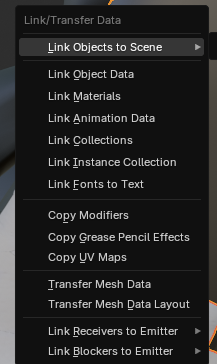
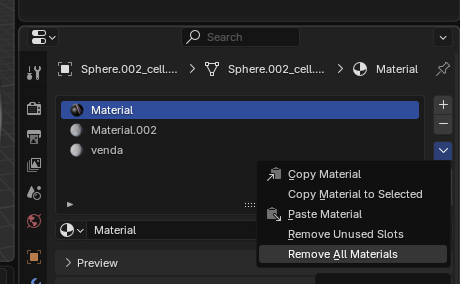
Right now, when linking materials from one object to another, Blender keeps the target object’s existing material slots. So you have to manually delete them first which is slow when dealing with many materials or objects (and usually the work around is using scripts).
Here are two ideas to fix that:
“Replace Materials” option — in Ctrl + L → Link/Transfer Data, it would clear all existing materials on the target object and copy the source’s list.
Alt + Remove All Materials — in the Material Editor, holding Alt while clicking “Remove All Materials” would apply it to all selected objects.
Both would save a lot of time and make the workflow smoother, especially with complex scenes.
Thanks Blender team!
0 Comments